Tyro Login Documentation
Everything you need to build stunning authentication pages with zero configuration required
Introduction
Tyro Login transforms your Laravel 12 and Laravel 13 authentication experience with beautiful, feature-rich login and registration pages. Stop spending weeks building auth UI from scratch – get a complete authentication solution with premium design in under 5 minutes.
This comprehensive package delivers everything you need: 5 beautiful layouts, dark/light themes, social login via OAuth, security features like math captcha and OTP, email verification, and seamless integration with the Tyro RBAC system. No build tools, no complex setup – just pure Laravel magic.
Powerful Features That Set You Apart
Every feature is designed to save you time while delivering a premium user experience that builds trust and engagement.
5 Stunning Layouts
Choose from centered, split-screen, fullscreen, or card designs that adapt to your brand
Social Login
Sign in with Google, Facebook, GitHub, Twitter/X, LinkedIn, Bitbucket, GitLab, and Slack via OAuth
Professional Design Language
Premium UI with attention to every pixel and interaction
Effortless Customization
Modify everything from colors to copy with simple environment variables
Security-First Approach
Built-in protection against brute force attacks with configurable lockouts
Smart Bot Protection
Lightweight math captcha that blocks bots without external APIs
Two-Factor Authentication
Email-based OTP and Time-Based 2FA (TOTP) with QR code scanning
Email Verification System
Seamless email verification flow that reduces support tickets
Password Recovery
Complete password reset flow with secure token management
Beautiful Email Templates
Modern, responsive email designs that represent your brand professionally
RBAC Integration
Automatic role assignment works seamlessly with the Tyro RBAC package
Smart Theming
Auto-detects user preferences with manual override for complete control
Mobile-First Responsive
Perfect experience across phones, tablets, and desktop devices
Zero Build Complexity
Skip npm, webpack, and other build tools – it just works out of the box
Developer-Friendly Debugging
Comprehensive logging helps you troubleshoot during development
Screenshots
Here's how Tyro Login looks in action:
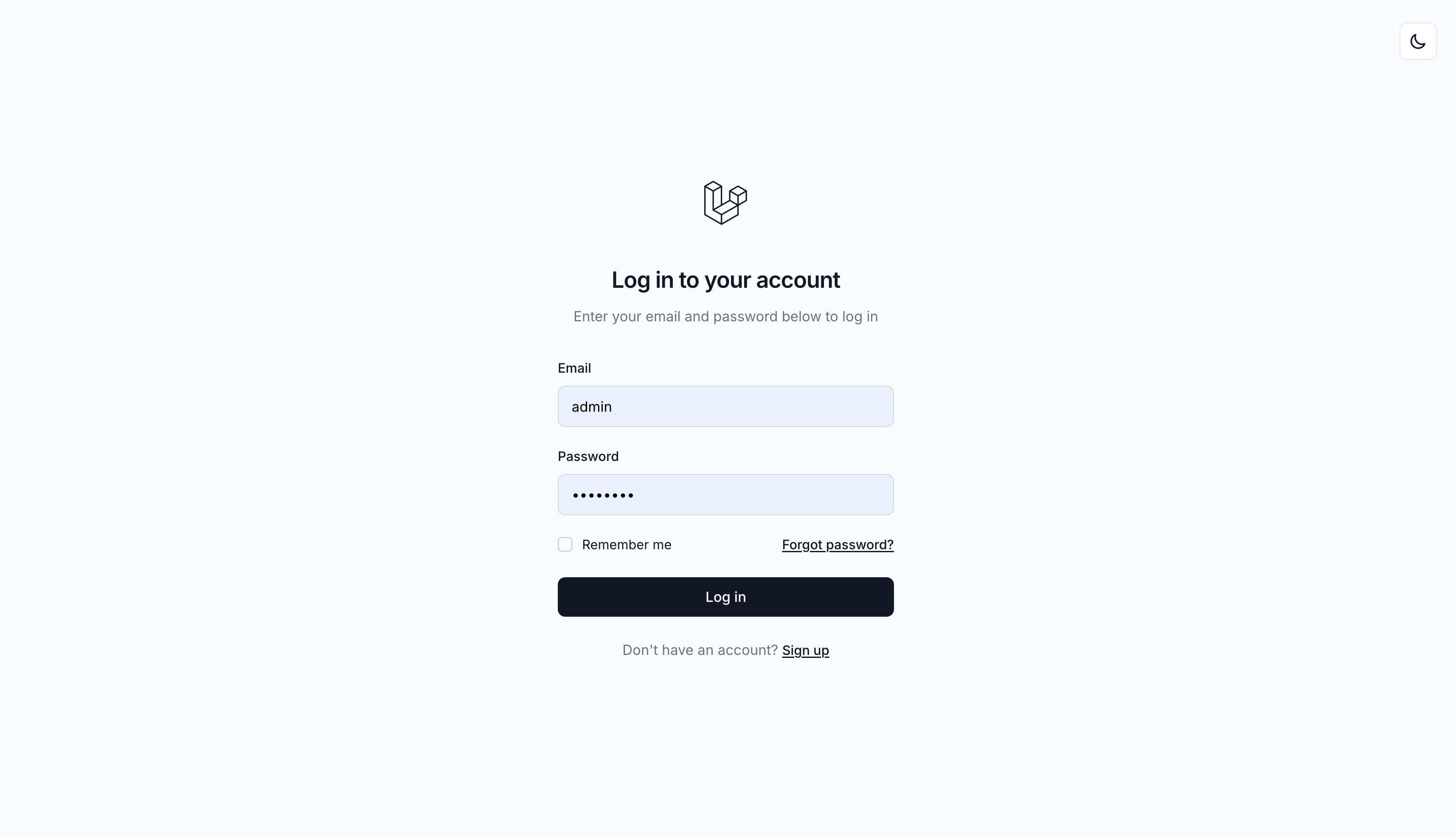 Login - Light Theme
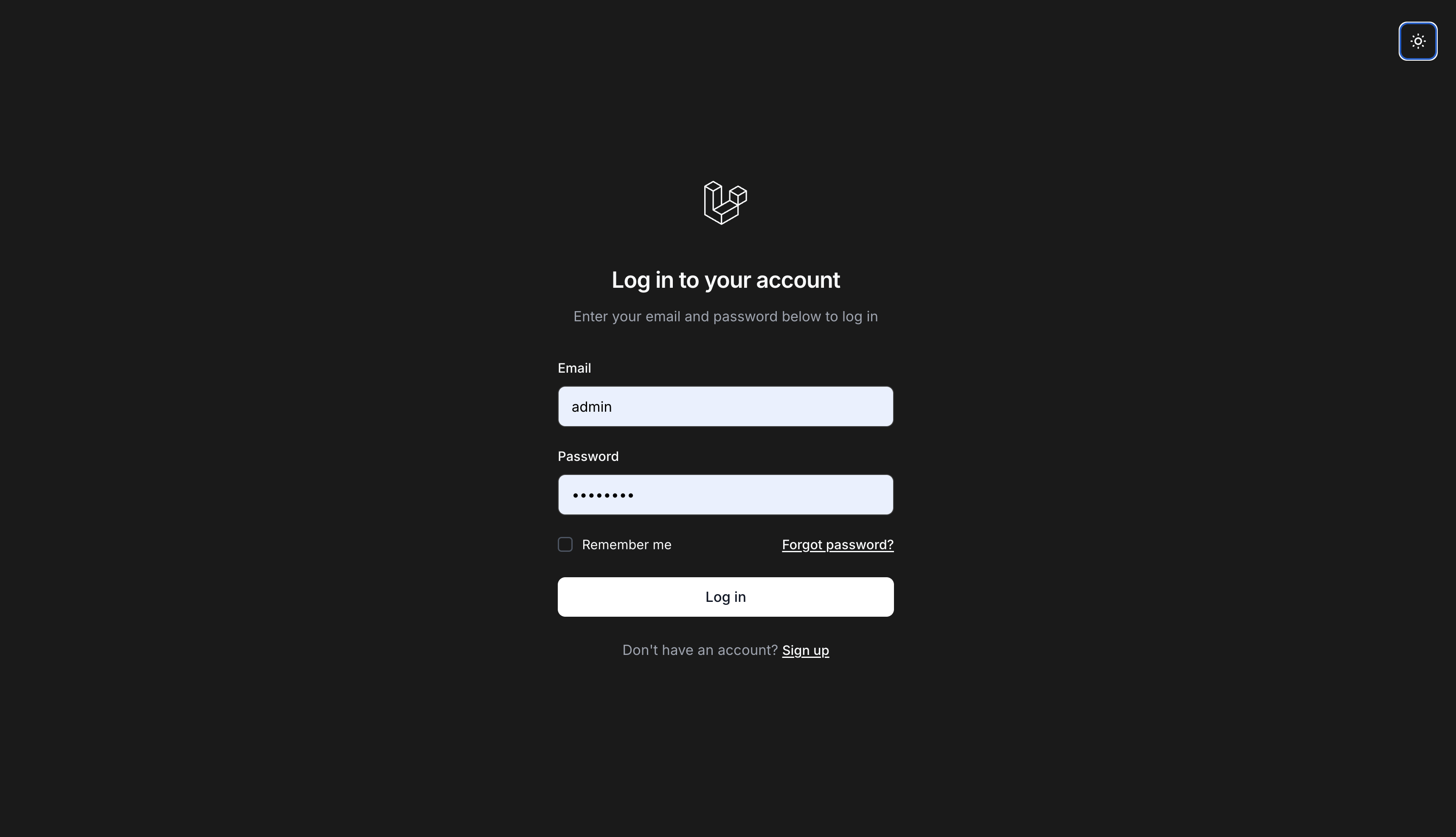 Login - Dark Theme
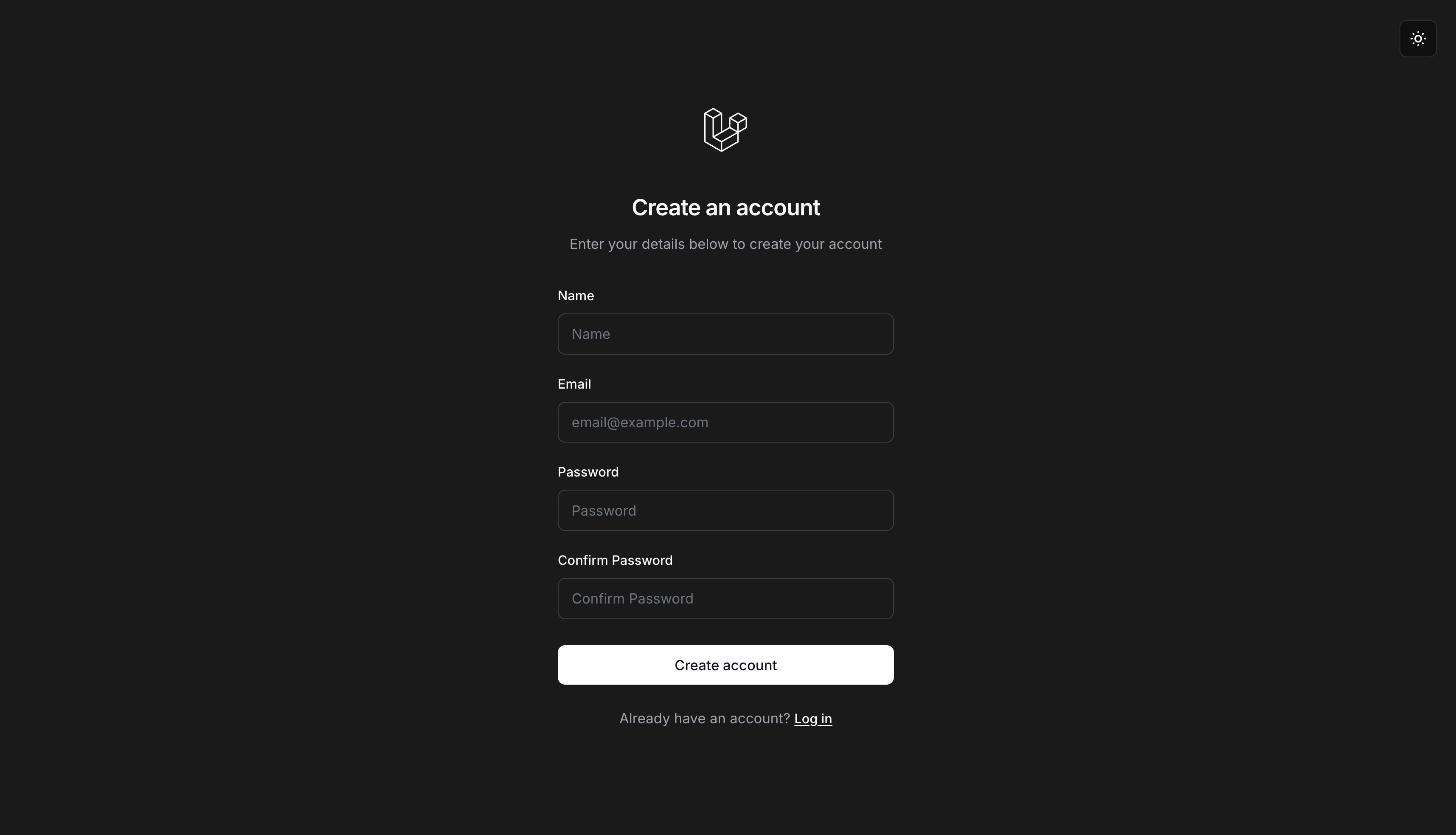 Registration - Dark Theme
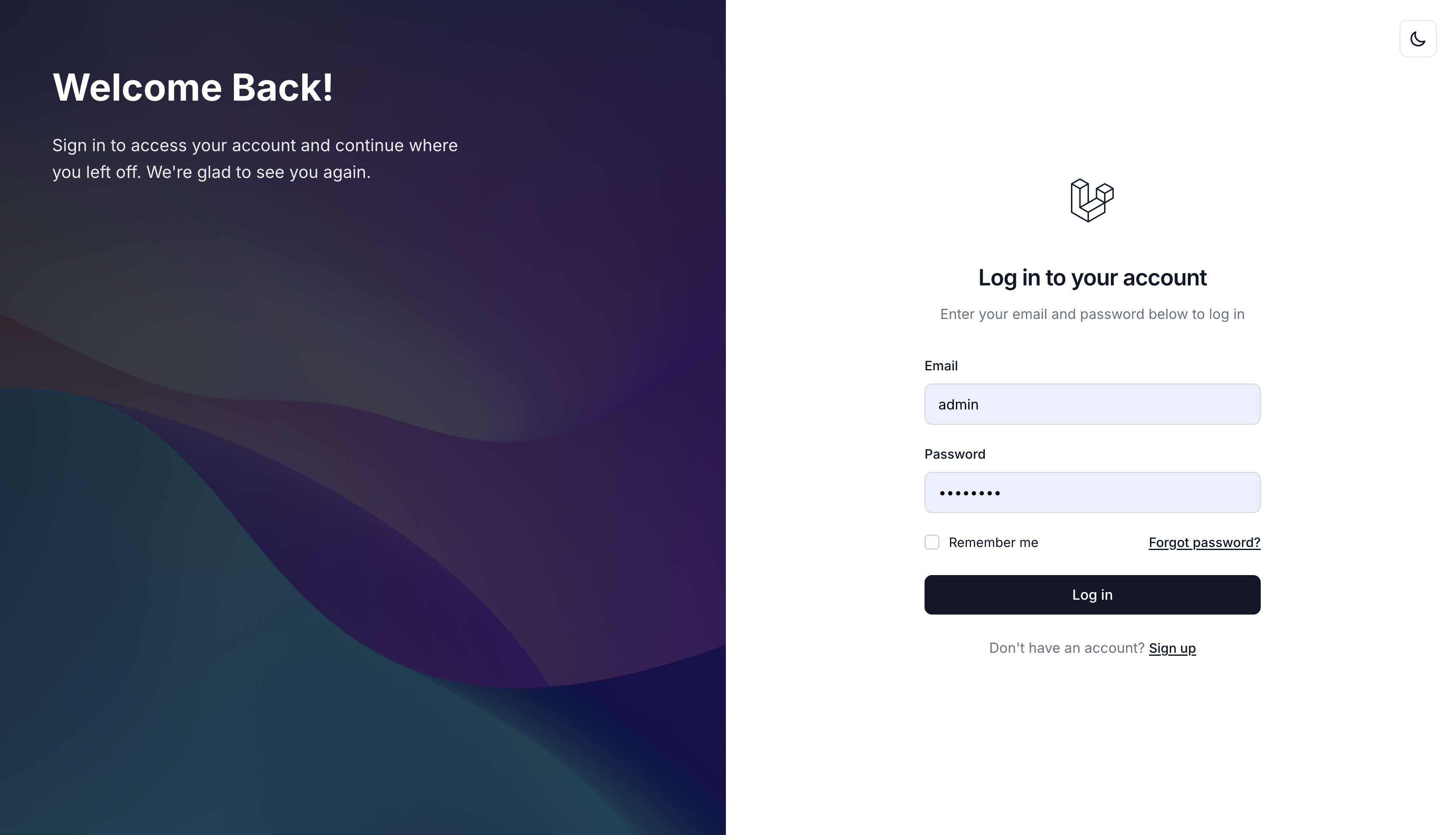 Split Left Layout
 Split Right Layout
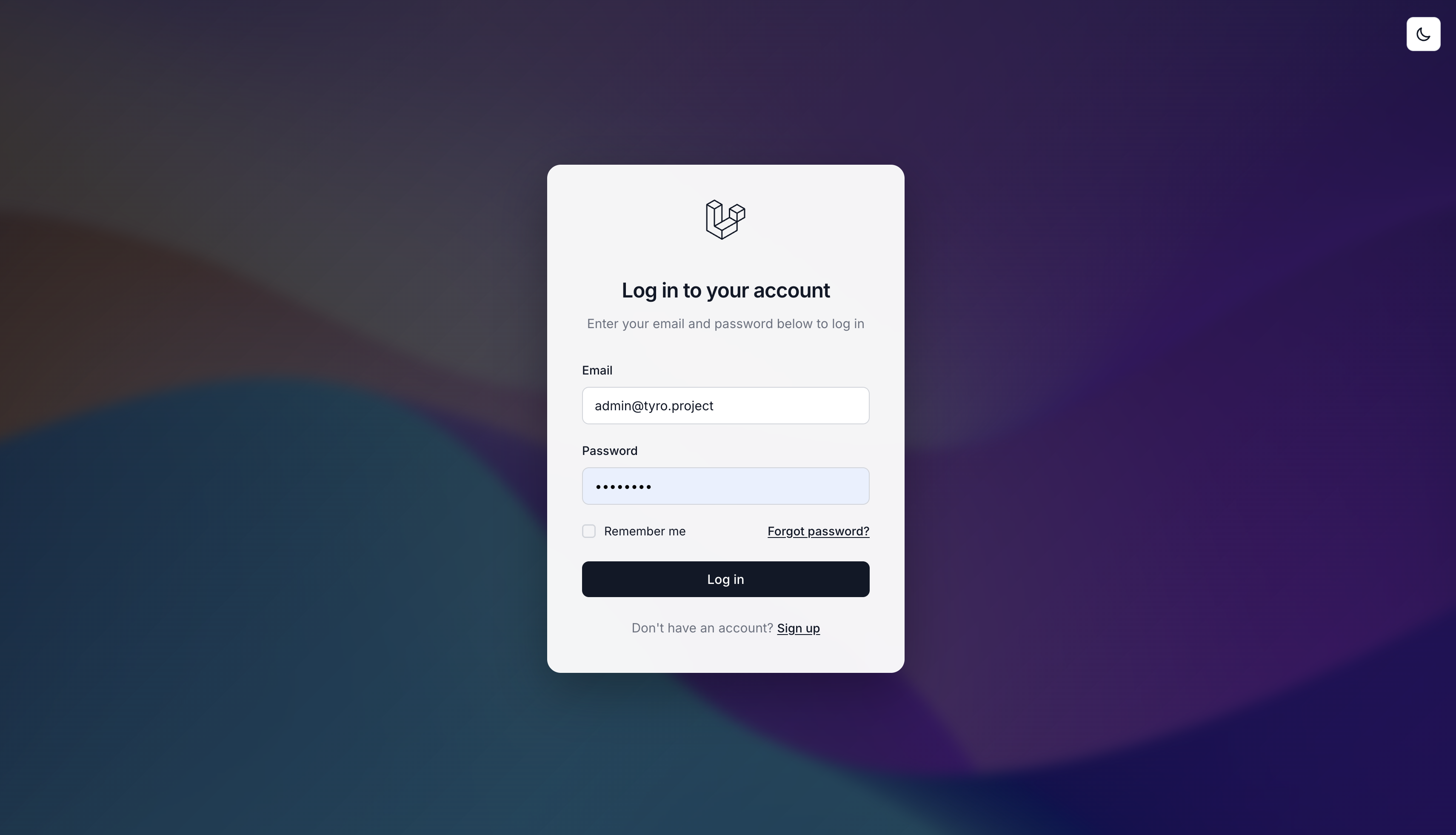 Fullscreen Layout
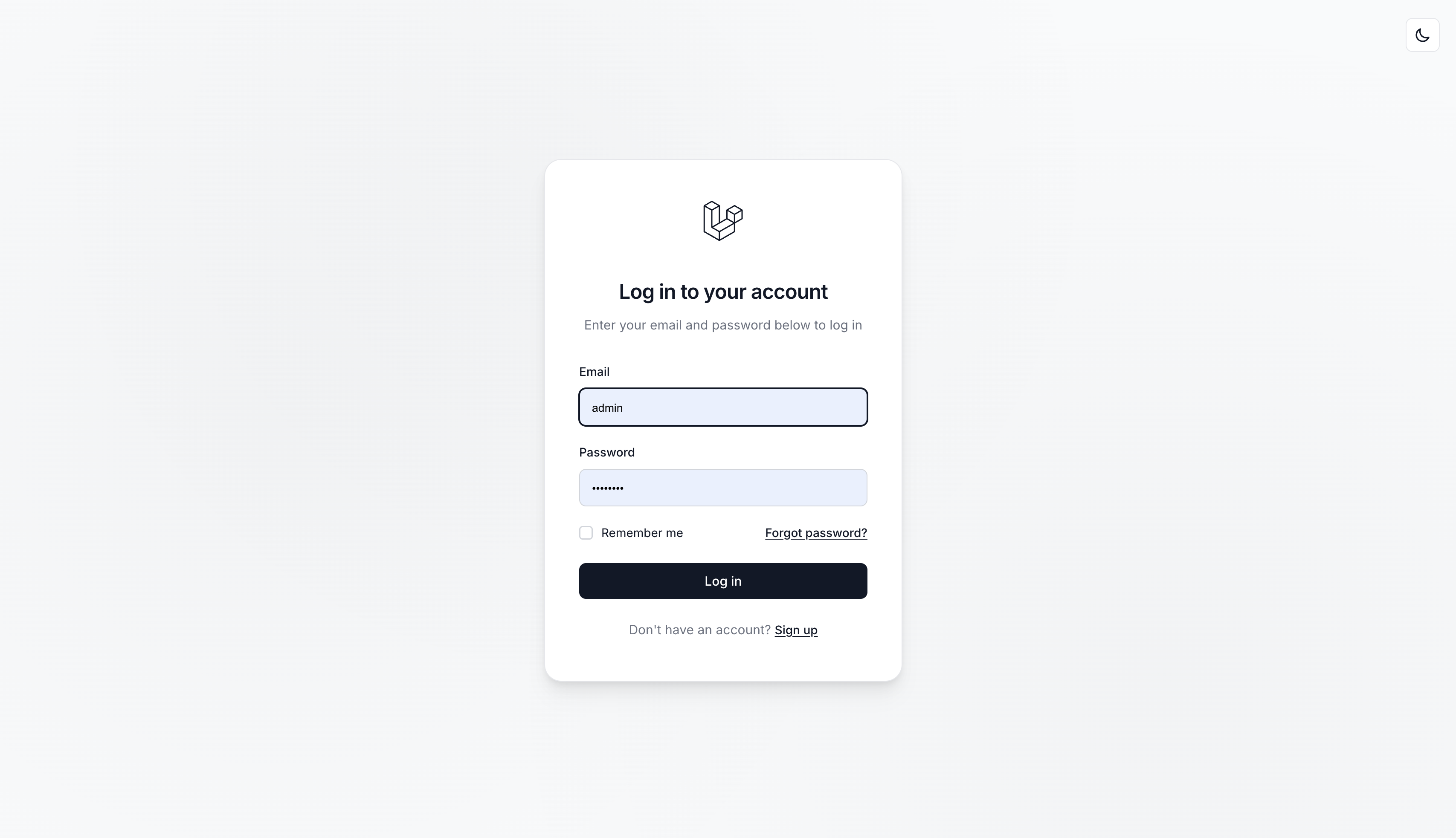 Card Layout - Light
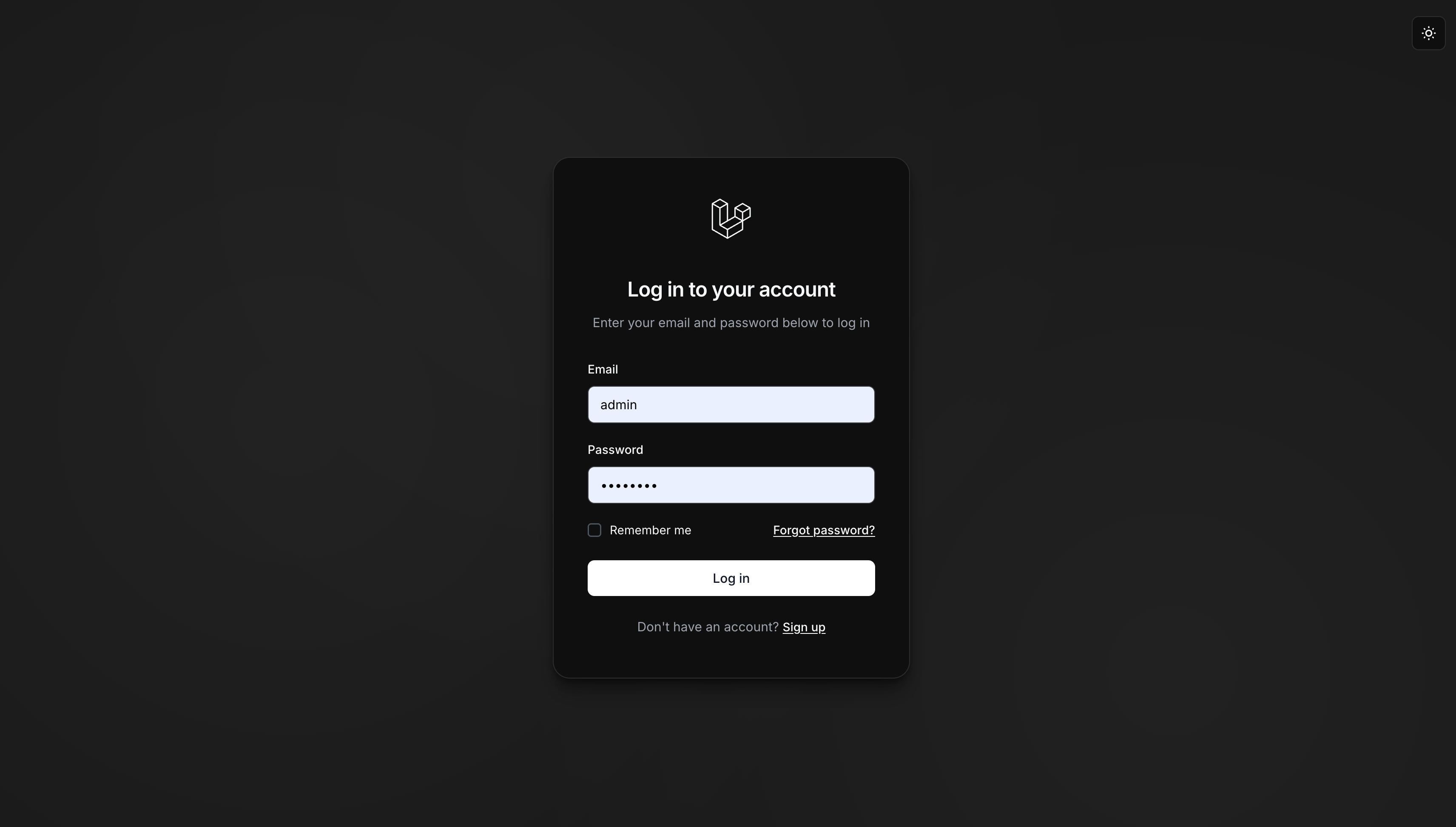 Card Layout - Dark
 Login Attempts Warning
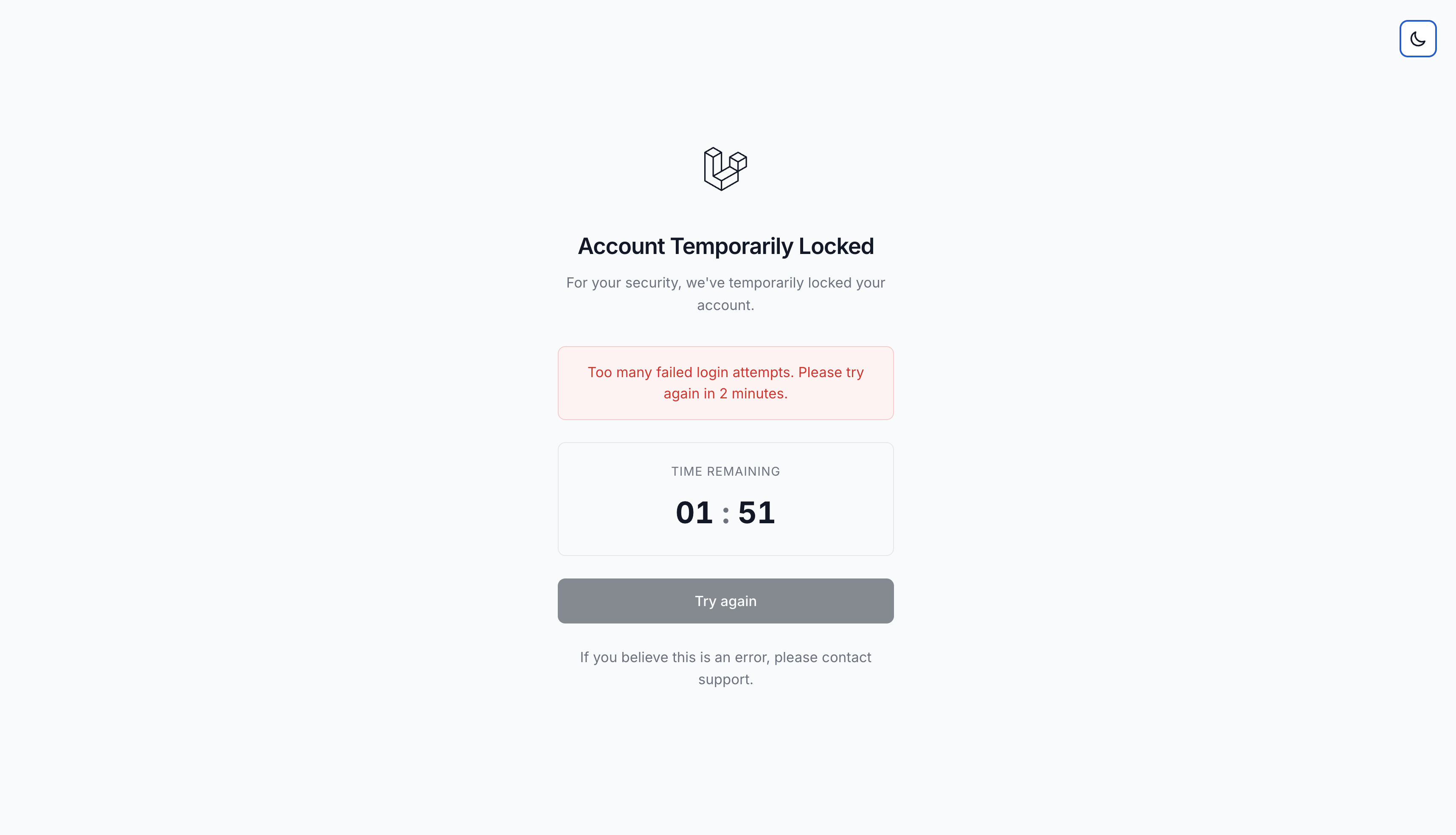 Lockout Screen - Light
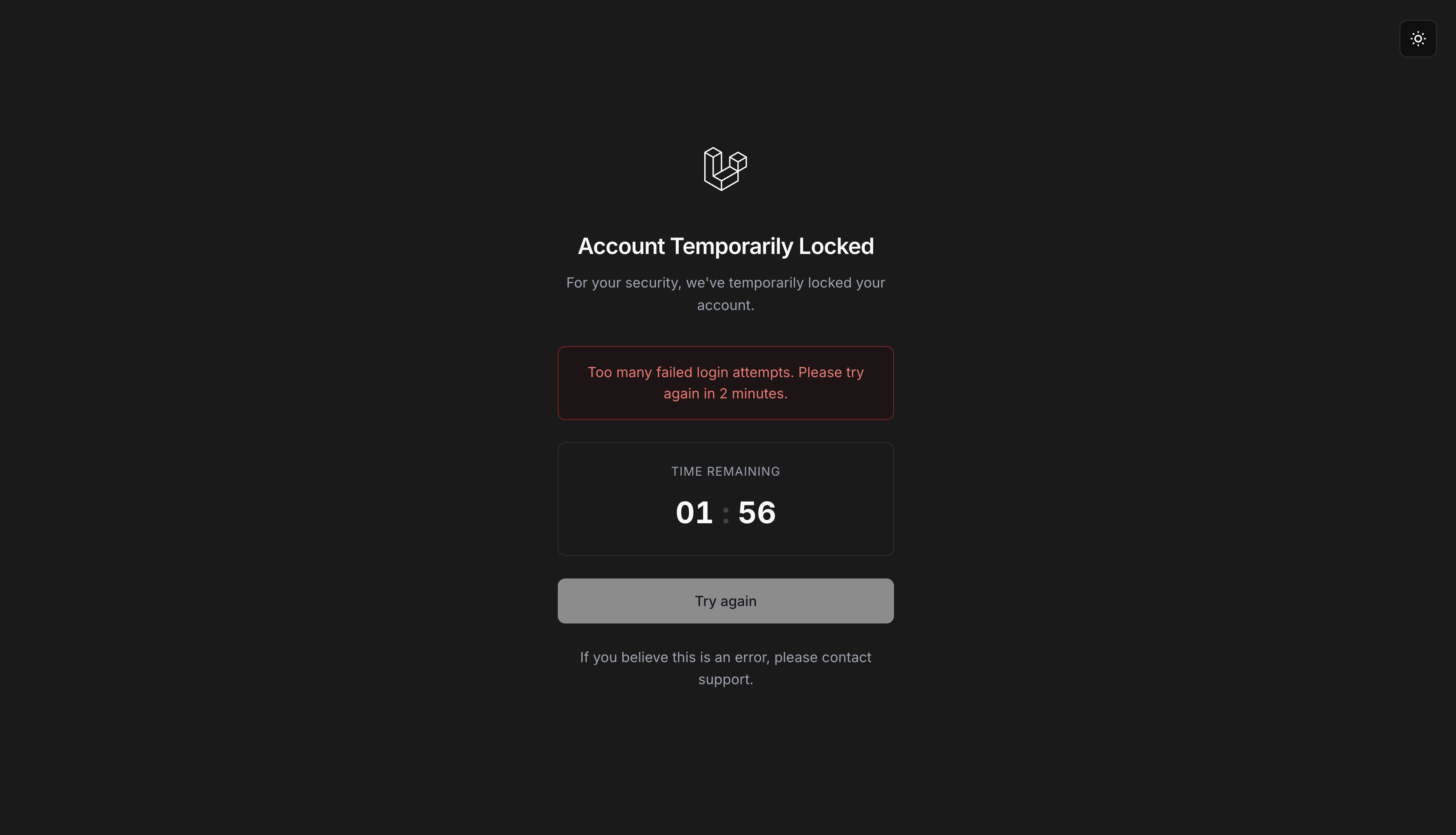 Lockout Screen - Dark
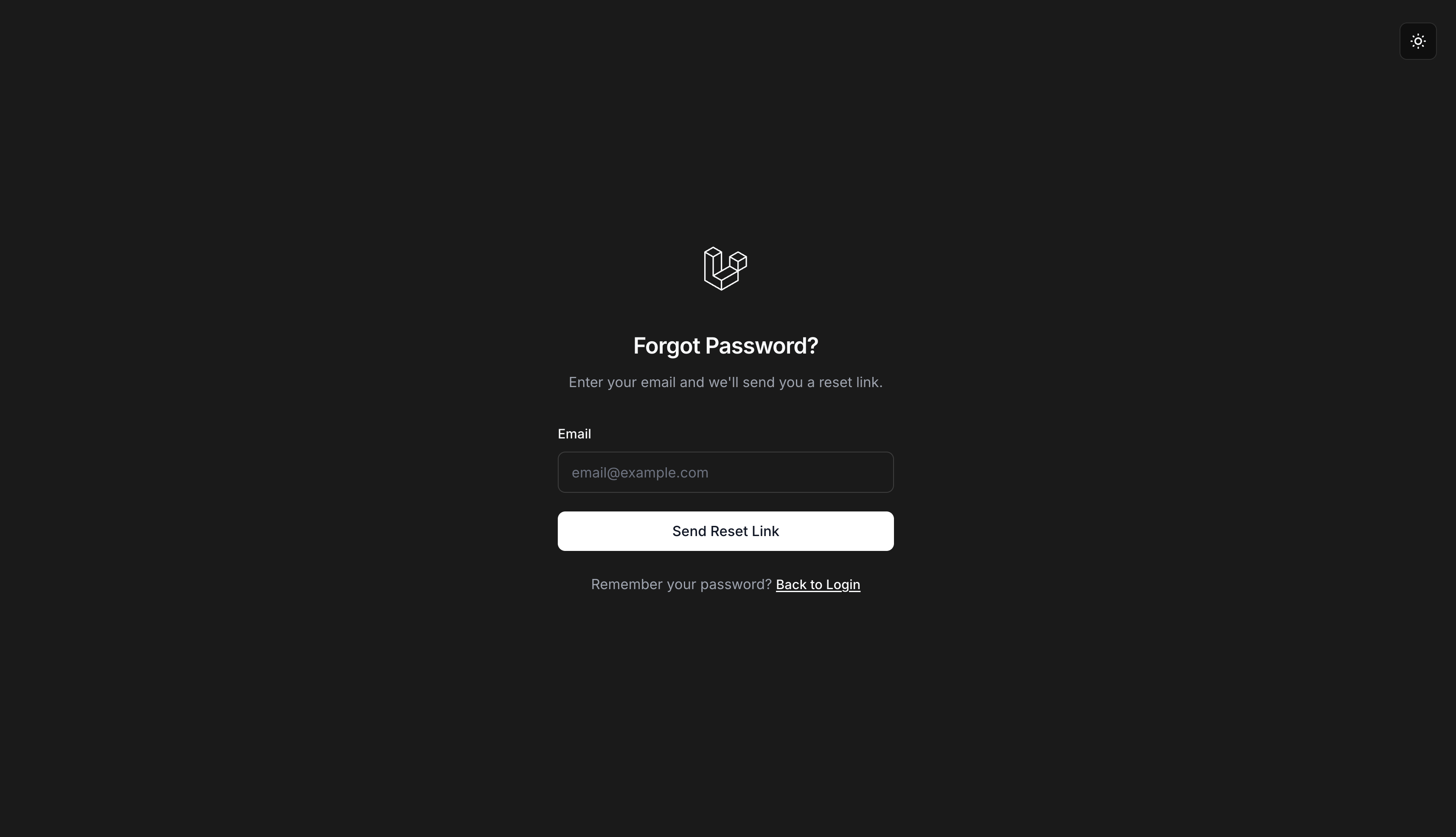 Forgot Password - Dark
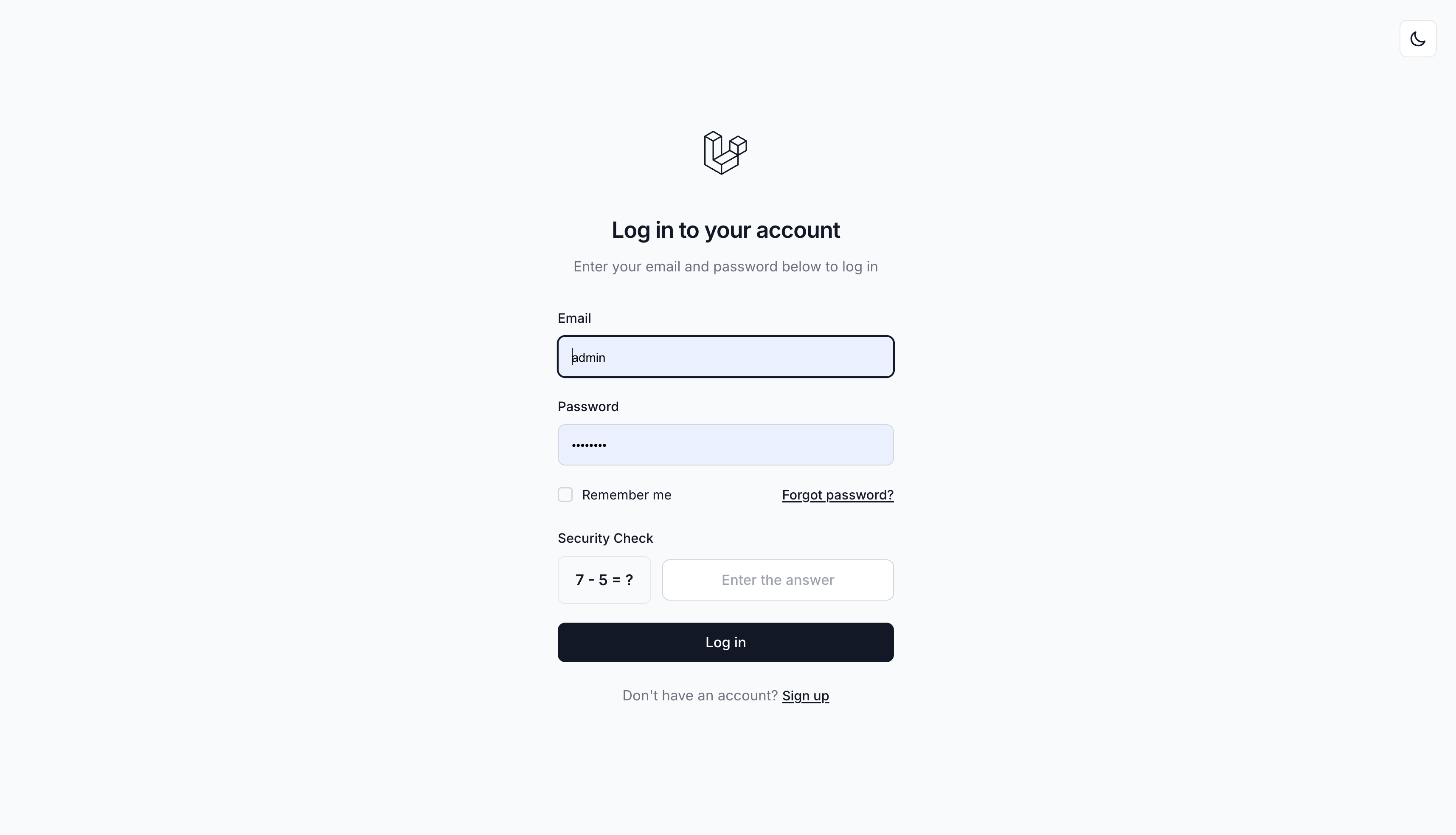 Math Captcha - Light
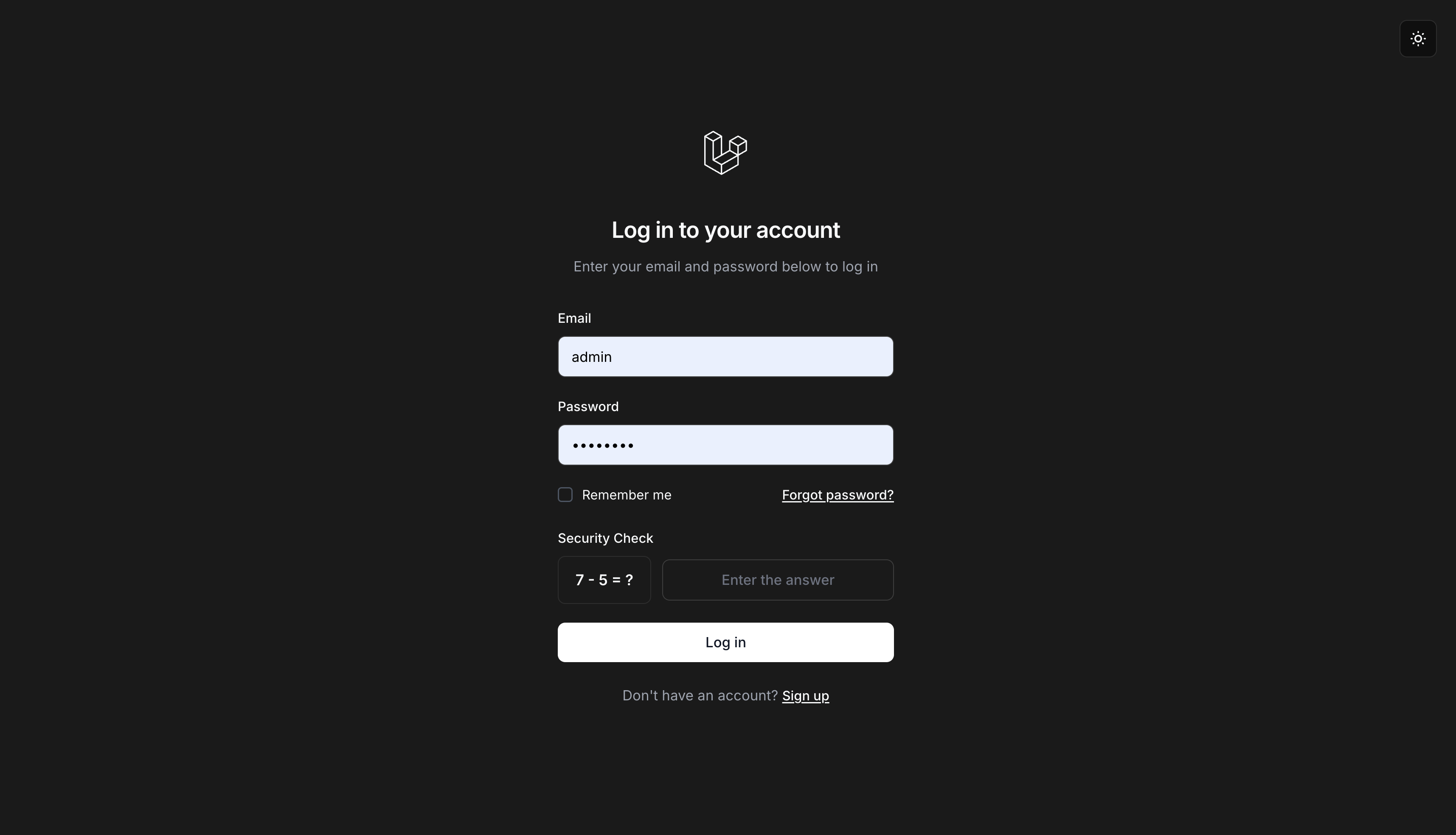 Math Captcha - Dark
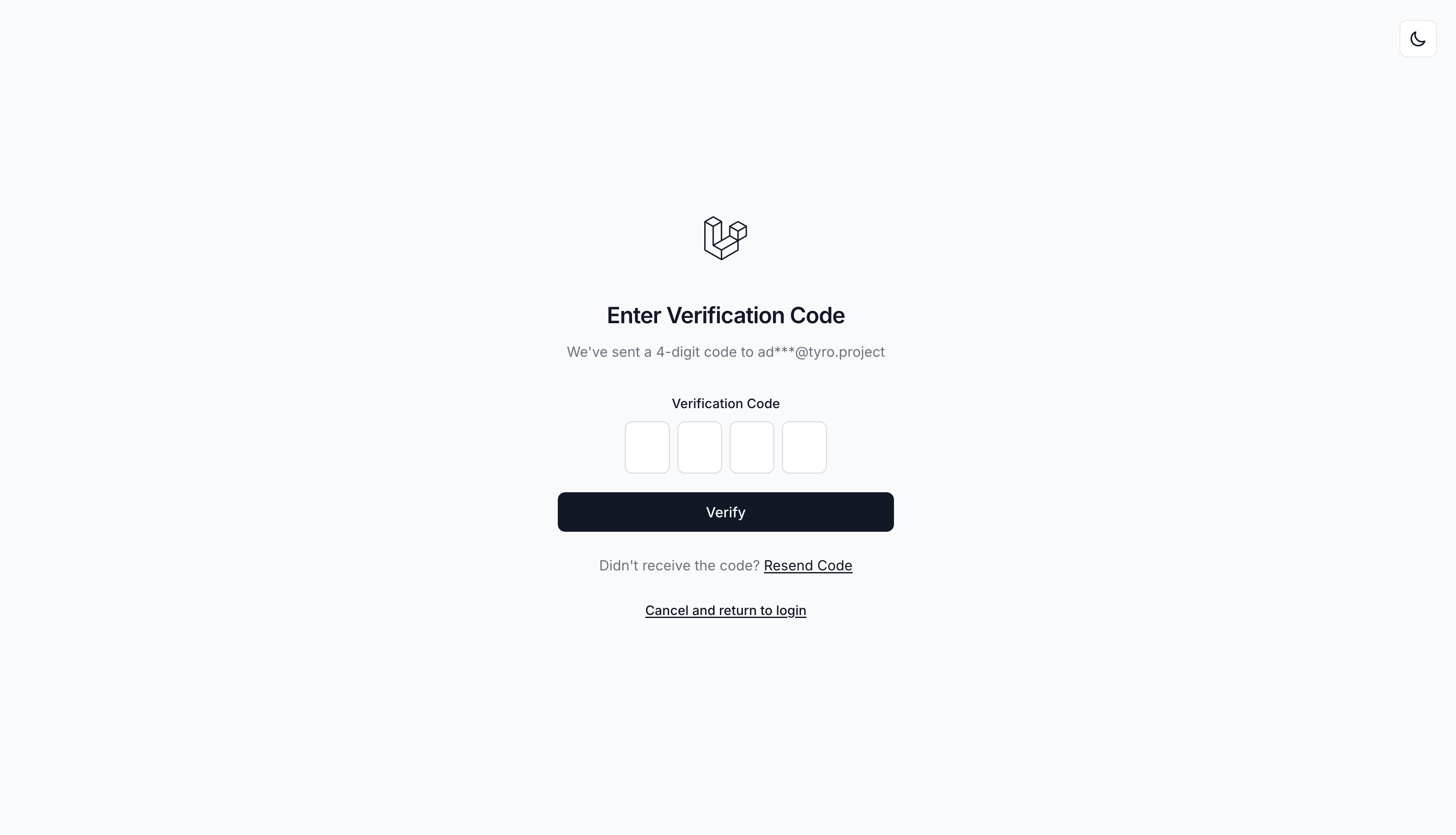 OTP Verification - Light
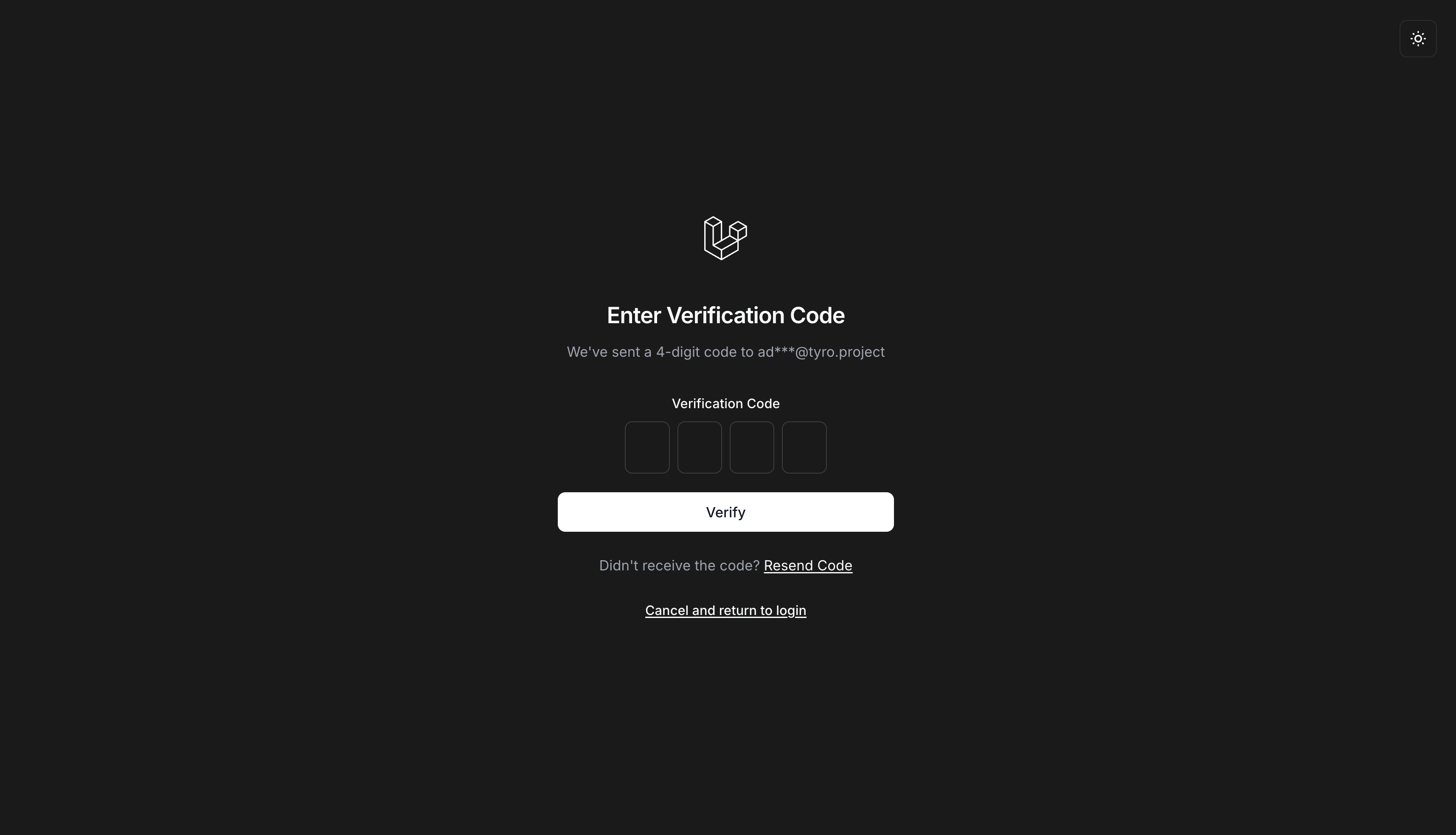 OTP Verification - Dark
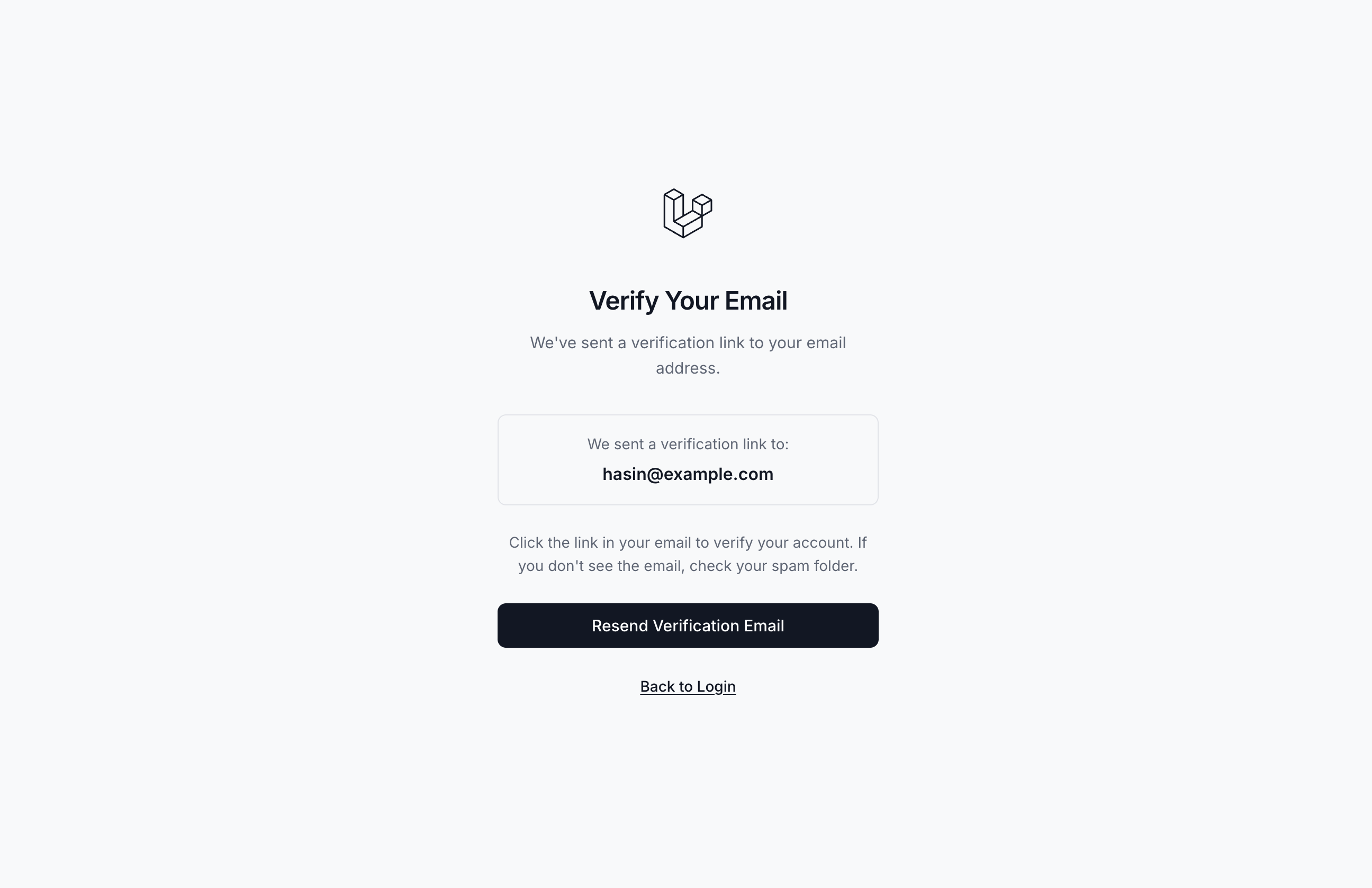 Email Verification - After Registration
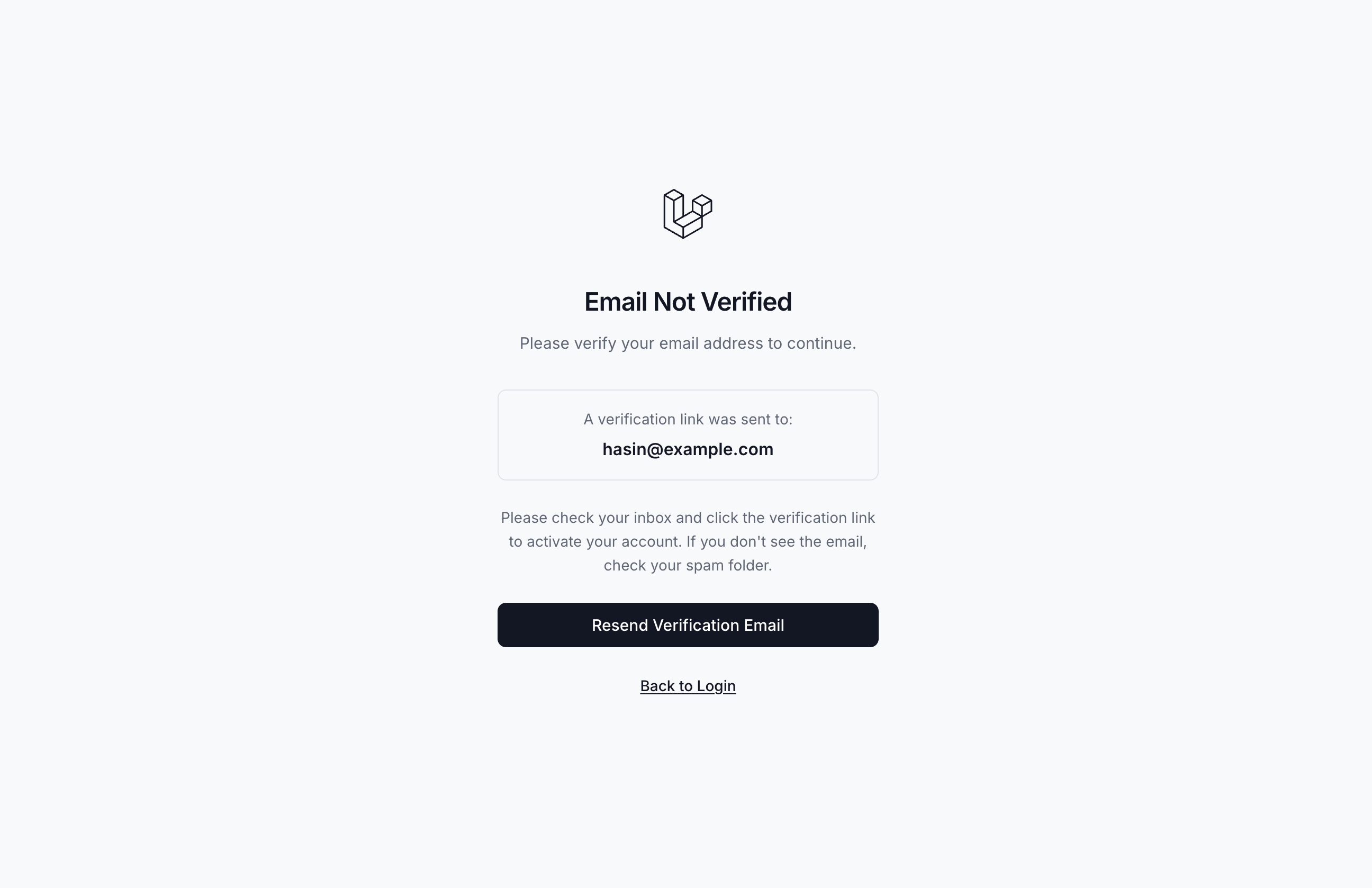 Unverified Email - Login Attempt
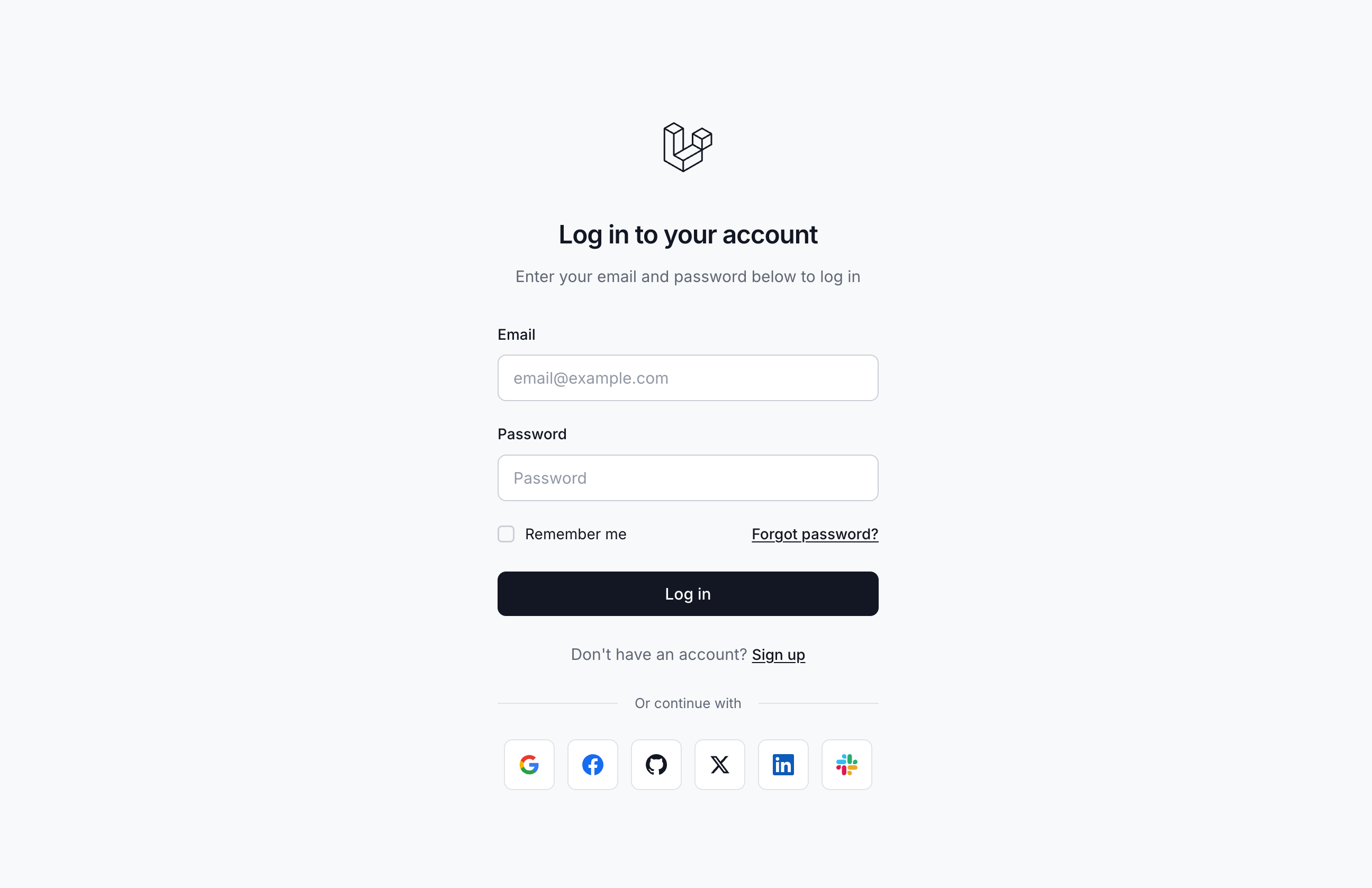 Social Login - Light
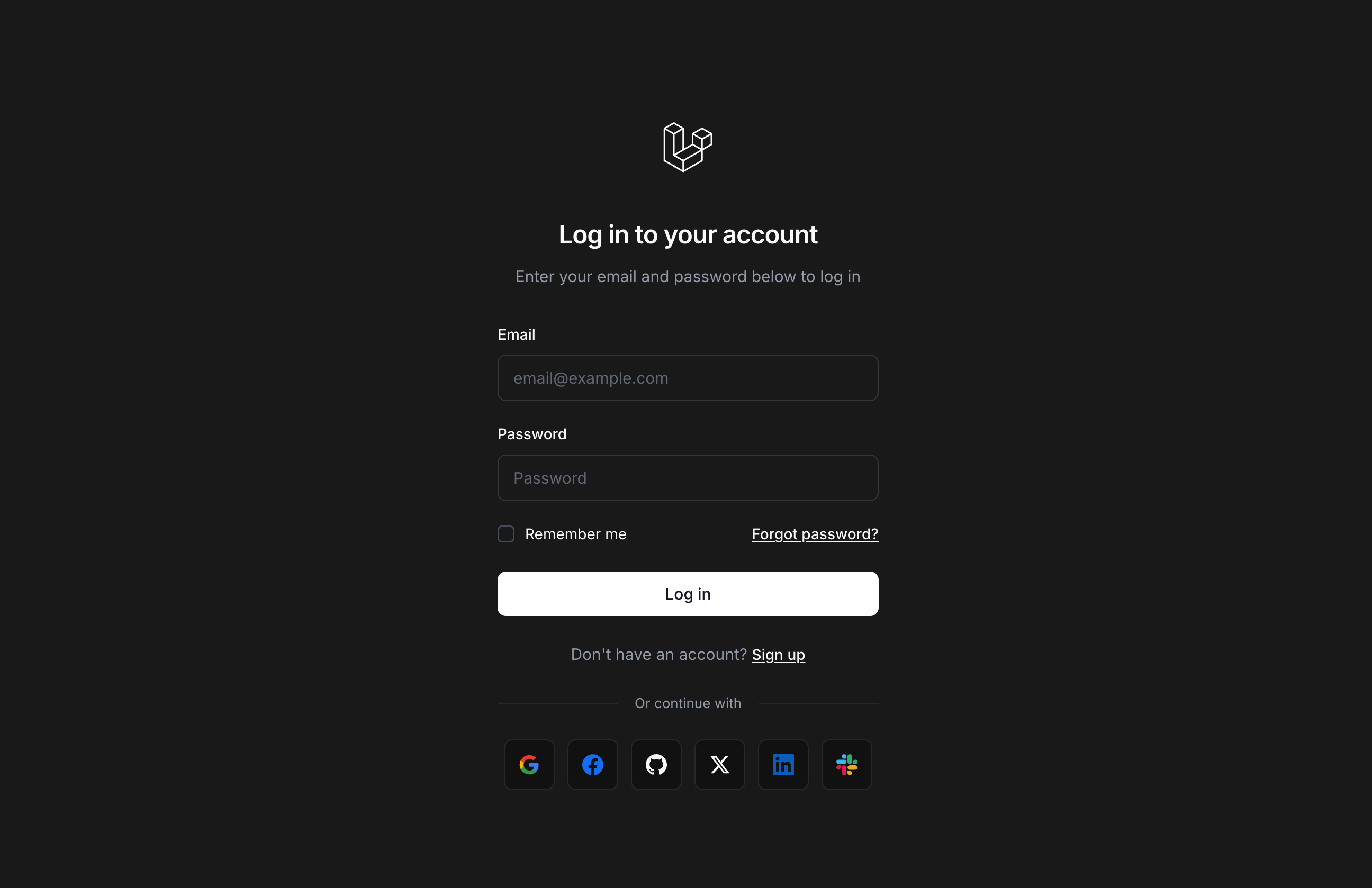 Social Login - Dark
Requirements
- PHP: 8.2 or higher
- Laravel: 12.0 or higher
- Database: Any database supported by Laravel
Get Started in Under 5 Minutes
Two simple commands and you'll have premium authentication pages running in your Laravel app.
composer require hasinhayder/tyro-login
php artisan tyro-login:install/login. No additional configuration required – it works immediately with beautiful defaults.
config/tyro-login.php to match your brand. Everything is configurable through environment variables.
Layout Options
Tyro Login offers 5 beautiful layout options:
| Layout | Description |
|---|---|
centered |
Form appears in the center with a gradient background (default) |
split-left |
Background image on the left, form on the right |
split-right |
Form on the left, background image on the right |
fullscreen |
Full-screen background with glassmorphism form overlay |
card |
Floating card design with subtle background patterns |
Setting the Layout
# Available layouts: 'centered', 'split-left', 'split-right', 'fullscreen', 'card'
TYRO_LOGIN_LAYOUT=centered

# Background image for split and fullscreen layouts
TYRO_LOGIN_BACKGROUND_IMAGE=https://images.unsplash.com/photo-1618005182384-a83a8bd57fbe
Or in your config file:
return [
    'layout' => env('TYRO_LOGIN_LAYOUT', 'centered'),
    'background_image' => env('TYRO_LOGIN_BACKGROUND_IMAGE', 'https://...'),
];
Branding
Customize your authentication pages with your brand identity:
'branding' => [
    // Application name shown on auth pages
    'app_name' => env('TYRO_LOGIN_APP_NAME', env('APP_NAME', 'Laravel')),

    // URL to your logo (null for text-based logo)
    'logo' => env('TYRO_LOGIN_LOGO', null),

    // Logo height for proper sizing
    'logo_height' => env('TYRO_LOGIN_LOGO_HEIGHT', '48px'),
],
Environment Variables
TYRO_LOGIN_APP_NAME="My App"
TYRO_LOGIN_LOGO=https://myapp.com/logo.svg
TYRO_LOGIN_LOGO_HEIGHT=48px
Redirects
Configure where users are redirected after authentication actions:
'redirects' => [
    // Where to redirect after successful login
    'after_login' => env('TYRO_LOGIN_REDIRECT_AFTER_LOGIN', '/'),

    // Where to redirect after logout
    'after_logout' => env('TYRO_LOGIN_REDIRECT_AFTER_LOGOUT', '/login'),

    // Where to redirect after successful registration
    'after_register' => env('TYRO_LOGIN_REDIRECT_AFTER_REGISTER', '/'),

    // Where to redirect after email verification
    'after_email_verification' => env('TYRO_LOGIN_REDIRECT_AFTER_EMAIL_VERIFICATION', '/login'),
],
Registration Settings
Control the registration behavior:
'registration' => [
    // Enable or disable user registration
    'enabled' => env('TYRO_LOGIN_REGISTRATION_ENABLED', true),

    // Automatically log in users after registration
    'auto_login' => env('TYRO_LOGIN_REGISTRATION_AUTO_LOGIN', true),

    // Require email verification (needs Laravel's email verification)
    'require_email_verification' => env('TYRO_LOGIN_REQUIRE_EMAIL_VERIFICATION', false),
],TYRO_LOGIN_REGISTRATION_ENABLED=false in your .env file.
Magic Login Links (Passwordless)
Enable passwordless authentication with secure, time-limited magic links sent via email. Users can log in with a single click without entering a password. Perfect for improving conversion rates and user experience.
Configuration
'features' => [
    // Enable magic link feature
    'magic_links_enabled' => env('TYRO_LOGIN_ENABLE_MAGIC_LINKS', false),
],

'emails' => [
    // Magic link email
    'magic_link' => [
        'enabled' => env('TYRO_LOGIN_EMAIL_MAGIC_LINK', true),
        'subject' => env('TYRO_LOGIN_EMAIL_MAGIC_LINK_SUBJECT', 'Your Magic Login Link'),
        'expire' => env('TYRO_LOGIN_MAGIC_LINK_EXPIRE', 5), // Minutes
    ],
],
Environment Variables
# Enable magic links
TYRO_LOGIN_ENABLE_MAGIC_LINKS=true

# Email configuration
TYRO_LOGIN_EMAIL_MAGIC_LINK=true
TYRO_LOGIN_EMAIL_MAGIC_LINK_SUBJECT="Your Magic Login Link"
TYRO_LOGIN_MAGIC_LINK_EXPIRE=5  # Minutes
How It Works
- User enters their email/username on the login page
- User clicks "Send Magic Login Link" button
- System generates a secure, random 32-character hash
- Link is stored in cache with expiration time (default: 5 minutes)
- Beautiful email is sent with the magic link
- User clicks the link and is instantly logged in
- Link becomes invalid after first use
Features
- One-Click Login - Users receive an email and click to sign in instantly
- Time-Limited - Links expire after 5 minutes by default
- Single-Use - Each link can only be used once for security
- Beautiful Email - Professional email template with prominent CTA button
- Cache-Based - No database changes required, uses Laravel's cache system
- Security - Always shows success message even if user doesn't exist
- UI Integration - "Send Magic Login Link" button appears on login page when enabled
- Debug Logging - Magic links are logged when debug mode is enabled
Artisan Commands
Manage magic links via command line:
# Create a new magic link for a user
php artisan tyro-login:magic-links --create
# You'll be prompted for user ID and link validity (e.g., 7d, 1h, 30m)

# List all active magic links
php artisan tyro-login:magic-links --list
php artisan tyro-login:magic-links  # Default action

# Remove a specific magic link
php artisan tyro-login:magic-links --remove
php artisan tyro-login:magic-links --remove-hash=abc123...

# Remove all magic links
php artisan tyro-login:magic-links --flush
Command Examples
$ php artisan tyro-login:magic-links --create
Enter User ID: 1
Link validity (e.g., 7d, 1h, 30m) (default: 7d): 24h

Magic link created successfully!
URL: http://yourapp.com/mlogin?hash=abc123def456...
Expires: 2026-01-31 14:30:00$ php artisan tyro-login:magic-links --list
+----------------------------------+---------+---------------------+---------------------+---------+
| Hash | User ID | Created At | Link Expires | Status |
+----------------------------------+---------+---------------------+---------------------+---------+
| abc123def456... | 1 | 2026-01-30 14:30:00 | 2026-01-31 14:30:00 | Unused |
| def456abc123... | 2 | 2026-01-29 10:00:00 | 2026-01-30 10:00:00 | Used |
+----------------------------------+---------+---------------------+---------------------+---------+Math Captcha
Add a simple math captcha (addition or subtraction) to your login and/or registration forms to prevent automated submissions. No external APIs or services required.
'captcha' => [
    // Enable captcha on login form
    'enabled_login' => env('TYRO_LOGIN_CAPTCHA_LOGIN', false),

    // Enable captcha on registration form
    'enabled_register' => env('TYRO_LOGIN_CAPTCHA_REGISTER', false),

    // Label shown above the captcha input
    'label' => 'Security Check',

    // Placeholder text for the input
    'placeholder' => 'Enter the answer',

    // Error message when answer is incorrect
    'error_message' => 'Incorrect answer. Please try again.',

    // Number range for the math problem
    'min_number' => 1,
    'max_number' => 10,
],
Environment Variables
# Enable captcha on login form
TYRO_LOGIN_CAPTCHA_LOGIN=true

# Enable captcha on registration form
TYRO_LOGIN_CAPTCHA_REGISTER=trueLogin OTP Verification
Add two-factor authentication to your login flow. After entering valid credentials, users receive a one-time password (OTP) via email that they must enter to complete the login.
'otp' => [
    // Enable OTP verification
    'enabled' => env('TYRO_LOGIN_OTP_ENABLED', false),

    // Number of digits (4-8)
    'length' => env('TYRO_LOGIN_OTP_LENGTH', 4),

    // OTP expiration time in minutes
    'expire' => env('TYRO_LOGIN_OTP_EXPIRE', 5),

    // Maximum resend attempts
    'max_resend' => env('TYRO_LOGIN_OTP_MAX_RESEND', 3),

    // Cooldown between resends in seconds
    'resend_cooldown' => env('TYRO_LOGIN_OTP_RESEND_COOLDOWN', 60),

    // UI Labels
    'title' => 'Enter Verification Code',
    'subtitle' => 'We\'ve sent a verification code to your email address.',
    'label' => 'Enter the :length-digit code',
    'submit_button' => 'Verify',
    'resend_button' => 'Resend Code',
    'cancel_button' => 'Cancel',
    'expire_message' => 'Code expires in :minutes minute(s)',
    'error_invalid' => 'Invalid verification code. Please try again.',
    'error_expired' => 'The verification code has expired. Please request a new one.',
    'success_resend' => 'A new verification code has been sent to your email.',
],
How It Works
- Step 1: User enters valid email and password
- Step 2: If OTP is enabled, a code is generated and sent via email
- Step 3: User is redirected to the OTP verification page
- Step 4: User enters the OTP code in the beautiful digit-by-digit input
- Step 5: If correct, user is logged in and redirected
Features
- Beautiful UI - Individual digit input boxes with auto-focus
- Configurable length - 4 to 8 digits
- Expiration timer - Visual countdown of remaining time
- Resend functionality - With cooldown protection
- Cache-based - No database required
TYRO_LOGIN_DEBUG=true, the OTP code is logged to storage/logs/laravel.log for easy testing.
Time-Based Two-Factor Authentication (TOTP)
Secure your application with industry-standard TOTP. Users can scan a QR code with apps like Google Authenticator or Authy to enable 2FA.
php artisan tyro-login:install to automatically configure 2FA support.
Installation & Setup
If you need to manually set up the database tables, run the migration:
php artisan migrateWhile php artisan tyro-login:install automatically adds the necessary trait to your User model, ensure the HasTwoFactorAuth trait is present for TOTP 2FA to function correctly.
use HasinHayder\TyroLogin\Traits\HasTwoFactorAuth;

class User extends Authenticatable
{
    use HasTwoFactorAuth;
}
Configuration
'two_factor' => [
    // Enable/disable 2FA globally
    'enabled' => env('TYRO_LOGIN_2FA_ENABLED', false),

    // Page titles and subtitles
    'setup_title' => env('TYRO_LOGIN_2FA_SETUP_TITLE', 'Two Factor Authentication'),
    'setup_subtitle' => env('TYRO_LOGIN_2FA_SETUP_SUBTITLE', 'Scan the QR code with your authenticator app.'),
    'challenge_title' => env('TYRO_LOGIN_2FA_CHALLENGE_TITLE', 'Two Factor Authentication'),
    'challenge_subtitle' => env('TYRO_LOGIN_2FA_CHALLENGE_SUBTITLE', 'Enter the code from your authenticator app.'),

    // Allow users to skip setup (if false, setup is mandatory)
    'allow_skip' => env('TYRO_LOGIN_2FA_ALLOW_SKIP', false),
],
How It Works
- Step 1: If enabled and
allow_skipis false, new users (and existing users without 2FA) are redirected to the setup wizard immediately after login/registration. - Step 2: User scans the QR code with their authenticator app or manually enters the secret key.
- Step 3: User must verify a code from their authenticator app to confirm setup.
- Step 4: Upon successful setup, users are shown a set of recovery codes that can be used if they lose access to their device.
- Step 5: On subsequent logins, users must provide a TOTP code or a recovery code to complete authentication.
Features
- QR Code Setup – Beautiful setup flow with scannable QR code and manual entry fallback
- Encrypted Storage – Secrets are encrypted in the database using Laravel's encryption
- Recovery Codes – Backup codes users can view, copy, download, and regenerate
- Mandatory or Optional – Force all users to set up 2FA or allow them to skip
- Partial Login State – Users are not fully authenticated until they pass the 2FA challenge
- Compatible – Works with Google Authenticator, Authy, Microsoft Authenticator, 1Password, and more
Admin Commands
Reset 2FA for users who are locked out or have lost their device:
# Reset 2FA by email
php artisan tyro-login:reset-2fa user@example.com

# Reset 2FA by user ID
php artisan tyro-login:reset-2fa 1
Environment Variables
# Enable Time-Based 2FA
TYRO_LOGIN_2FA_ENABLED=true

# Allow users to skip 2FA setup (false = mandatory for all users)
TYRO_LOGIN_2FA_ALLOW_SKIP=false

# Customize page titles
TYRO_LOGIN_2FA_SETUP_TITLE="Two Factor Authentication"
TYRO_LOGIN_2FA_SETUP_SUBTITLE="Scan the QR code with your authenticator app."
TYRO_LOGIN_2FA_CHALLENGE_TITLE="Two Factor Authentication"
TYRO_LOGIN_2FA_CHALLENGE_SUBTITLE="Enter the code from your authenticator app."Email Verification
Tyro Login includes built-in email verification support. When enabled, users won't be logged in automatically after registration. Instead, they'll be redirected to a verification notice page.
'registration' => [
    // Require email verification after registration
    'require_email_verification' => env('TYRO_LOGIN_REQUIRE_EMAIL_VERIFICATION', true),
],

'verification' => [
    // Token expiration time in minutes
    'expire' => env('TYRO_LOGIN_VERIFICATION_EXPIRE', 60),
],

'redirects' => [
    // Where to redirect after email verification (default: login page)
    'after_email_verification' => env('TYRO_LOGIN_REDIRECT_AFTER_EMAIL_VERIFICATION', '/login'),
],
How It Works
- Step 1: User registers → Redirected to verification notice page
- Step 2: Verification URL is generated and logged (for development)
- Step 3: User clicks the link → Email is verified and user is redirected to login
- Step 4: Users can request a new verification email from the notice page
- Step 5: If user tries to login with unverified email → Shown "Email Not Verified" page
error_log, so you can easily test without setting up email.
Environment Variables
# Enable email verification
TYRO_LOGIN_REQUIRE_EMAIL_VERIFICATION=true

# Token expiration time in minutes
TYRO_LOGIN_VERIFICATION_EXPIRE=60

# Where to redirect after verification (default: /login)
TYRO_LOGIN_REDIRECT_AFTER_EMAIL_VERIFICATION=/login
Password Reset
Tyro Login includes a complete password reset flow with beautiful, consistent UI. Users can reset their passwords securely using time-limited, signed URLs.
'password_reset' => [
    // Token expiration time in minutes
    'expire' => env('TYRO_LOGIN_PASSWORD_RESET_EXPIRE', 60),
],

'features' => [
    // Show "Forgot Password" link on login form
    'forgot_password' => env('TYRO_LOGIN_FORGOT_PASSWORD', true),
],
How It Works
- Step 1: User clicks "Forgot Password?" on login page
- Step 2: User enters email → Reset link is generated
- Step 3: Reset URL is logged (for development)
- Step 4: User clicks the link → Shown password reset form
- Step 5: User enters new password → Password updated and user is logged in
error_log, so you can easily test without setting up email.
Environment Variables
# Show forgot password link
TYRO_LOGIN_FORGOT_PASSWORD=true

# Token expiration time in minutes
TYRO_LOGIN_PASSWORD_RESET_EXPIRE=60
Email Templates
Tyro Login includes sleek, minimal HTML email templates with a clean design. Each email type can be individually enabled or disabled, and templates can be fully customized by publishing them.
'emails' => [
    // OTP verification email
    'otp' => [
        'enabled' => env('TYRO_LOGIN_EMAIL_OTP', true),
        'subject' => env('TYRO_LOGIN_EMAIL_OTP_SUBJECT', 'Your Verification Code'),
    ],

    // Password reset email
    'password_reset' => [
        'enabled' => env('TYRO_LOGIN_EMAIL_PASSWORD_RESET', true),
        'subject' => env('TYRO_LOGIN_EMAIL_PASSWORD_RESET_SUBJECT', 'Reset Your Password'),
    ],

    // Email verification email
    'verify_email' => [
        'enabled' => env('TYRO_LOGIN_EMAIL_VERIFY', true),
        'subject' => env('TYRO_LOGIN_EMAIL_VERIFY_SUBJECT', 'Verify Your Email Address'),
    ],

    // Welcome email after registration
    'welcome' => [
        'enabled' => env('TYRO_LOGIN_EMAIL_WELCOME', true),
        'subject' => env('TYRO_LOGIN_EMAIL_WELCOME_SUBJECT', null), // Uses default
    ],
],
Available Emails
- OTP Email – Sent when OTP verification is enabled, contains the verification code
- Password Reset Email – Sent when user requests password reset
- Email Verification Email – Sent when email verification is required
- Welcome Email – Sent after successful registration (when verification is not required)
Customizing Email Templates
Publish email templates to customize them:
php artisan tyro-login:publish --emailsTemplates will be published to resources/views/vendor/tyro-login/emails/.
Template Variables
{{ $name }}– User's name{{ $appName }}– Application name from config{{ $otp }}– OTP code (for OTP email){{ $resetUrl }}– Password reset URL{{ $verificationUrl }}– Verification URL{{ $loginUrl }}– Login URL (for welcome email){{ $expiresIn }}– Expiration time in minutes
Environment Variables
# Enable/disable specific emails
TYRO_LOGIN_EMAIL_OTP=true
TYRO_LOGIN_EMAIL_PASSWORD_RESET=true
TYRO_LOGIN_EMAIL_VERIFY=true
TYRO_LOGIN_EMAIL_WELCOME=true

# Customize email subjects
TYRO_LOGIN_EMAIL_OTP_SUBJECT="Your Login Code"
TYRO_LOGIN_EMAIL_PASSWORD_RESET_SUBJECT="Reset Your Password"
TYRO_LOGIN_EMAIL_VERIFY_SUBJECT="Verify Your Email"
Lockout Protection
Tyro Login includes cache-based lockout protection to prevent brute-force attacks. When enabled, users will be locked out after too many failed login attempts.
'lockout' => [
    // Enable or disable lockout protection
    'enabled' => env('TYRO_LOGIN_LOCKOUT_ENABLED', true),

    // Maximum login attempts before lockout
    'max_attempts' => env('TYRO_LOGIN_LOCKOUT_MAX_ATTEMPTS', 5),

    // Lockout duration in minutes
    'duration_minutes' => env('TYRO_LOGIN_LOCKOUT_DURATION', 15),

    // Custom lockout message (use :minutes placeholder)
    'message' => 'Too many failed login attempts. Please try again in :minutes minutes.',

    // Title shown on the lockout page
    'title' => 'Account Temporarily Locked',

    // Subtitle shown on the lockout page
    'subtitle' => 'For your security, we\'ve temporarily locked your account.',
],
Features
- No database required – Uses Laravel's cache system
- Configurable attempts – Set maximum failed attempts
- Configurable duration – Set lockout duration in minutes
- Beautiful lockout page – Professional UI with countdown timer
- Automatic cleanup – Cache clears when lockout expires
Debug Mode
Enable debug logging for development. When enabled, OTP codes, verification URLs, and password reset URLs are logged to your Laravel log file.
// Enable debug logging
'debug' => env('TYRO_LOGIN_DEBUG', false),
What Gets Logged
- OTP Codes - The generated OTP code for login verification
- Verification URLs - Email verification links for new registrations
- Password Reset URLs - Password reset links
Environment Variable
# Enable debug logging (NEVER in production!)
TYRO_LOGIN_DEBUG=true
Tyro Integration
If you have the Tyro RBAC package installed, Tyro Login can automatically assign a default role to new users upon registration.
'tyro' => [
    // Assign default role to new users (requires Tyro package)
    'assign_default_role' => env('TYRO_LOGIN_ASSIGN_DEFAULT_ROLE', true),

    // The role slug to assign
    'default_role_slug' => env('TYRO_LOGIN_DEFAULT_ROLE_SLUG', 'user'),
],
User Model Setup
Ensure your User model uses the HasTyroRoles trait:
<?php

namespace App\Models;

use Illuminate\Foundation\Auth\User as Authenticatable;
use HasinHayder\Tyro\Concerns\HasTyroRoles;

class User extends Authenticatable
{
    use HasTyroRoles;

    // ... rest of your model
}
Publishing Assets
Publish Views
To customize the Blade templates:
php artisan tyro-login:publish --viewsViews will be published to resources/views/vendor/tyro-login/.
Publish Everything
php artisan tyro-login:publishThis publishes config, views, and all assets.
Theme Customization (shadcn Variables)
Tyro Login uses shadcn/ui CSS variables for theming, making it easy to customize colors and integrate with shadcn-based projects.
Publishing Theme Files
Publish the theme variables to customize the look and feel:
# Publish only theme variables (recommended for color customization)
php artisan tyro-login:publish-style --theme-only

# Or publish complete styles (theme + component styles)
php artisan tyro-login:publish-style
Theme files will be published to resources/views/vendor/tyro-login/partials/.
Visual Theme Editing with tweakcn (free)
The easiest way to customize your theme is using tweakcn.com:
- Step 1: Visit tweakcn.com
- Step 2: Use the visual editor to create your perfect color palette
- Step 3: Copy the generated CSS variables
- Step 4: Publish your theme:
php artisan tyro-login:publish-style --theme-only - Step 5: Paste the variables into
resources/views/vendor/tyro-login/partials/shadcn-theme.blade.php
Theme File Structure
After publishing, your theme structure will be:
resources/views/vendor/tyro-login/partials/
├── shadcn-theme.blade.php  # Theme variables (edit this!)
└── styles.blade.php # Component styles (includes theme)shadcn-theme.blade.php file contains only CSS variables, making it safe to edit without breaking component styles.
Environment Variables
Complete list of environment variables you can use to customize Tyro Login:
Layout & Appearance
| Variable | Description | Default Value |
|---|---|---|
TYRO_LOGIN_LAYOUT |
Layout style for authentication pages (centered, split-left, split-right, fullscreen, card) | centered |
TYRO_LOGIN_BACKGROUND_IMAGE |
Background image URL for split layouts | https://images.unsplash.com/photo-1618005182384-a83a8bd57fbe?w=1920&q=80 |
Branding
| Variable | Description | Default Value |
|---|---|---|
TYRO_LOGIN_APP_NAME |
Application name shown on auth pages | APP_NAME or Laravel |
TYRO_LOGIN_LOGO |
URL to your logo (null for text-based logo) | null |
TYRO_LOGIN_LOGO_HEIGHT |
Logo height for proper sizing | 48px |
Routes & Redirects
| Variable | Description | Default Value |
|---|---|---|
TYRO_LOGIN_ROUTE_PREFIX |
Add a prefix to all routes | "" (empty) |
TYRO_LOGIN_REDIRECT_AFTER_LOGIN |
Where to redirect after successful login | / |
TYRO_LOGIN_REDIRECT_AFTER_LOGOUT |
Where to redirect after logout | /login |
TYRO_LOGIN_REDIRECT_AFTER_REGISTER |
Where to redirect after successful registration | / |
TYRO_LOGIN_REDIRECT_AFTER_EMAIL_VERIFICATION |
Where to redirect after email verification | /login |
Registration Settings
| Variable | Description | Default Value |
|---|---|---|
TYRO_LOGIN_REGISTRATION_ENABLED |
Enable or disable user registration | true |
TYRO_LOGIN_REGISTRATION_AUTO_LOGIN |
Automatically log in users after registration | false |
TYRO_LOGIN_REQUIRE_EMAIL_VERIFICATION |
Require email verification after registration | false |
Login Field Configuration
| Variable | Description | Default Value |
|---|---|---|
TYRO_LOGIN_FIELD |
The field used for login (email, username, both) | email |
Password Rules
| Variable | Description | Default Value |
|---|---|---|
TYRO_LOGIN_PASSWORD_MIN_LENGTH |
Minimum password length for registration | 8 |
TYRO_LOGIN_PASSWORD_REQUIRE_CONFIRMATION |
Require password confirmation on registration | true |
Features
| Variable | Description | Default Value |
|---|---|---|
TYRO_LOGIN_REMEMBER_ME |
Show "Remember Me" checkbox on login form | true |
TYRO_LOGIN_FORGOT_PASSWORD |
Show "Forgot Password" link on login form | true |
Two-Factor Authentication (TOTP)
| Variable | Description | Default Value |
|---|---|---|
TYRO_LOGIN_2FA_ENABLED |
Enable Time-Based Two-Factor Authentication (TOTP) | false |
TYRO_LOGIN_2FA_ALLOW_SKIP |
Allow users to skip 2FA setup (if false, setup is mandatory) | false |
TYRO_LOGIN_2FA_SETUP_TITLE |
Title shown on the 2FA setup page | Two Factor Authentication |
TYRO_LOGIN_2FA_SETUP_SUBTITLE |
Subtitle shown on the 2FA setup page | Scan the QR code with your authenticator app. |
TYRO_LOGIN_2FA_CHALLENGE_TITLE |
Title shown on the 2FA challenge page | Two Factor Authentication |
TYRO_LOGIN_2FA_CHALLENGE_SUBTITLE |
Subtitle shown on the 2FA challenge page | Enter the code from your authenticator app. |
Page Content (Login)
| Variable | Description | Default Value |
|---|---|---|
TYRO_LOGIN_BG_TITLE |
Background title for login page | Welcome Back! |
TYRO_LOGIN_BG_DESCRIPTION |
Background description for login page | Sign in to access your account and continue where you left off. We're glad to see you again. |
Page Content (Registration)
| Variable | Description | Default Value |
|---|---|---|
TYRO_LOGIN_REGISTER_BG_TITLE |
Background title for registration page | Join Us Today! |
TYRO_LOGIN_REGISTER_BG_DESCRIPTION |
Background description for registration page | Create your account and start your journey with us. It only takes a minute to get started. |
Page Content (Email Verification)
| Variable | Description | Default Value |
|---|---|---|
TYRO_LOGIN_VERIFY_EMAIL_TITLE |
Title for email verification page | Verify Your Email |
TYRO_LOGIN_VERIFY_EMAIL_SUBTITLE |
Subtitle for email verification page | We've sent a verification link to your email address. |
TYRO_LOGIN_VERIFY_EMAIL_BG_TITLE |
Background title for email verification page | Check Your Email |
TYRO_LOGIN_VERIFY_EMAIL_BG_DESCRIPTION |
Background description for email verification page | We've sent a verification link to your email address. Click link to verify your account. |
Page Content (Forgot/Reset Password)
| Variable | Description | Default Value |
|---|---|---|
TYRO_LOGIN_FORGOT_PASSWORD_TITLE |
Title for forgot password page | Forgot Password? |
TYRO_LOGIN_FORGOT_PASSWORD_SUBTITLE |
Subtitle for forgot password page | Enter your email and we'll send you a reset link. |
TYRO_LOGIN_FORGOT_PASSWORD_BG_TITLE |
Background title for forgot password page | Forgot Your Password? |
TYRO_LOGIN_FORGOT_PASSWORD_BG_DESCRIPTION |
Background description for forgot password page | No worries! Enter your email and we'll send you a link to reset your password. |
TYRO_LOGIN_RESET_PASSWORD_TITLE |
Title for reset password page | Reset Password |
TYRO_LOGIN_RESET_PASSWORD_SUBTITLE |
Subtitle for reset password page | Enter your new password below. |
TYRO_LOGIN_RESET_PASSWORD_BG_TITLE |
Background title for reset password page | Reset Your Password |
TYRO_LOGIN_RESET_PASSWORD_BG_DESCRIPTION |
Background description for reset password page | Create a new secure password for your account. |
Magic Links
| Variable | Description | Default Value |
|---|---|---|
TYRO_LOGIN_ENABLE_MAGIC_LINKS |
Enable magic login links feature | false |
TYRO_LOGIN_EMAIL_MAGIC_LINK |
Enable magic link emails | true |
TYRO_LOGIN_EMAIL_MAGIC_LINK_SUBJECT |
Magic link email subject | Your Magic Login Link |
TYRO_LOGIN_MAGIC_LINK_EXPIRE |
Magic link expiration time in minutes | 5 |
Math Captcha
| Variable | Description | Default Value |
|---|---|---|
TYRO_LOGIN_CAPTCHA_LOGIN |
Enable captcha on login form | false |
TYRO_LOGIN_CAPTCHA_REGISTER |
Enable captcha on registration form | false |
TYRO_LOGIN_CAPTCHA_LABEL |
Label shown above the captcha input | Security Check |
TYRO_LOGIN_CAPTCHA_PLACEHOLDER |
Placeholder text for the captcha input | Enter answer |
TYRO_LOGIN_CAPTCHA_ERROR |
Error message when captcha answer is incorrect | Incorrect answer. Please try again. |
TYRO_LOGIN_CAPTCHA_MIN |
Minimum number for math operation | 1 |
TYRO_LOGIN_CAPTCHA_MAX |
Maximum number for math operation | 10 |
Login OTP
| Variable | Description | Default Value |
|---|---|---|
TYRO_LOGIN_OTP_ENABLED |
Enable OTP verification for login | false |
TYRO_LOGIN_OTP_LENGTH |
Number of digits in the OTP (4-8) | 4 |
TYRO_LOGIN_OTP_EXPIRE |
OTP expiration time in minutes | 5 |
TYRO_LOGIN_OTP_MAX_RESEND |
Maximum OTP resend attempts | 3 |
TYRO_LOGIN_OTP_RESEND_COOLDOWN |
Cooldown between resends in seconds | 60 |
TYRO_LOGIN_OTP_TITLE |
Page title for OTP verification | Enter Verification Code |
TYRO_LOGIN_OTP_SUBTITLE |
Page subtitle (supports :email and :length placeholders) | We've sent a :length-digit code to :email |
TYRO_LOGIN_OTP_LABEL |
Input label for OTP | Verification Code |
TYRO_LOGIN_OTP_PLACEHOLDER |
Input placeholder for OTP | Enter code |
TYRO_LOGIN_OTP_SUBMIT_BUTTON |
Submit button text | Verify |
TYRO_LOGIN_OTP_RESEND_BUTTON |
Resend button text | Resend Code |
TYRO_LOGIN_OTP_ERROR |
Error message when OTP is incorrect | Invalid or expired verification code. |
TYRO_LOGIN_OTP_RESEND_SUCCESS |
Success message when OTP is resent | A new verification code has been sent to your email. |
TYRO_LOGIN_OTP_MAX_RESEND_ERROR |
Error message when max resends reached | Maximum resend attempts reached. Please try logging in again. |
TYRO_LOGIN_OTP_BG_TITLE |
Background title for OTP page | Almost There! |
TYRO_LOGIN_OTP_BG_DESCRIPTION |
Background description for OTP page | Enter the verification code we sent to your email to complete the login process. |
Social Login
| Variable | Description | Default Value |
|---|---|---|
TYRO_LOGIN_SOCIAL_ENABLED |
Enable social login globally | false |
TYRO_LOGIN_SOCIAL_GOOGLE |
Enable Google OAuth login | false |
TYRO_LOGIN_SOCIAL_GITHUB |
Enable GitHub OAuth login | false |
TYRO_LOGIN_SOCIAL_FACEBOOK |
Enable Facebook OAuth login | false |
TYRO_LOGIN_SOCIAL_TWITTER |
Enable Twitter/X OAuth login | false |
TYRO_LOGIN_SOCIAL_LINKEDIN |
Enable LinkedIn OAuth login | false |
TYRO_LOGIN_SOCIAL_BITBUCKET |
Enable Bitbucket OAuth login | false |
TYRO_LOGIN_SOCIAL_GITLAB |
Enable GitLab OAuth login | false |
TYRO_LOGIN_SOCIAL_SLACK |
Enable Slack OAuth login | false |
TYRO_LOGIN_SOCIAL_LINK_EXISTING |
Link social accounts to existing users by email | true |
TYRO_LOGIN_SOCIAL_AUTO_REGISTER |
Auto-create users from social login | true |
TYRO_LOGIN_SOCIAL_DIVIDER |
Text shown above social login buttons | Or continue with |
Email Configuration
| Variable | Description | Default Value |
|---|---|---|
TYRO_LOGIN_EMAIL_OTP |
Enable OTP verification email | true |
TYRO_LOGIN_EMAIL_OTP_SUBJECT |
Subject for OTP verification email | Your Verification Code |
TYRO_LOGIN_EMAIL_PASSWORD_RESET |
Enable password reset email | true |
TYRO_LOGIN_EMAIL_PASSWORD_RESET_SUBJECT |
Subject for password reset email | Reset Your Password |
TYRO_LOGIN_EMAIL_VERIFY |
Enable email verification email | true |
TYRO_LOGIN_EMAIL_VERIFY_SUBJECT |
Subject for email verification email | Verify Your Email Address |
TYRO_LOGIN_EMAIL_WELCOME |
Enable welcome email after registration | true |
TYRO_LOGIN_EMAIL_WELCOME_SUBJECT |
Subject for welcome email (supports :app_name placeholder) | null (uses default with app name) |
Lockout Protection
| Variable | Description | Default Value |
|---|---|---|
TYRO_LOGIN_LOCKOUT_ENABLED |
Enable lockout protection | true |
TYRO_LOGIN_LOCKOUT_MAX_ATTEMPTS |
Number of failed attempts before lockout | 3 |
TYRO_LOGIN_LOCKOUT_DURATION |
Lockout duration in minutes | 2 |
TYRO_LOGIN_SHOW_ATTEMPTS_LEFT |
Show remaining attempts after failed login | false |
TYRO_LOGIN_LOCKOUT_AUTO_REDIRECT |
Auto-redirect to login page when countdown expires | true |
TYRO_LOGIN_LOCKOUT_MESSAGE |
Message shown on lockout page (supports :minutes placeholder) | Too many failed login attempts. Please try again in :minutes minutes. |
TYRO_LOGIN_LOCKOUT_TITLE |
Lockout page title | Account Temporarily Locked |
TYRO_LOGIN_LOCKOUT_SUBTITLE |
Lockout page subtitle | For your security, we've temporarily locked your account. |
Tyro Integration
| Variable | Description | Default Value |
|---|---|---|
TYRO_LOGIN_ASSIGN_DEFAULT_ROLE |
Assign default role to new users (requires Tyro package) | true |
TYRO_LOGIN_DEFAULT_ROLE_SLUG |
The role slug to assign to new users | user |
User Model
| Variable | Description | Default Value |
|---|---|---|
TYRO_LOGIN_USER_MODEL |
User model class path | App\Models\User |
Other Settings
| Variable | Description | Default Value |
|---|---|---|
TYRO_LOGIN_DEBUG |
Enable debug logging for development | false |
TYRO_LOGIN_VERIFICATION_EXPIRE |
Email verification token expiration time in minutes | 60 |
TYRO_LOGIN_PASSWORD_RESET_EXPIRE |
Password reset token expiration time in minutes | 60 |
Artisan Commands
Tyro Login provides several artisan commands to help you manage the package:
| Command | Description |
|---|---|
php artisan tyro-login:install |
Install the package and publish configuration |
php artisan tyro-login:install --with-social |
Install with social login (Laravel Socialite) support |
php artisan tyro-login:publish |
Publish config, views, email templates, and assets |
php artisan tyro-login:publish --emails |
Publish only email templates |
php artisan tyro-login:publish-style |
Publish styles (theme + components) |
php artisan tyro-login:publish-style --theme-only |
Publish only theme variables |
php artisan tyro-login:verify-user {email|id} |
Mark a user's email as verified |
php artisan tyro-login:unverify-user {email|id} |
Remove email verification from a user |
php artisan tyro-login:version |
Display the current Tyro Login version |
php artisan tyro-login:doc |
Open the documentation in your browser |
php artisan tyro-login:reset-2fa |
Reset 2FA for a user (email or ID) |
php artisan tyro-login:star |
Open GitHub repository to give it a star |
Install Command Options
The tyro-login:install command supports the following options:
| Option | Description |
|---|---|
--with-social |
Install Laravel Socialite and run social login migrations |
--force |
Overwrite existing files during installation |
# Basic installation
php artisan tyro-login:install

# Install with social login support
php artisan tyro-login:install --with-social

# Force overwrite existing files
php artisan tyro-login:install --force
Publish Command Options
The tyro-login:publish command supports the following options:
| Option | Description |
|---|---|
--config |
Publish only the configuration file |
--views |
Publish only the view templates |
--emails |
Publish only the email templates |
--assets |
Publish only the public assets (CSS, JS, images) |
--force |
Overwrite existing files when publishing |
# Publish everything (default behavior)
php artisan tyro-login:publish

# Publish only configuration
php artisan tyro-login:publish --config

# Publish only views
php artisan tyro-login:publish --views

# Publish only email templates
php artisan tyro-login:publish --emails

# Publish only assets
php artisan tyro-login:publish --assets

# Force overwrite existing files
php artisan tyro-login:publish --force
Publishing Style & Shadcn Theme
The tyro-login:publish-style command allows you to publish Tailwind CSS theme configurations and shadcn-inspired UI components:
| Option | Description |
|---|---|
--theme-only |
Publish only the theme variables without UI components |
# Publish both themes and shadcn components
php artisan tyro-login:publish-style

# Publish only theme variables
php artisan tyro-login:publish-style --theme-onlyUser Verification Commands
Tyro Login provides commands to manually verify or unverify user email addresses:
# Verify a single user by email
php artisan tyro-login:verify-user john@example.com

# Verify a single user by ID
php artisan tyro-login:verify-user 123

# Verify all unverified users
php artisan tyro-login:verify-user --all

# Unverify a single user by email
php artisan tyro-login:unverify-user john@example.com

# Unverify all verified users (use with caution!)
php artisan tyro-login:unverify-user --allRoutes Reference
Tyro Login registers the following routes:
| Method | URI | Name | Description |
|---|---|---|---|
| GET | /login |
tyro-login.login |
Show login form |
| POST | /login |
tyro-login.login.submit |
Handle login |
| GET | /register |
tyro-login.register |
Show registration form |
| POST | /register |
tyro-login.register.submit |
Handle registration |
| GET/POST | /logout |
tyro-login.logout |
Handle logout |
| GET | /lockout |
tyro-login.lockout |
Show lockout page |
| GET | /email/verify |
tyro-login.verification.notice |
Show verification notice |
| GET | /email/not-verified |
tyro-login.verification.not-verified |
Show unverified email page |
| GET | /email/verify/{token} |
tyro-login.verification.verify |
Verify email |
| POST | /email/resend |
tyro-login.verification.resend |
Resend verification email |
| GET | /forgot-password |
tyro-login.password.request |
Show forgot password form |
| POST | /forgot-password |
tyro-login.password.email |
Send reset link |
| GET | /reset-password/{token} |
tyro-login.password.reset |
Show reset form |
| POST | /reset-password |
tyro-login.password.update |
Reset password |
| GET | /otp/verify |
tyro-login.otp.verify |
Show OTP form |
| POST | /otp/verify |
tyro-login.otp.submit |
Verify OTP code |
| POST | /otp/resend |
tyro-login.otp.resend |
Resend OTP |
| GET | /otp/cancel |
tyro-login.otp.cancel |
Cancel OTP |
| GET | /auth/{provider}/redirect |
tyro-login.social.redirect |
Redirect to OAuth provider |
| GET | /auth/{provider}/callback |
tyro-login.social.callback |
Handle OAuth callback |
Customizing Route Prefix
'routes' => [
    // Add a prefix to all routes
    'prefix' => env('TYRO_LOGIN_ROUTE_PREFIX', ''),
    // Routes will be: /auth/login, /auth/register, etc.
],
Frequently Asked Questions
How do I disable registration?
Set TYRO_LOGIN_REGISTRATION_ENABLED=false in your .env file.
Can I use this without the Tyro RBAC package?
Yes! Tyro Login works completely independently. The Tyro integration is optional and only activates if the Tyro package is installed.
How do I change the redirect after login?
Set TYRO_LOGIN_REDIRECT_AFTER_LOGIN=/dashboard in your .env file.
How does lockout work?
Failed login attempts are tracked in the cache. After 5 failed attempts (configurable), the user is shown a lockout page with a countdown timer. The lockout expires after 15 minutes (configurable).
Social Login (OAuth)
Tyro Login supports OAuth authentication using Laravel Socialite. Users can sign in with their social media accounts for a seamless authentication experience.
Supported Providers
Installation
Install with social login support:
Or add social login to an existing installation:
Configuration
Provider Credentials
Add provider credentials to
config/services.php:Environment Variables
How It Works
auto_verify_emailis enabled). OAuth providers confirm email ownership, so the email address can be trusted.social_accountstable stores provider connections, tokens, and avatars securely. Tokens are encrypted at rest.