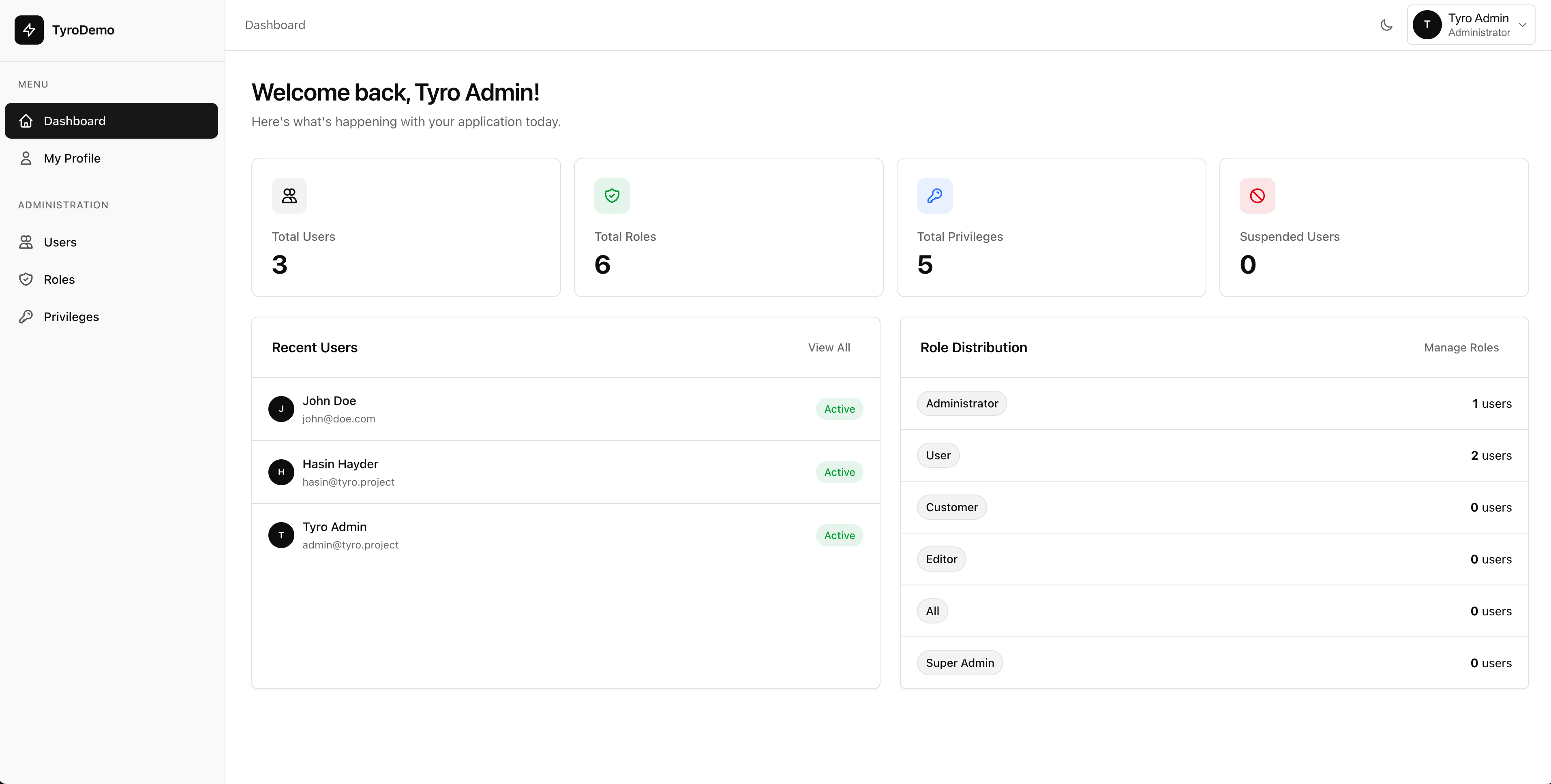
The Ultimate Admin Dashboard for Laravel Applications.
Stop rebuilding the same admin infrastructure. Tyro delivers production-ready CRUD, advanced RBAC, and forensic audit trails instantly - so you can focus on shipping your core product.
A complete set of tools for managing users, controlling access, tracking activity, and building admin interfaces faster.
Production-Ready Dashboard Infrastructure
Tyro provides a structured foundation for building secure, maintainable Laravel dashboards. It includes authentication, permissions, audit trails, and dynamic CRUD - all designed to integrate naturally with your application and reduce repetitive setup work.
Built-in roles, permissions, and audit logs - no extra packages needed.
Create admin panels instantly with dynamic CRUD support.
Secure and structured by default so you don’t have to wire everything manually.
Clean, modern interface built with Tailwind CSS and Alpine.js.
01
Magical Dynamic CRUD
Describe your data model and get a complete, production-ready admin interface instantly with zero frontend code.
03
Forensic Audit Trails
Capture an unalterable "black box" record of who changed what, when, and from where with detailed data diffs.
04
Secure User Impersonation
Troubleshooting is effortless when you can securely step into any user's session without sharing passwords.
06
Instant Page Scaffolding
Generate complete dashboard sections including views, routes, and sidebar links with a single interactive command.
10
Native Modal System
Replace intrusive browser alerts with beautiful, high-impact confirmation modals and danger-zone dialogs.
11
Profile Photos & Gravatar
Personalize the user experience with custom photo uploads, automatic cropping, and seamless Gravatar integration.
12
Tyro Login Integration
Seamlessly integrate with Tyro Login for OTP, TOTP, and robust multi-factor authentication workflows natively.
13
Full Registration & Login Workflow
Complete end-to-end authentication flows including user registration, login, and secure session management natively.
14
Reset Password
Secure, token-based password recovery flows to help users regain access to their accounts safely without friction.
15
Email OTP/PIN
Verify user identities quickly and securely with one-time passwords and PINs delivered directly via email.
16
Modern Login Layouts (5 Layouts)
Choose from 5 stunning, conversion-optimized authentication layouts that match your brand perfectly out of the box.
17
Magic Login
Eliminate password fatigue with secure, frictionless magic links sent directly to your users' inboxes.
18
TOTP/Authenticator Support
Enhance security with time-based one-time passwords compatible with Google Authenticator and Authy.
19
Beautiful Email Templates
Engage users with professionally designed, responsive email notifications optimized for key authentication events.
20
User Suspension Support
Maintain control over your user base with the ability to temporarily block or suspend disruptive accounts instantly.
21
Bruteforce Login Prevention
Automatically detect and block malicious login attempts before they compromise your application's security.
22
Social Login
Accelerate onboarding by allowing users to authenticate seamlessly via Google, GitHub, and more using Socialite.
23
Captcha
Protect your authentication routes from bots and automated spam with seamless captcha turnstile integrations.
24
Global Admin Bar
Display globally visible announcements, alerts, or notices at the very top of all dashboard layouts programmatically or via config.
Capabilities
Powerful CRUD Engine
The HasCrud trait uses auto-discovery and introspection to automatically learn about your database schema, model properties, and defined Eloquent relationships. With just one line of code, you get a full-fledged working CRUD dashboard.
01
Add the Trait
Simply use HasCrud in your eloquent model. Tyro immediately reads your $fillable array to determine which fields to render.
02
Smart Auto-Discovery
It inspects your table schema and intelligently guesses field types. Enums become dropdowns, booleans become switches, and defined relationships instantly generate the correct foreign selections.
03
Total Override Control
Bend the CRUD to your exact needs without external config files. Expose highly customizable protected properties like $resourceFieldOverrides to override specific labels or types.
namespaceApp\Models;
useHasinHayder\TyroDashboard\Concerns\HasCrud;
useIlluminate\Database\Eloquent\Model;
classPostextendsModel
{
useHasCrud;
protected$fillable = ['title', 'content', 'status'];
// Tyro intelligently guesses types based on schema,// but you can retain total control over the UI:protectedarray$resourceFieldOverrides = [
'content' => [
'type' => 'richtext',
'label' => 'Article Body'
]
];
}
Scaffolding Engine
Instant Admin Pages
Generate completely wired-up dashboard pages for any audience with specialized Artisan commands. No manual routing or sidebar linking required.
Every page created is automatically registered in the routing system. No more messy web.php management for simple views.
Audience Awareness
Tyro automatically maps pages to the correct sidebar (Admin or User) and applies relevant security middleware by default.
Minimalist Assets
Generated Blade files are clean and lean, extending the core dashboard layouts so they inherit your theme variables instantly.
Governance
Security by Default.
Granular roles, secure impersonation, and forensic logs—hardened defaults that scale with your team and your ambition.
01
Granular Role Control
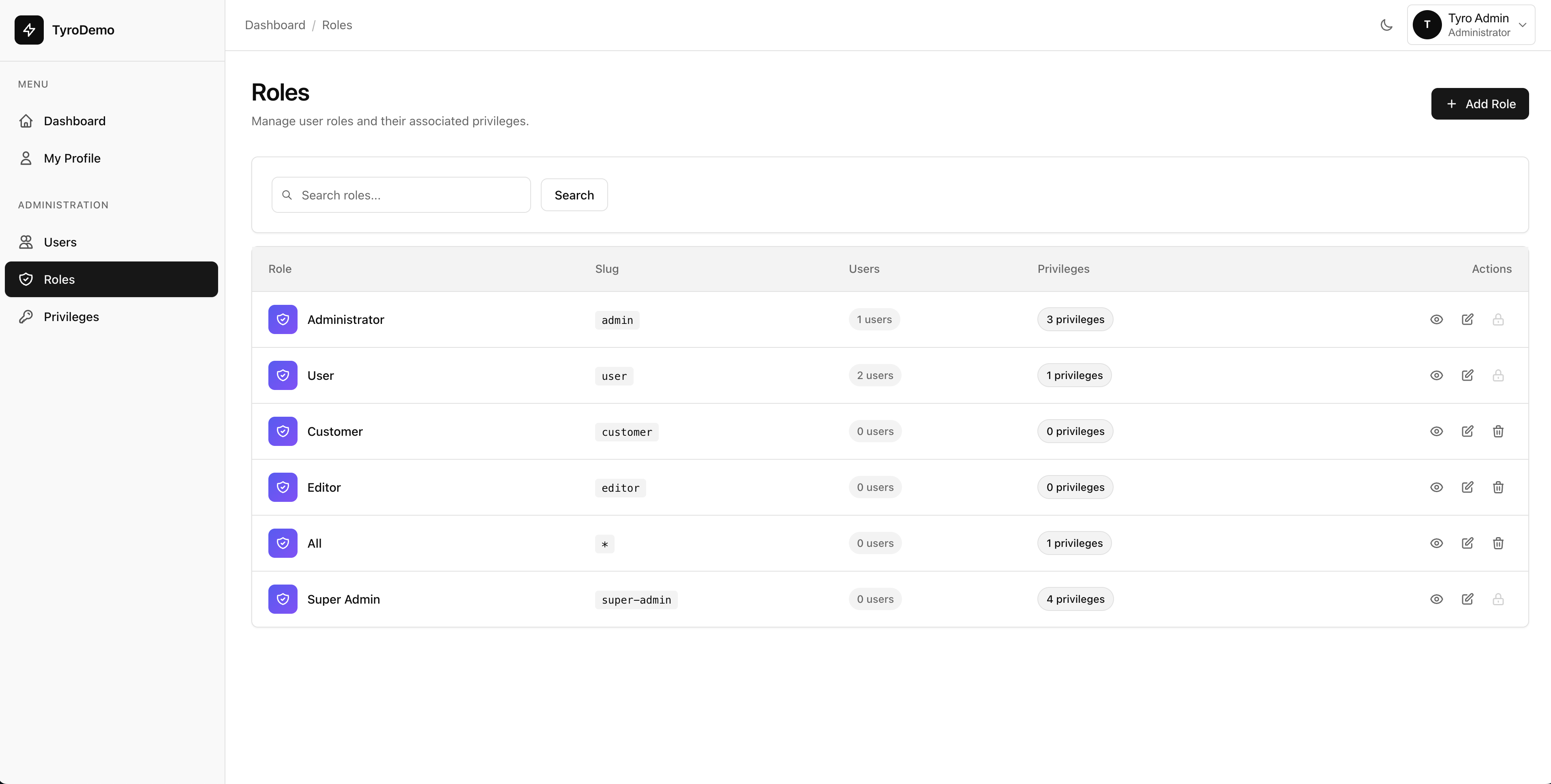
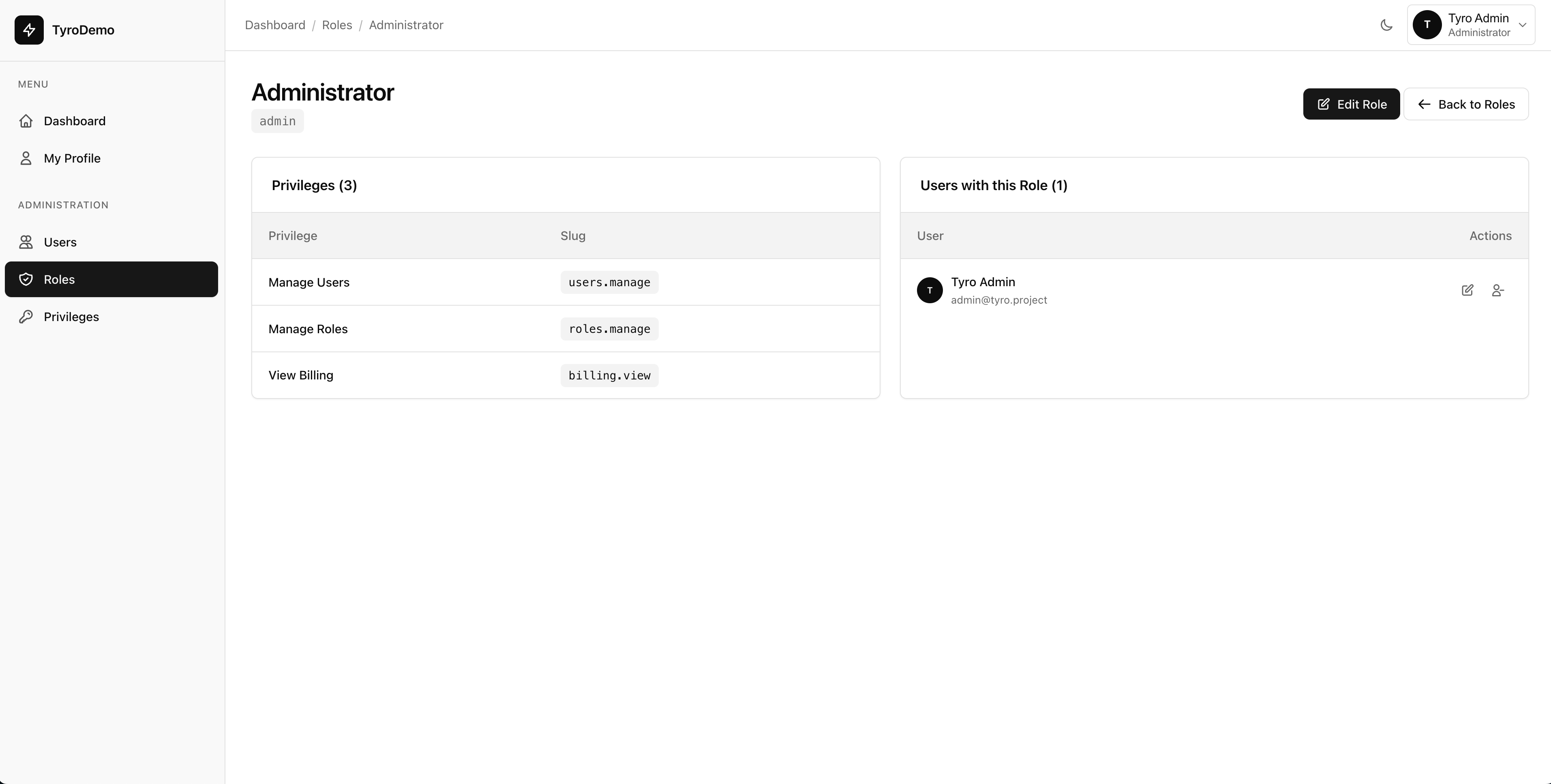
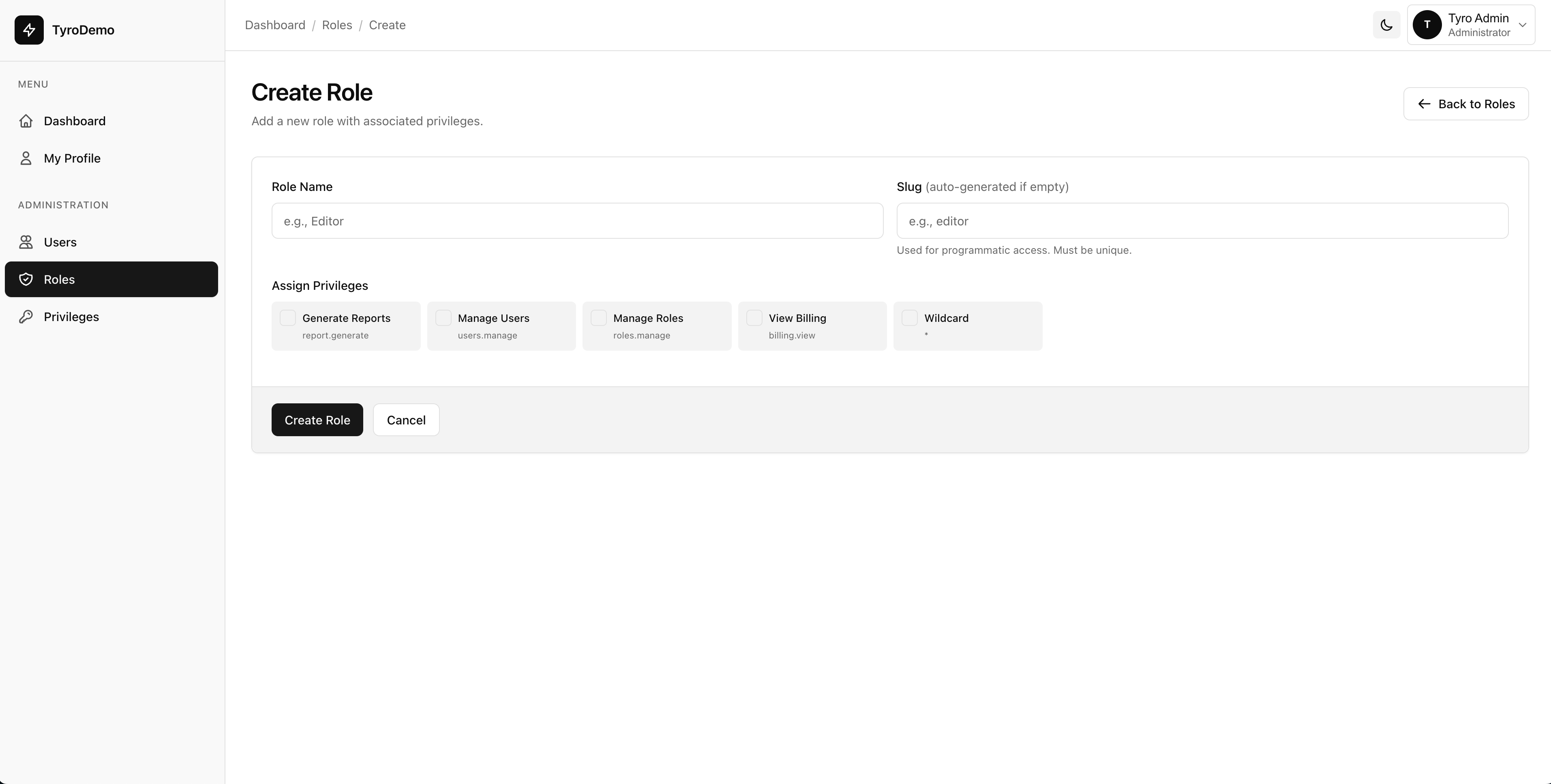
Create custom roles, assign privileges, and organize your access control system with a robust and scalable RBAC hierarchy.
02
Forensic Audit Trails
Capture an unalterable record of who changed what, when, and from where with detailed side-by-side data diffs and event logging.
03
Secure User Impersonation
Step into any user's shoes to debug issues and provide support without ever sharing credentials, with a persistent visual banner.
04
Tyro Login Integrated
Ready out-of-the-box for advanced authentication. Seamlessly integrate with Tyro Login for OTP, TOTP, WebAuthn, and multi-factor authentication flows.
Advanced Protection.
Built for peace of mind. Tyro goes beyond simple password protection, offering a comprehensive suite of tools to keep your application and users safe from day one.
Automatically detect your database schema and auto-generate forms, relations, and fields with zero boilerplate.
01
Auto-Generated Fields
Detects database schema and generates appropriate form fields. Enum types become dropdowns, dates become date pickers.
02
Relationship Detection
Automatically discovers model relationships (BelongsToMany, HasMany, etc.) and creates proper select fields for them.
03
Override Single Fields
Tweak specific fields exactly how you want them, while everything else auto-generates.
04
Save 100+ Hours
Stop writing repetitive boilerplate code for every new model. Tyro handles the tedious CRUD plumbing so you can focus on building unique features that actually matter to your business.
Stop reinventing the wheel.
Join hundreds of Laravel developers who have already reclaimed their time with Tyro Dashboard's auto-generated interfaces.
Shape your forms exactly to your business logic. Declarative control over behavior, visibility, and presentation without the messy boilerplate.
Context-Aware Rendering
Declare field visibility rules once. Tyro intelligently hides sensitive fields from list views while keeping them editable in forms without writing custom view logic.
Eloquent-Driven UI
Leverage your existing Eloquent definitions. Tyro automatically transforms data into the correct input types, including JSON editors for array properties.
Effortless Relationships
Stop building complex UI blocks to manage foreign keys. Tyro natively handles BelongsTo, HasMany, and BelongsToMany interfaces with searchable dropdowns.
Access & Management
Complete User Control & Fine-Grained Permissions
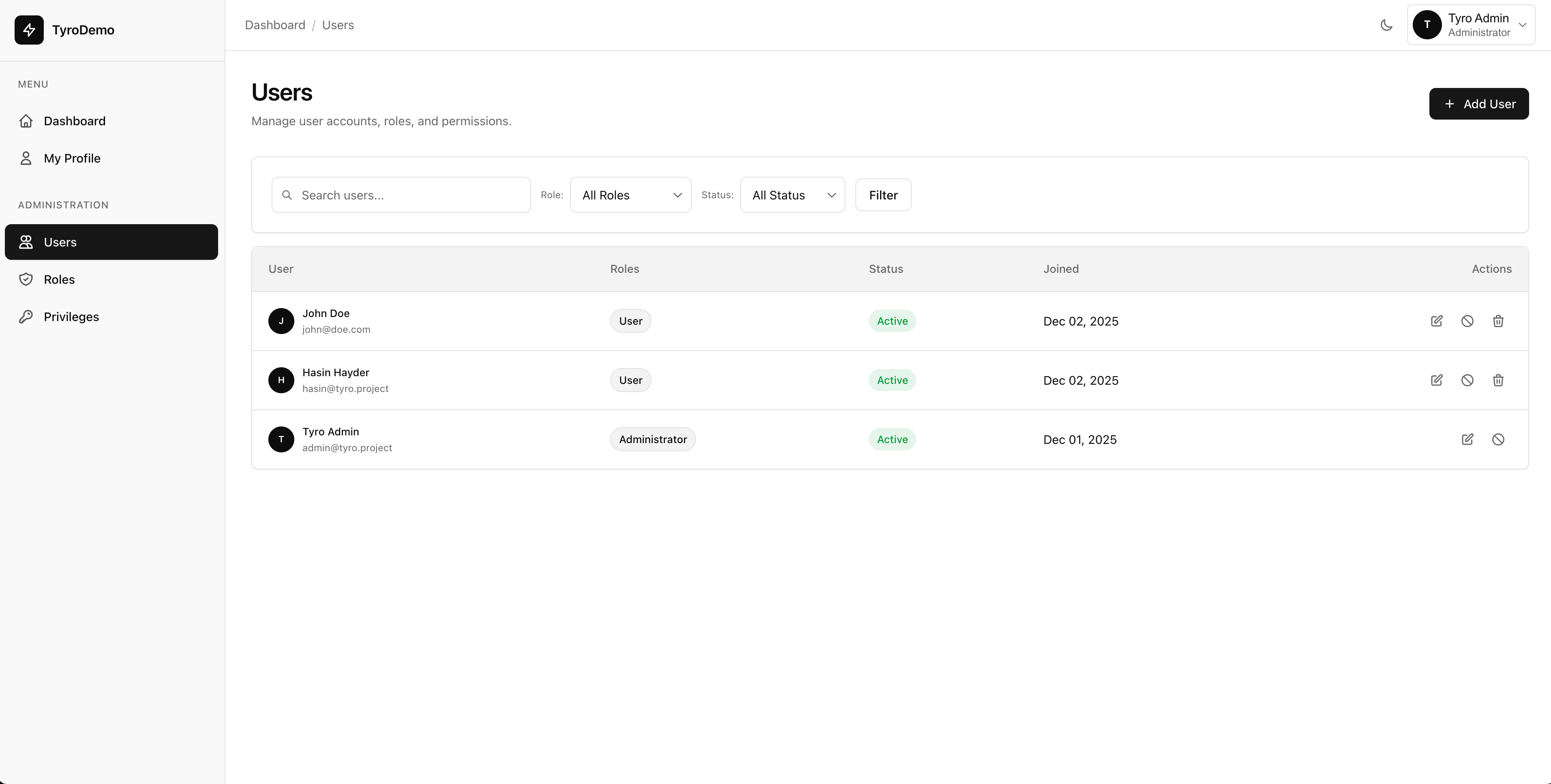
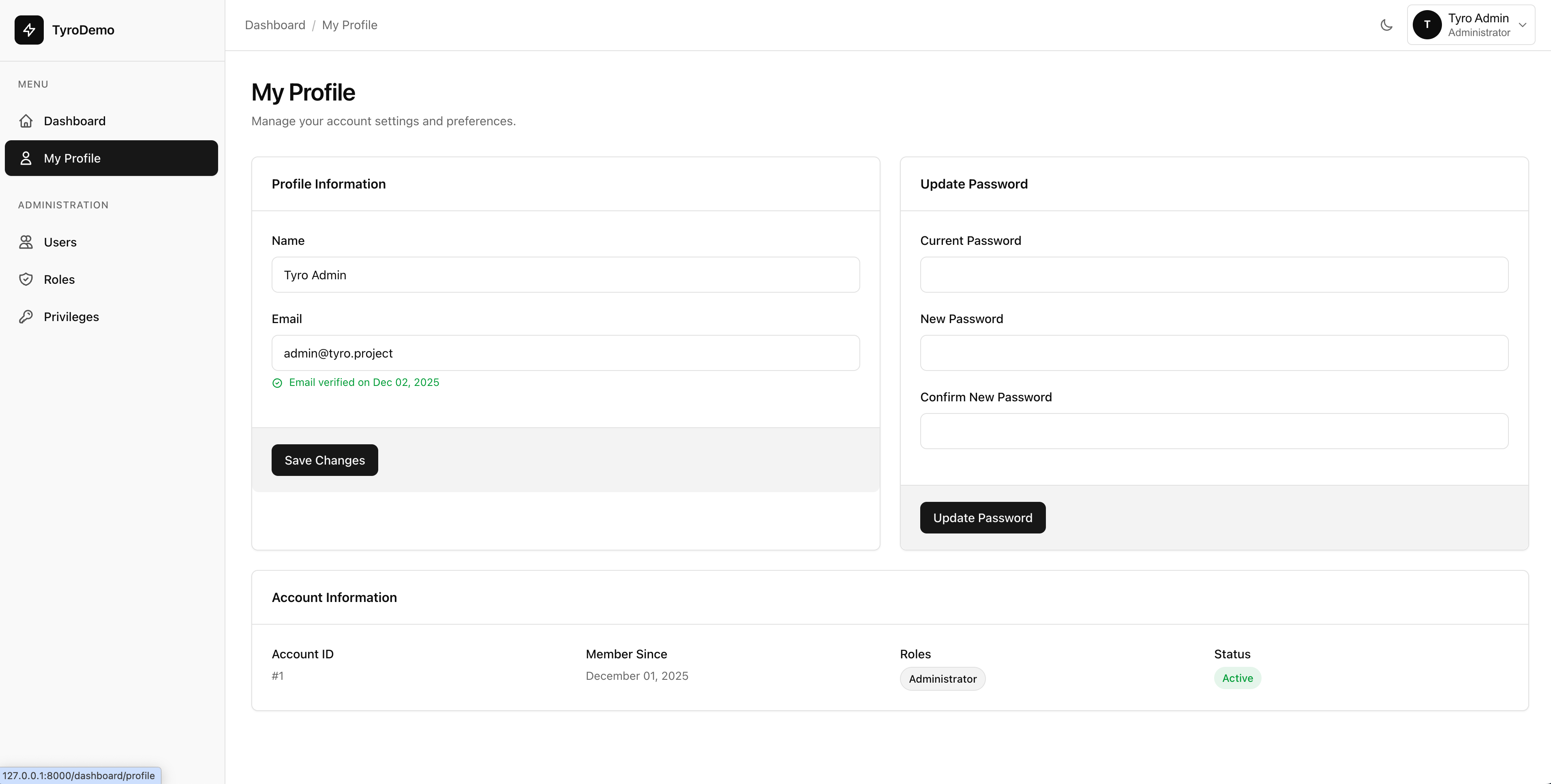
Manage users, roles, and privileges from a centralized dashboard. Build a scalable access control system with pinpoint precision.
01
User Lifecycle Management
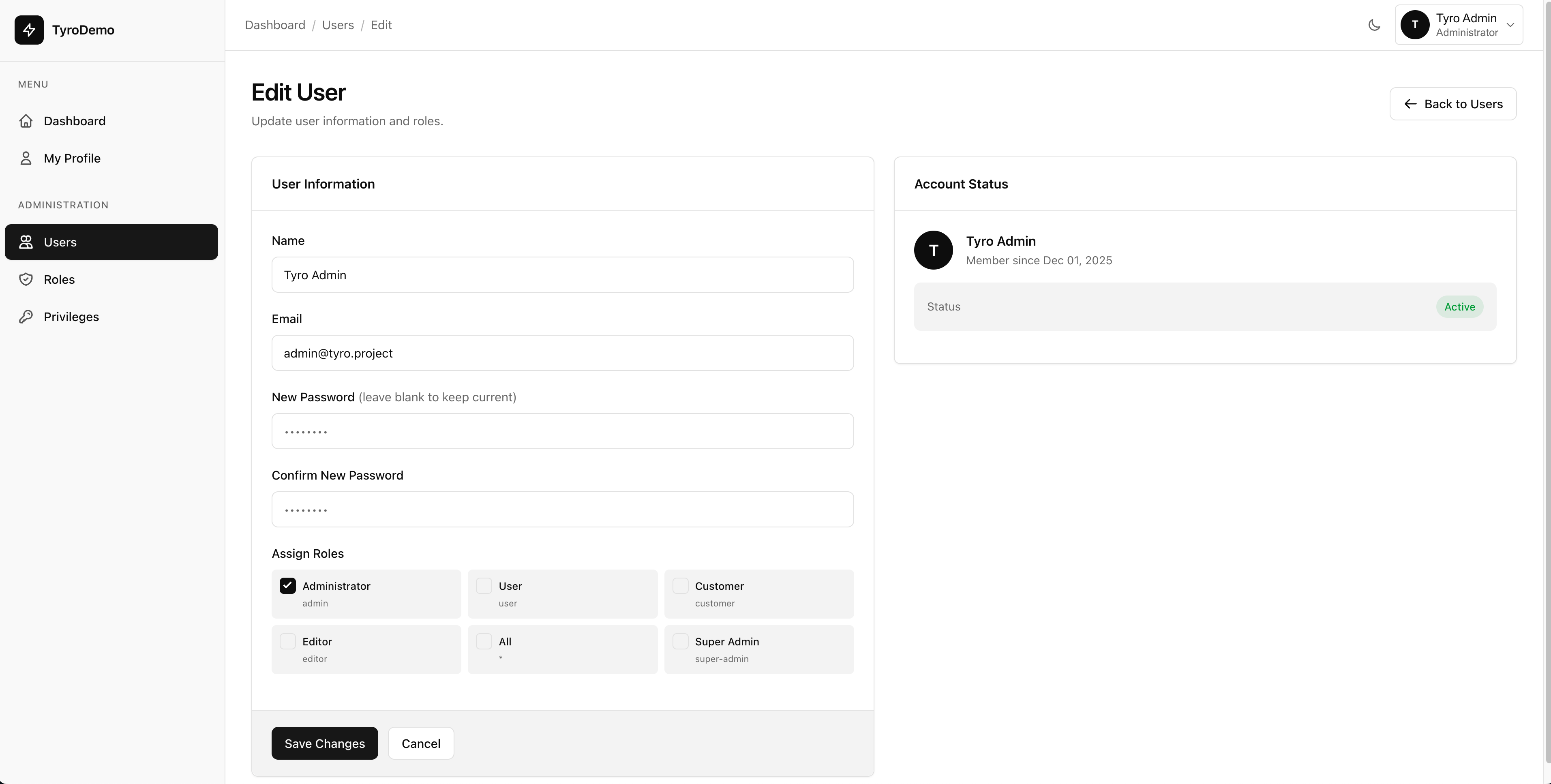
Maintain complete control over your user base. Create new accounts, edit profiles, temporarily suspend access, or delete users directly from a searchable, paginated interface.
02
Scalable Role Control
Create custom roles to match your organization's hierarchy. Assign privileges to roles dynamically while Tyro protects critical system roles from accidental deletion.
03
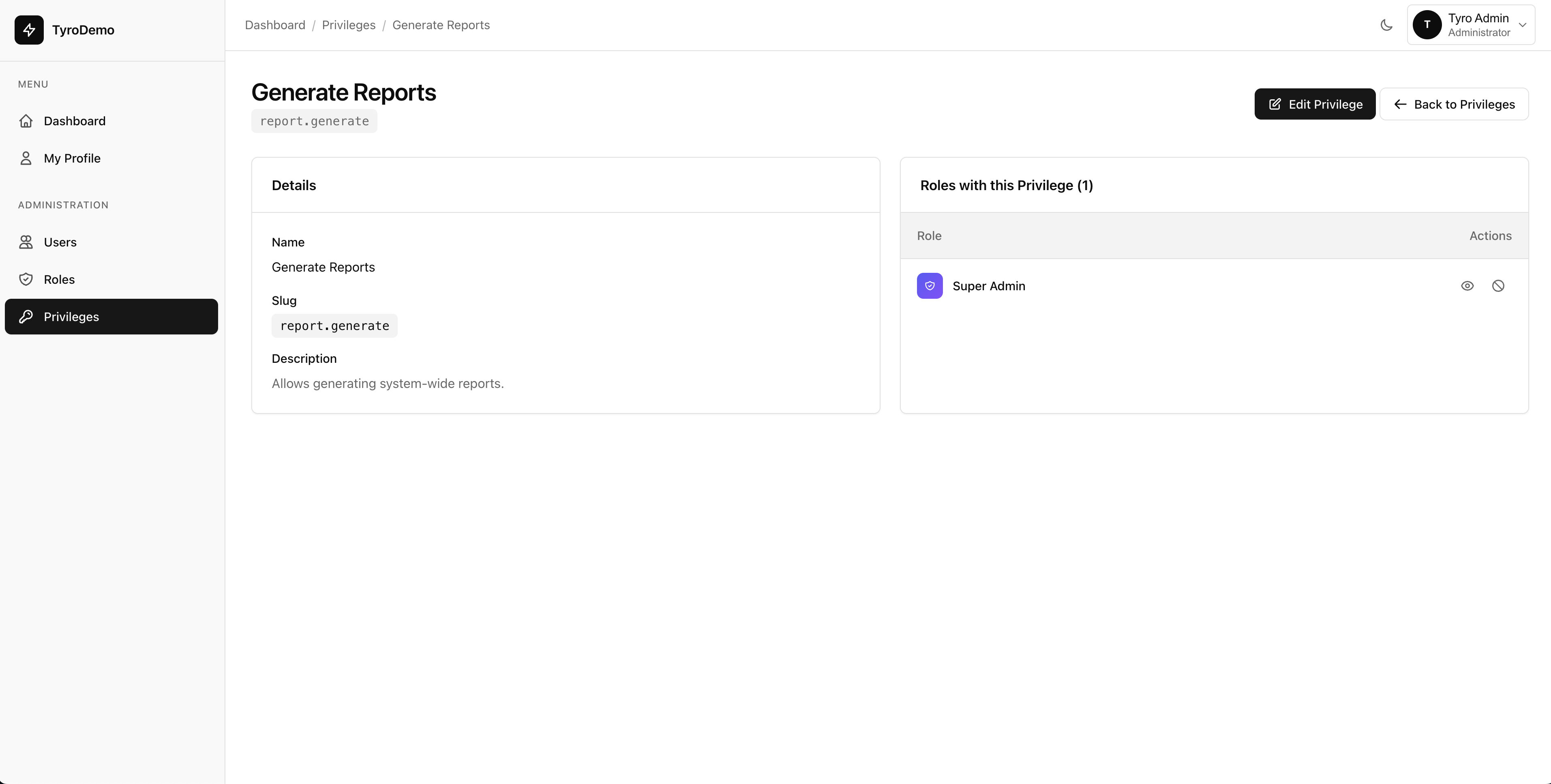
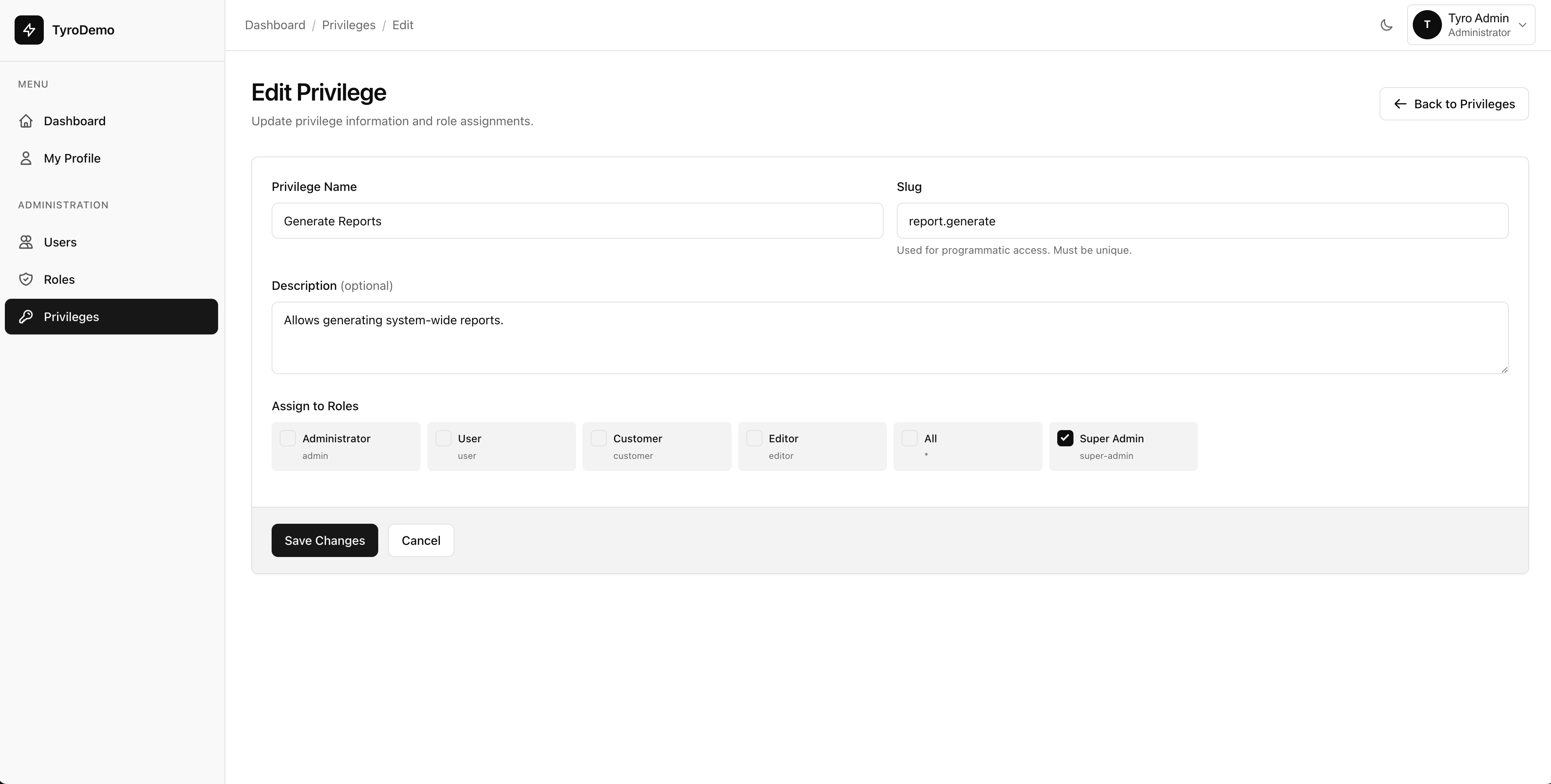
Granular Privileges
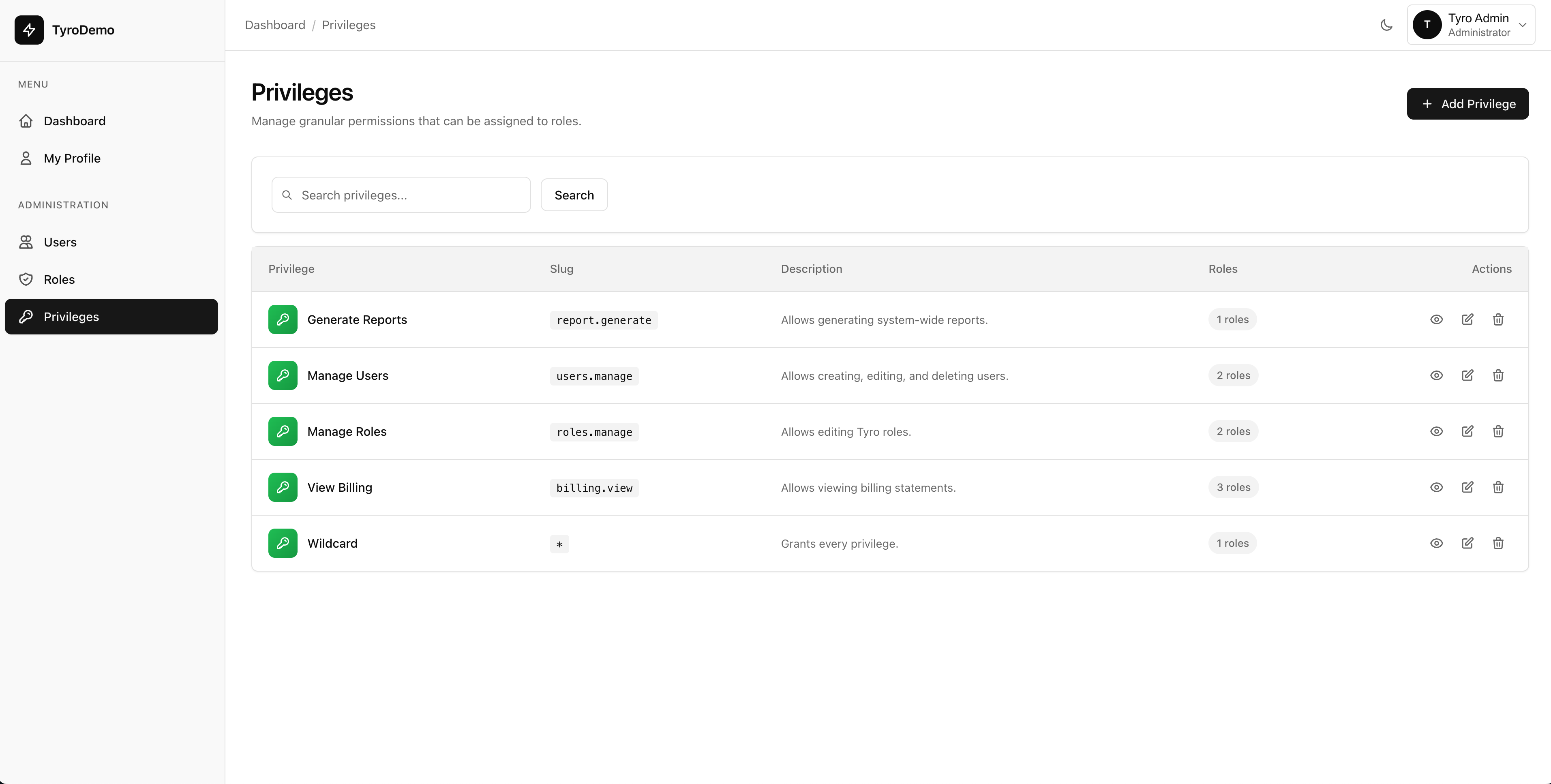
Define actionable micro-permissions like `edit-posts` and manage them dynamically through the UI. Seamlessly integrates with Laravel's native gates and policies.
04
Profile & Security Management
Empower users to manage their own display names, emails, passwords, and profile photos natively. Built-in Gravatar support and secure image uploads out of the box.
Total Administrative Confidence.
Manage thousands of users, sophisticated roles, and complex privilege hierarchies through a beautiful interface designed specifically for Laravel teams.