Tyro Dashboard Documentation
Tyro Dashboard is a production-ready admin panel for Laravel, featuring built-in authentication, dynamic CRUD, audit logs, and role-based access control - all in a clean, modern interface.
Introduction
Tyro Dashboard is a ready-to-use admin panel designed specifically for Laravel applications. It provides everything needed to manage users, control access, monitor activity, and build admin interfaces without assembling multiple packages or writing repetitive boilerplate code.
It integrates seamlessly with Tyro for role-based access control and Tyro Login for complete authentication workflows, including registration, login, OTP, TOTP, magic login, social login, email verification, and user suspension. Together, they form a complete and cohesive user management system.
Tyro Dashboard also includes dynamic CRUD generation, audit trails, and a fully responsive interface with native dark mode support. This allows you to focus on building your application's core features while Tyro handles the dashboard infrastructure.
/dashboard within minutes.
Features
Tyro Dashboard comes packed with features to help you manage your application effectively:
Beautiful UI
Modern, responsive design that matches Tyro Login aesthetics with attention to every detail.
User Management
Create, edit, suspend, and manage users with an intuitive interface and role assignment.
Role Management
Full CRUD operations for roles with privilege assignment and protection for critical roles.
Privilege Management
Manage privileges and assign them to roles for fine-grained access control.
Profile Management
Users can update their own profile information with self-service account management.
Dark Mode
Built-in dark/light theme support that respects user preferences and system settings.
Responsive Design
Works perfectly on all device sizes from mobile phones to large desktop monitors.
Role-Based Access
Admin-only features are protected by configurable role-based access control.
Profile Photos & Gravatar
Upload profile photos or use Gravatar. Avatars appear throughout the dashboard with the HasProfilePhoto trait.
User Impersonation
Admins can impersonate any user to debug issues. Secured by middleware with a persistent banner and one-click exit.
Invitation & Referral System
Built-in invitation links and referral tracking. Admin and user management UIs included with zero-config database setup.
Detailed Audit Trail
Full audit trail admin pages with filters, search, and pagination. Drill down into change details for every recorded action.
Modal Dialogs
Native modal dialogs via showConfirm(), showAlert(), and showDanger() JS helpers - no extra dependencies.
Global Admin Bar
Display globally visible logically adjustable announcements or system maintenance notices everywhere.
Sidebar Customization
Customize sidebar colors with env vars and define custom menu items with icons via config/menu.php.
Requirements
- PHP: 8.2 or higher
- Laravel: 12.x
- Tyro Package: hasinhayder/tyro ^1.0 (required)
- Tyro Login: hasinhayder/tyro-login ^1.0 (optional but recommended)
- Database: Any database supported by Laravel
Installation
Install Tyro Dashboard in just two simple steps:
Step 1: Install via Composer
composer require hasinhayder/tyro-dashboardStep 2: Run the Interactive Installer
php artisan tyro-dashboard:installThe installer will:
- Check dependencies (Tyro package)
- Publish the configuration file
- Optionally publish views for customization
- Help you configure admin roles and branding
/dashboard. Login with an admin account to access all features.
Manual Installation
If you prefer manual setup:
# Publish configuration
php artisan vendor:publish --tag=tyro-dashboard-config

# Optionally publish views
php artisan vendor:publish --tag=tyro-dashboard-views
Screenshots
Here are some screenshots of Tyro Dashboard in action:
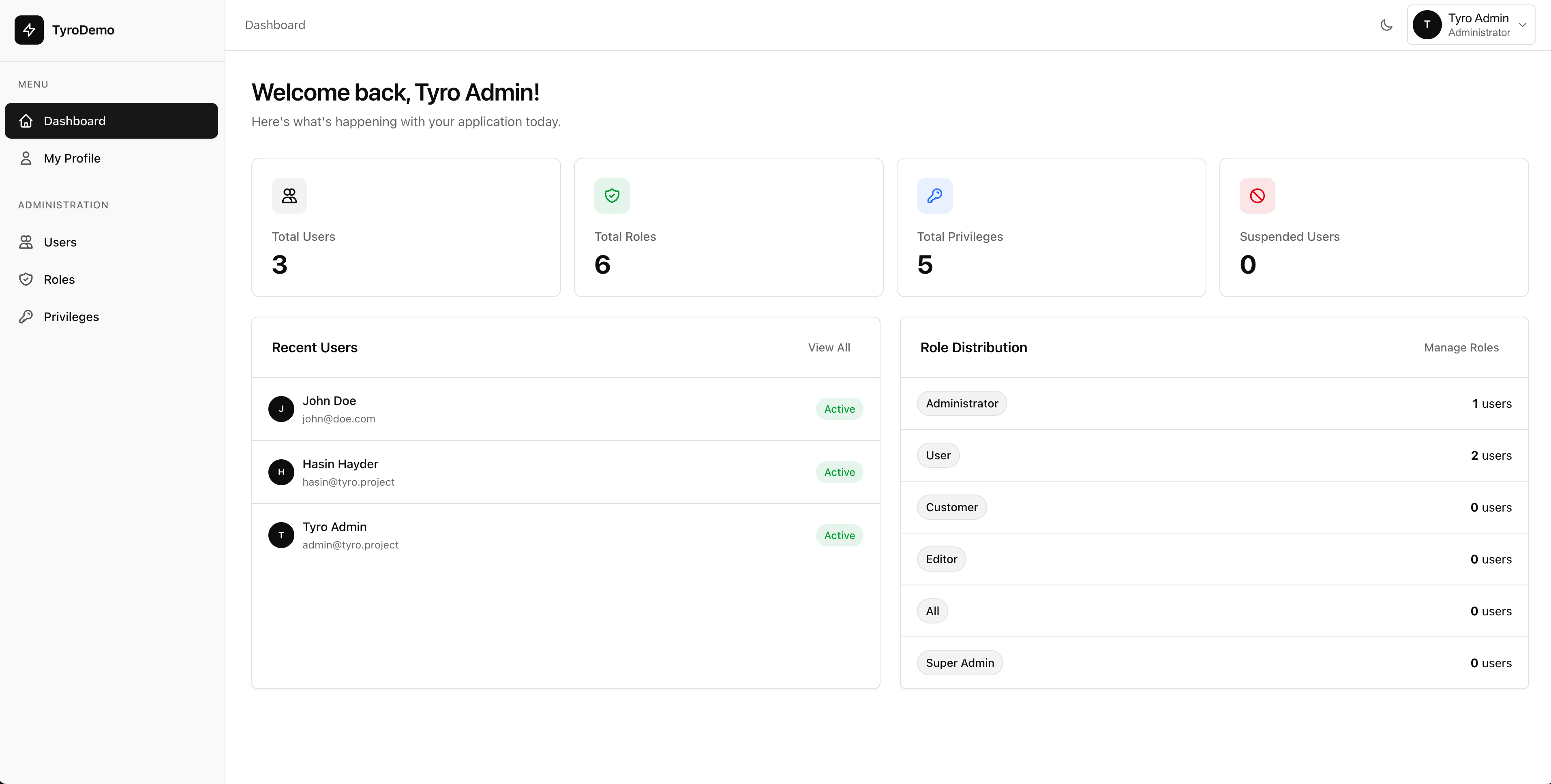
Dashboard Landing Light Mode

Dashboard Landing Dark Mode
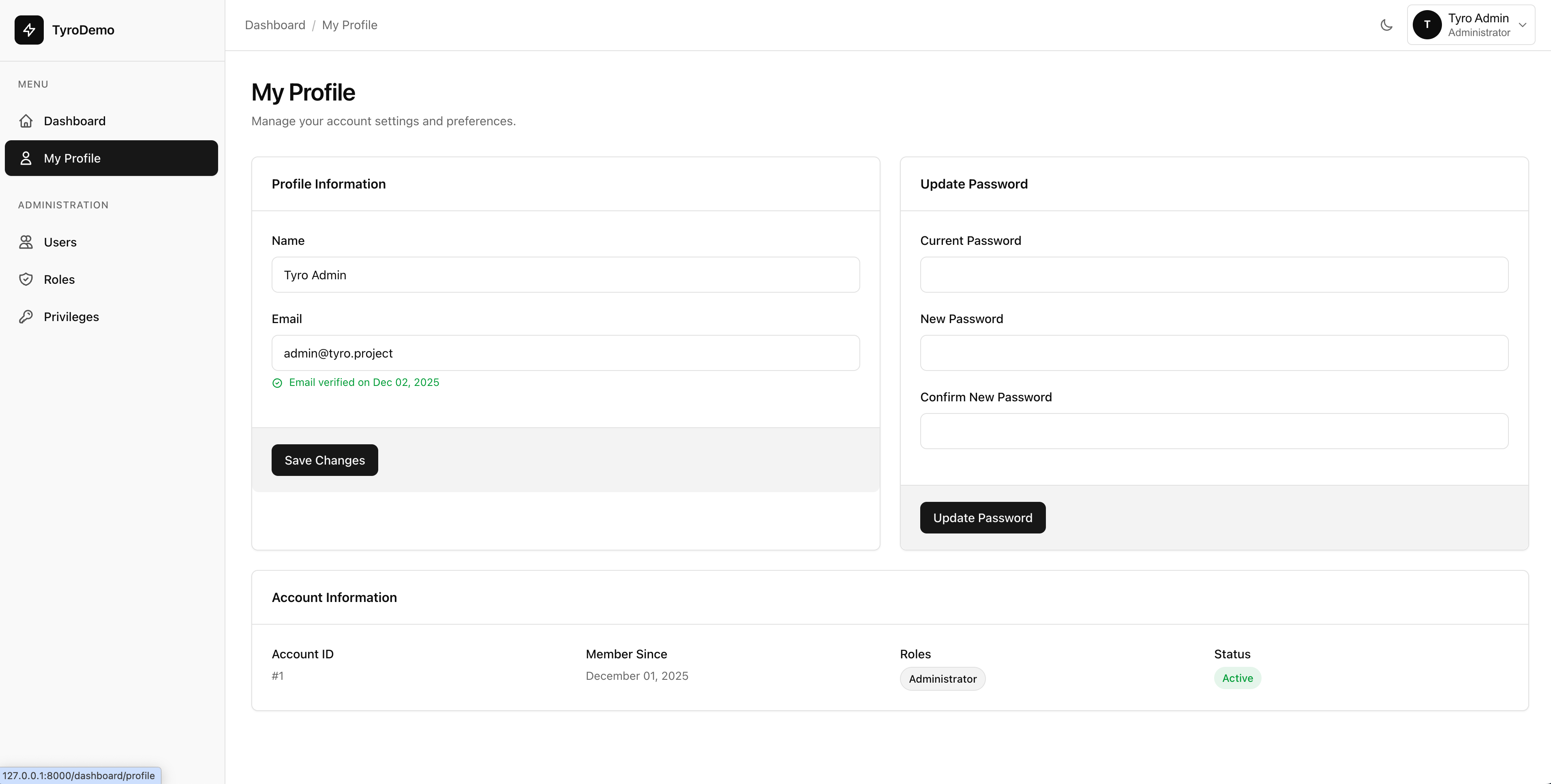
Profile Management Light Mode

Profile Management Dark Mode
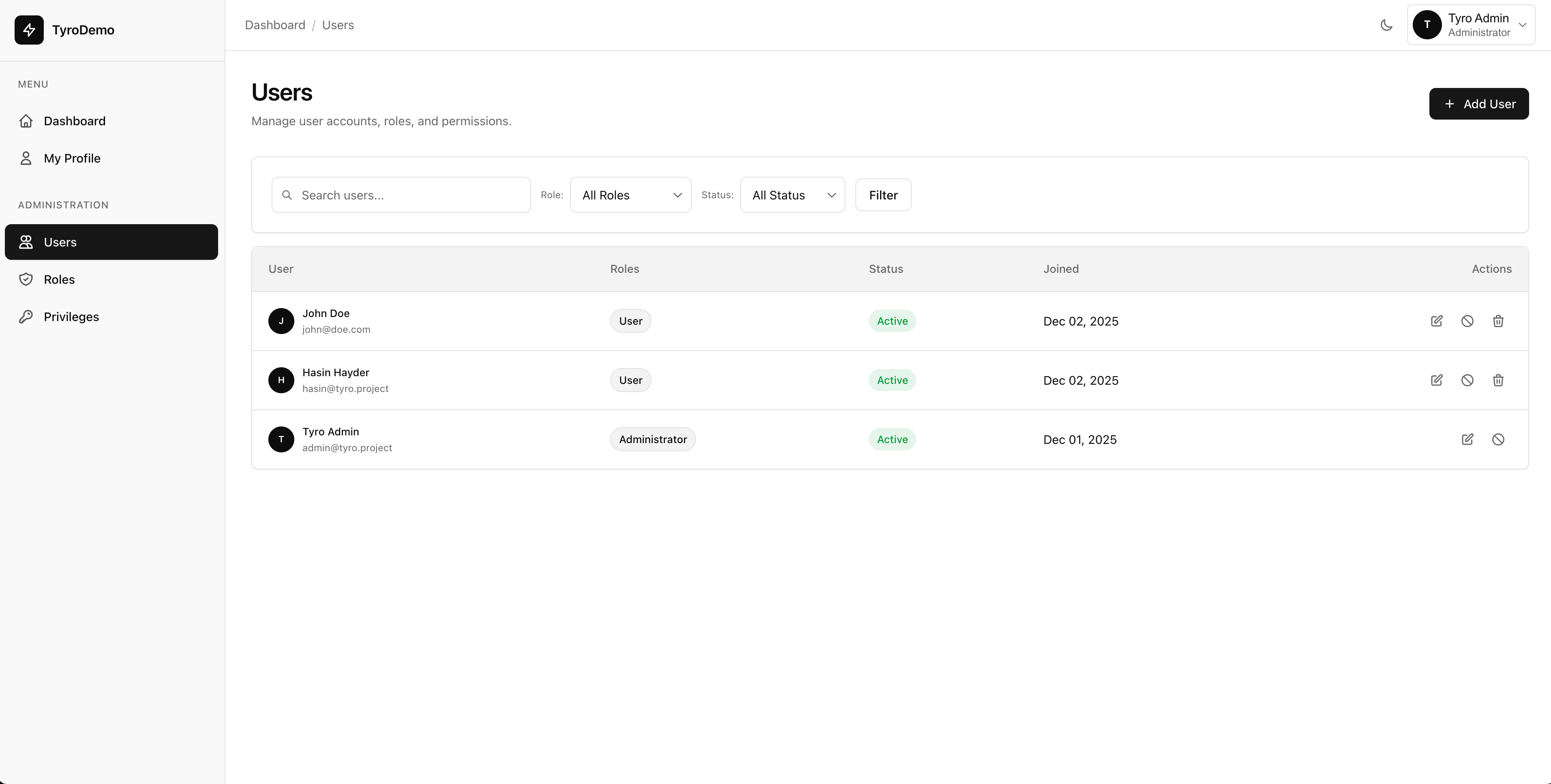
User Management Light Mode

User Management Dark Mode
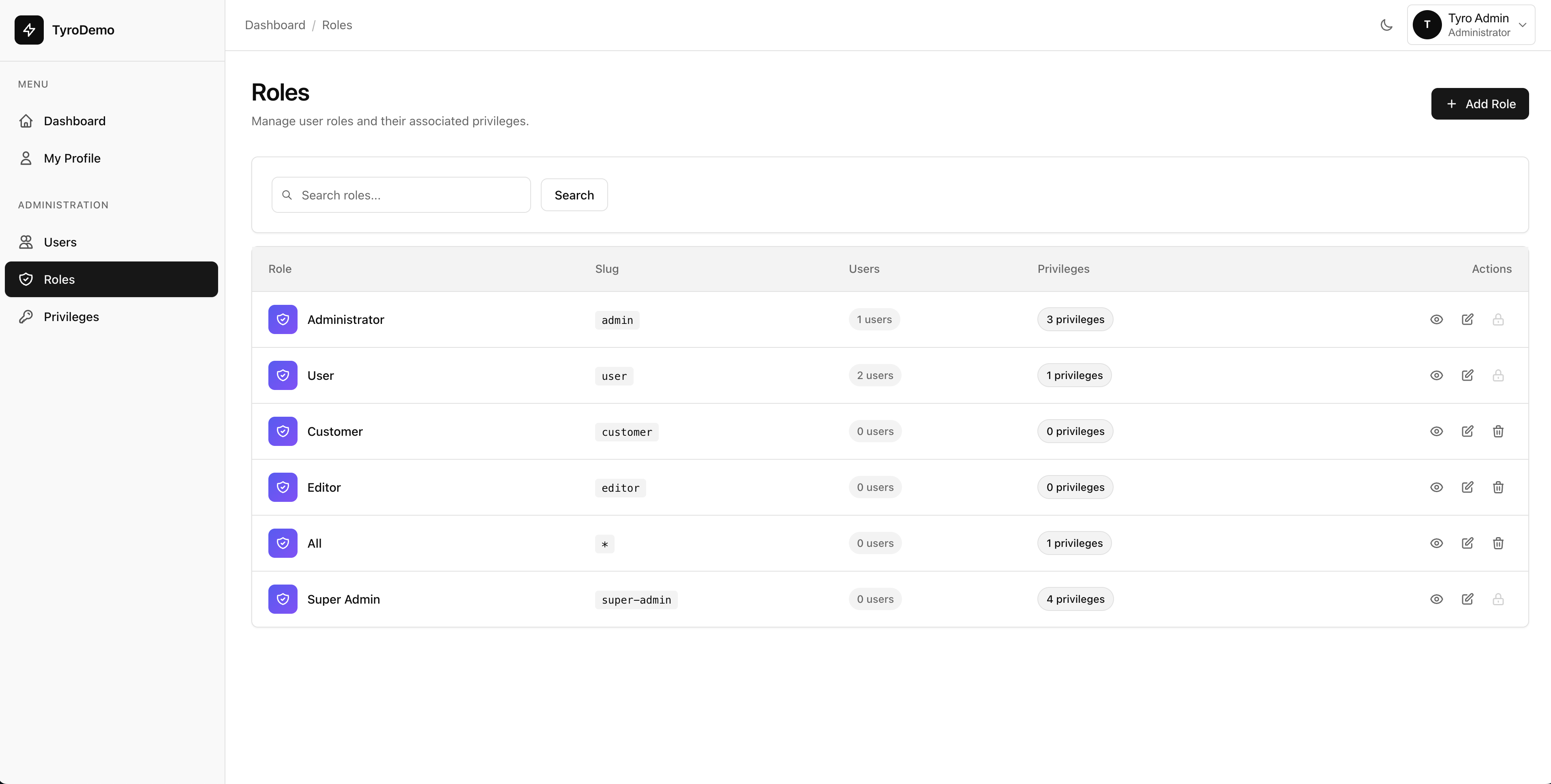
Role Management Light Mode

Role Management Dark Mode
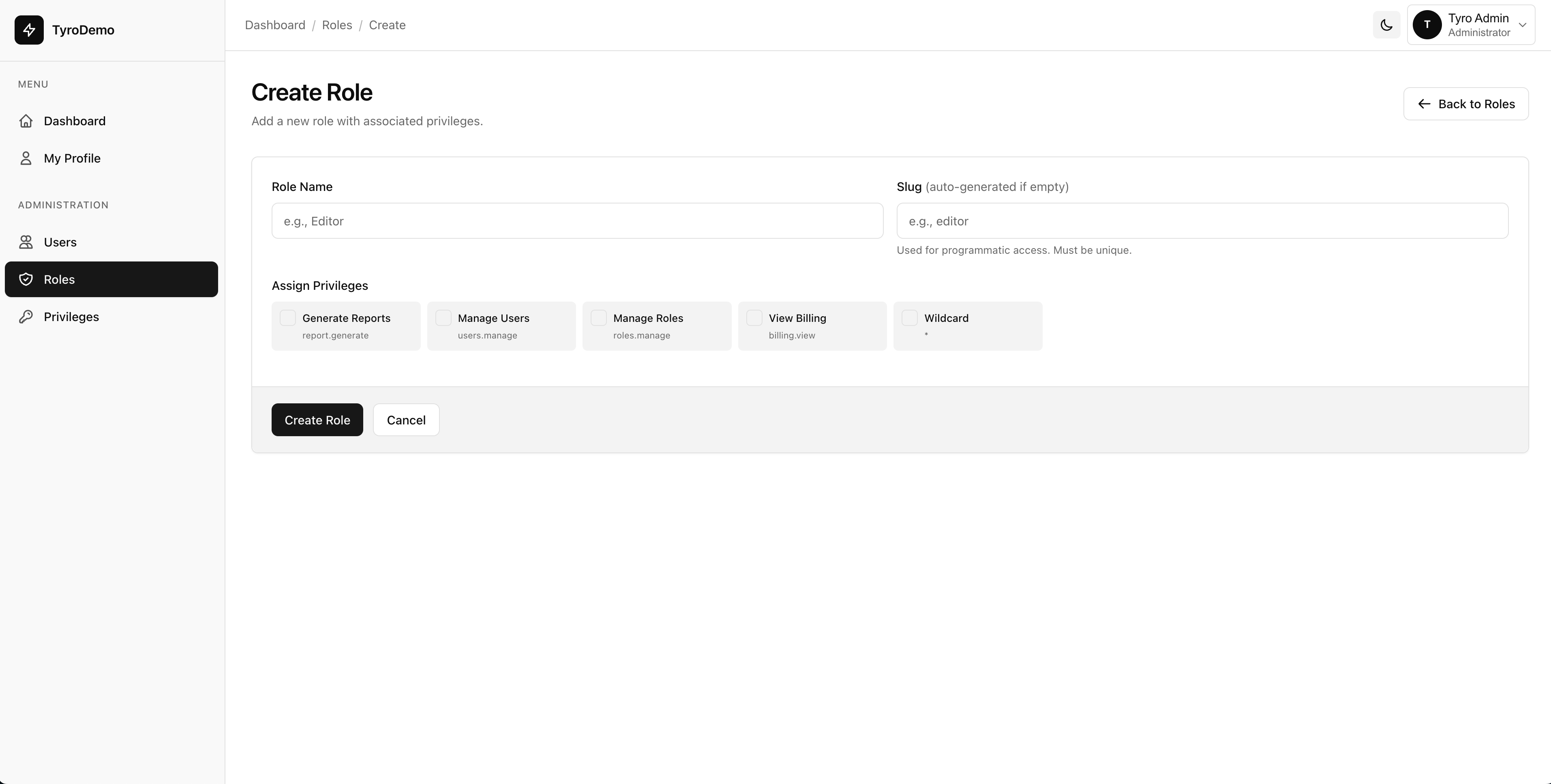
Create Role Light Mode

Create Role Dark Mode
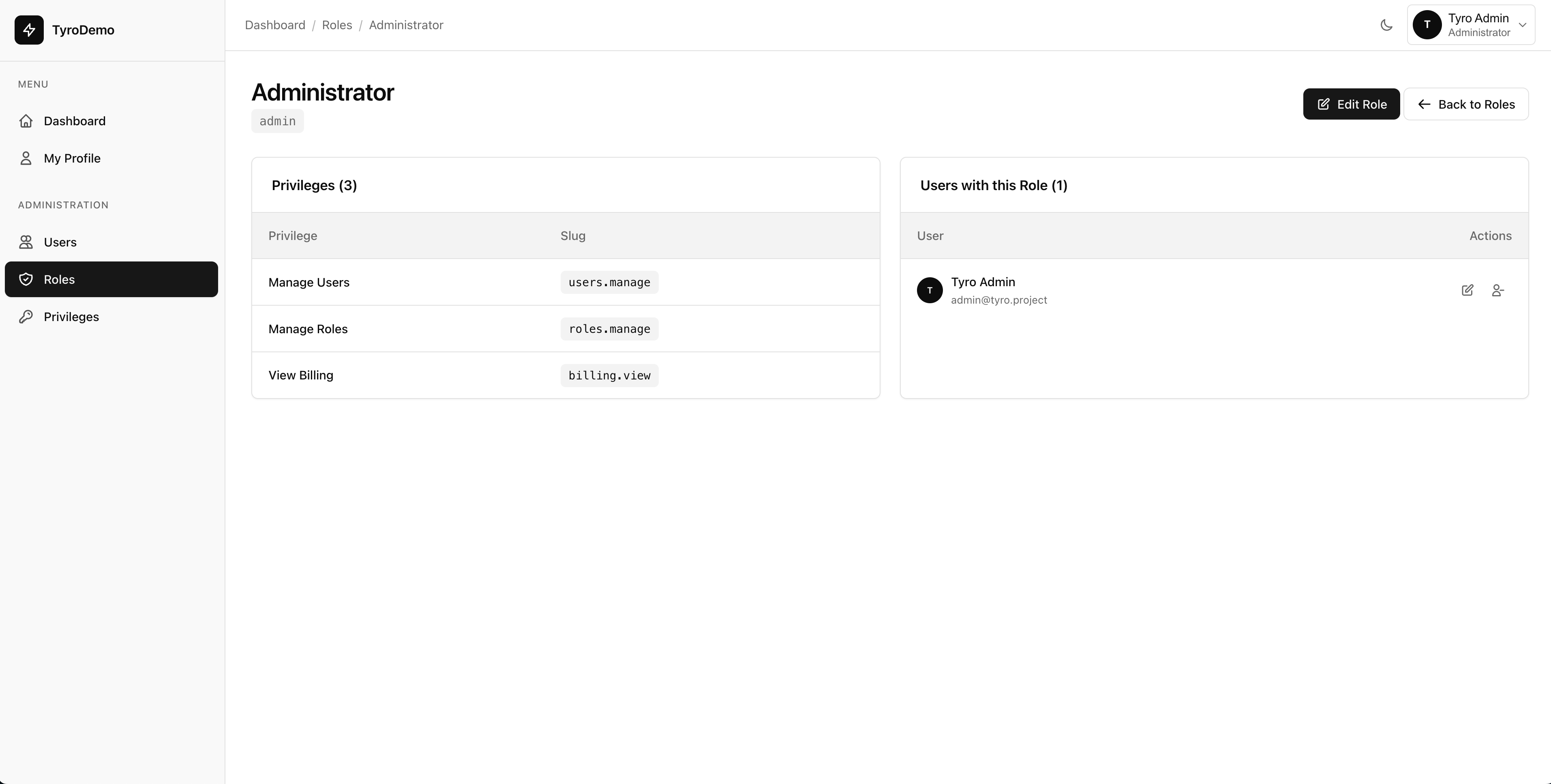
Role Detail Light Mode

Role Detail Dark Mode
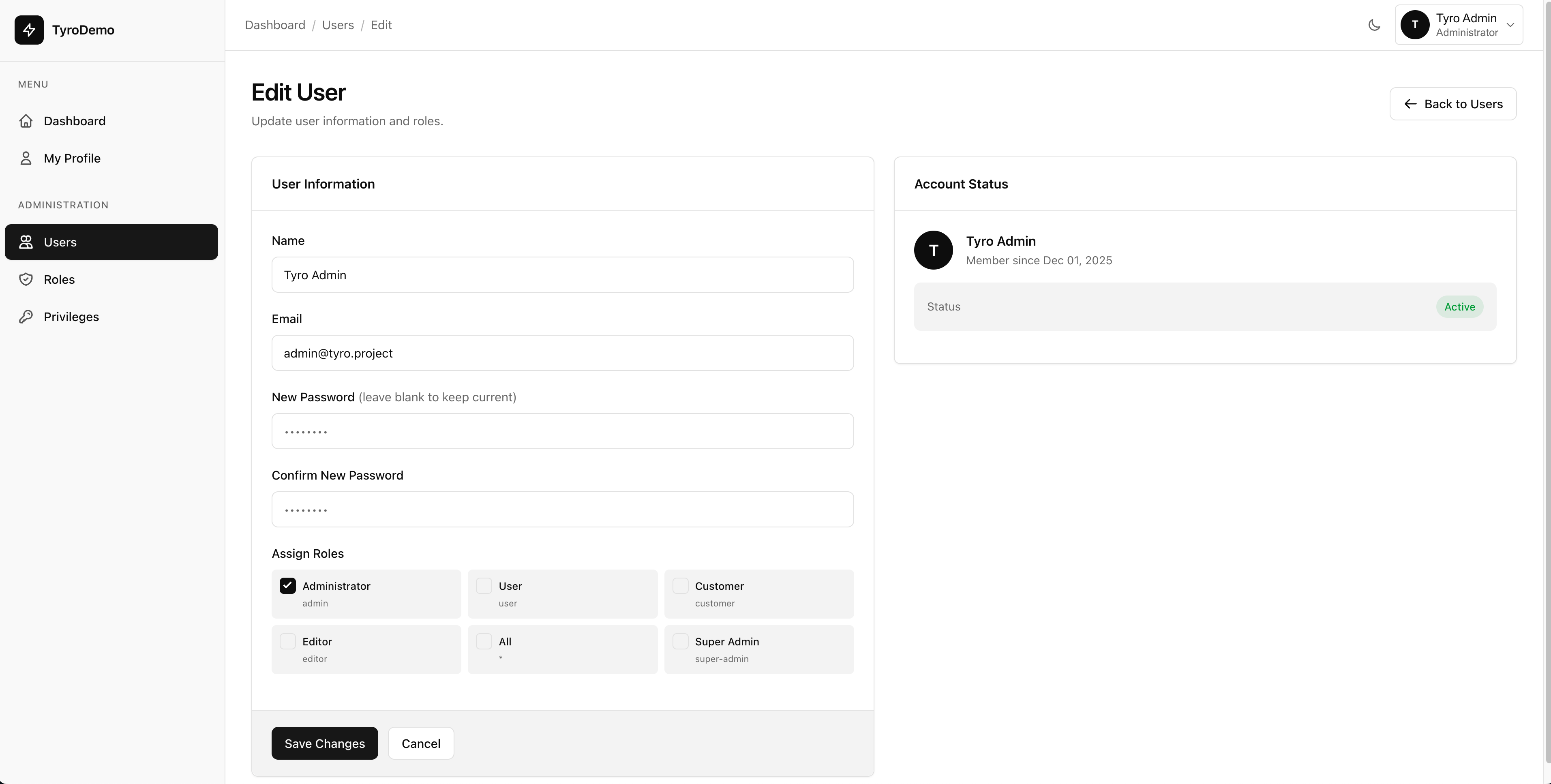
Edit User Light Mode

Edit User Dark Mode
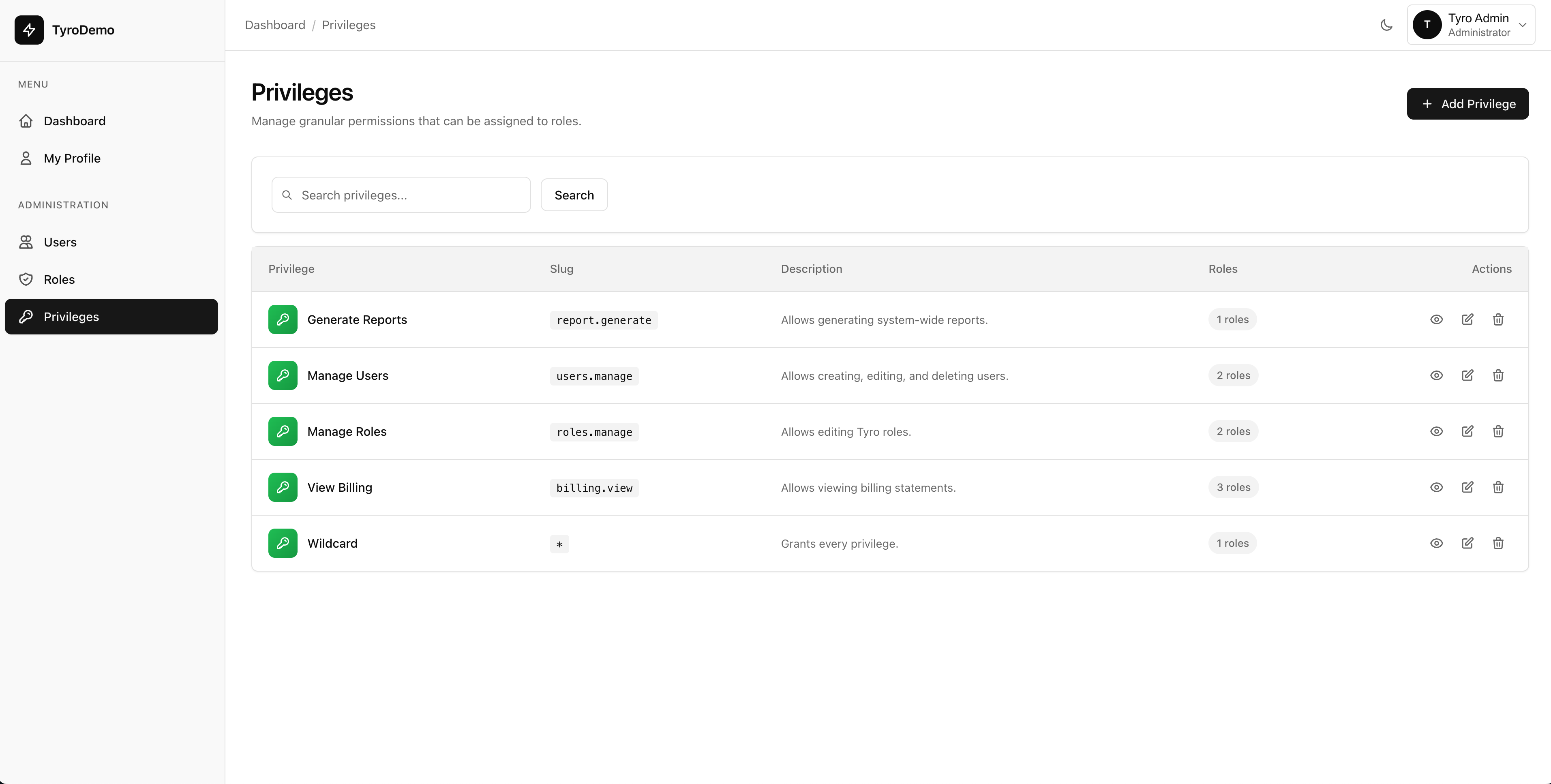
Privilege Management Light Mode

Privilege Management Dark Mode

Create Privilege Light Mode

Create Privilege Dark Mode
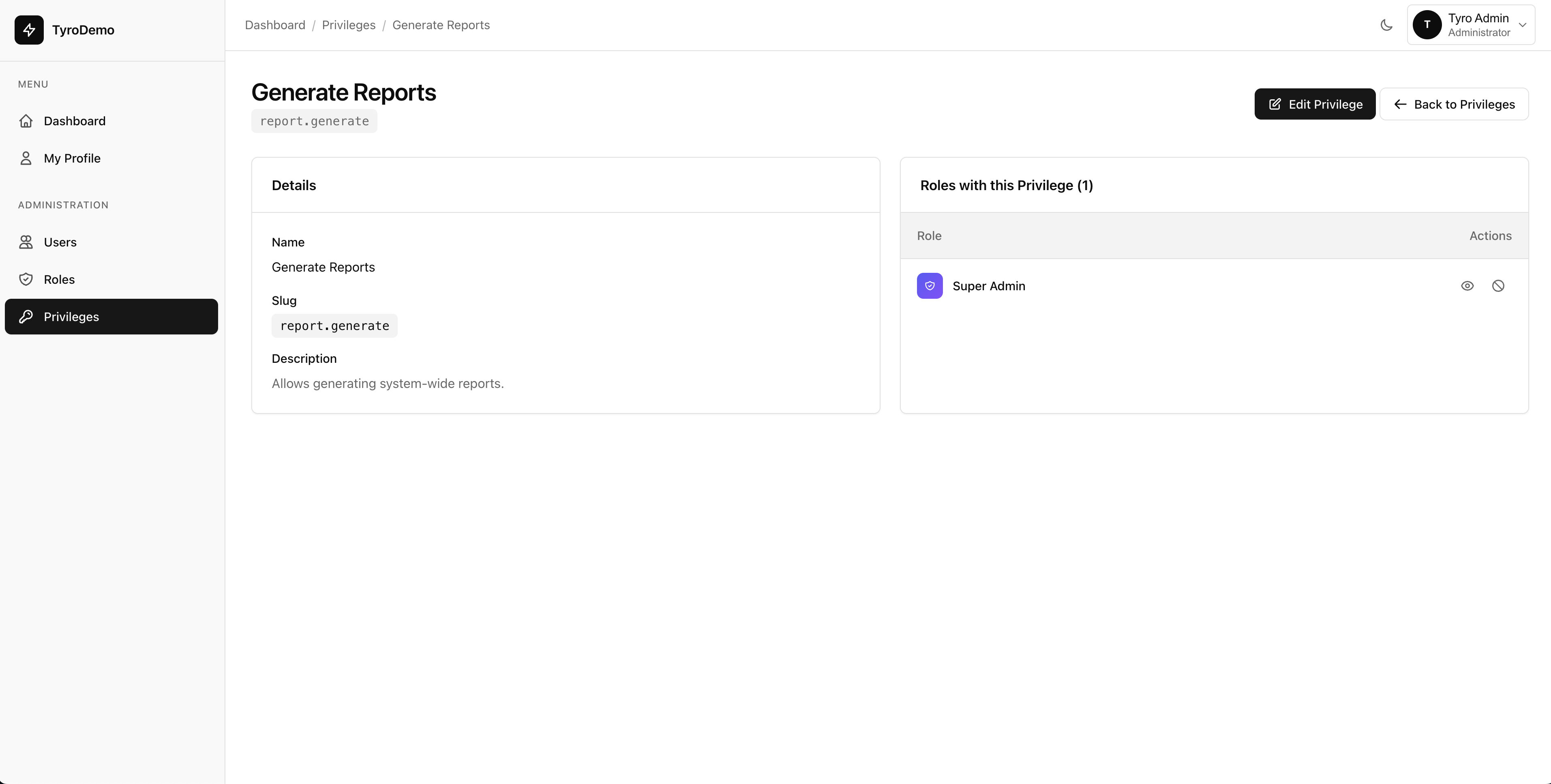
Privilege Detail Light Mode

Privilege Detail Dark Mode
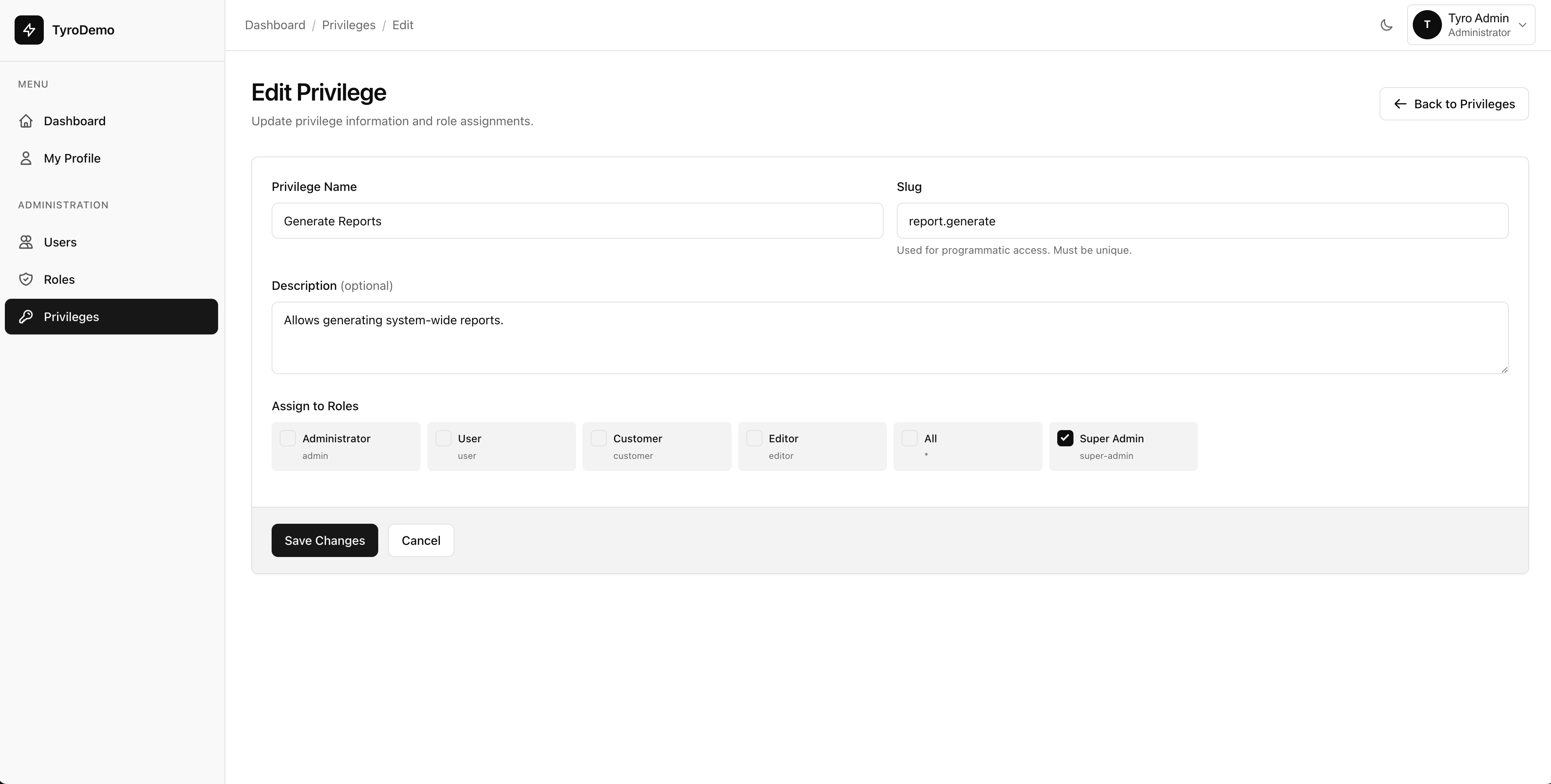
Edit Privilege Light Mode

Edit Privilege Dark Mode
Route Settings
Configure how Tyro Dashboard routes are registered:
'routes' => [
    // URL prefix for all dashboard routes
    'prefix' => env('TYRO_DASHBOARD_PREFIX', 'dashboard'),

    // Middleware applied to all dashboard routes
    'middleware' => ['web', 'auth'],

    // Route name prefix
    'name_prefix' => 'tyro-dashboard.',
],
Environment Variables
# Change dashboard URL from /dashboard to /admin
TYRO_DASHBOARD_PREFIX=admin
Admin Roles
Configure which roles have full admin access to the dashboard:
// Users with these roles have full admin access
'admin_roles' => ['admin', 'super-admin'],
Users with these roles can:
- Manage all users (create, edit, suspend, delete)
- Manage all roles and privileges
- Access and modify package settings
- View the full admin dashboard
Users without admin roles can only:
- Access the dashboard home page
- Manage their own profile
Pagination Settings
Configure how many items appear per page in lists:
'pagination' => [
    'users' => 15,      // Users per page
    'roles' => 15,      // Roles per page
    'privileges' => 15, // Privileges per page
],
Branding
Customize the dashboard with your brand identity:
'branding' => [
    // Application name shown in dashboard
    'app_name' => env('TYRO_DASHBOARD_APP_NAME', env('APP_NAME', 'Laravel')),

    // URL to your logo (null for text-based logo)
    'logo' => env('TYRO_DASHBOARD_LOGO', null),
],
Environment Variables
TYRO_DASHBOARD_APP_NAME="My Application"
TYRO_DASHBOARD_LOGO="/images/logo.svg"
User Management
The User Management section allows administrators to:
- View Users: Browse all users with search and pagination
- Create Users: Add new users with name, email, and role assignment
- Edit Users: Update user information and change roles
- Suspend Users: Temporarily disable user accounts
- Delete Users: Remove users from the system
admin_roles.
php artisan tyro-dashboard:createsuperuser.
Routes
| Route | Description |
|---|---|
/dashboard/users |
List all users |
/dashboard/users/create |
Create new user form |
/dashboard/users/{id}/edit |
Edit user form |
Role Management
Manage roles for your application's access control:
- View Roles: Browse all roles with their assigned privileges
- Create Roles: Add new roles with name, slug, and description
- Edit Roles: Update role information and assign/remove privileges
- View Role Details: See all privileges assigned to a role
- Delete Roles: Remove roles (protected roles cannot be deleted)
admin, super-admin, and user cannot be deleted through the dashboard.
Routes
| Route | Description |
|---|---|
/dashboard/roles |
List all roles |
/dashboard/roles/create |
Create new role form |
/dashboard/roles/{id} |
View role details |
Privilege Management
Manage privileges for fine-grained access control:
- View Privileges: Browse all privileges in the system
- Create Privileges: Add new privileges with name, slug, and description
- Edit Privileges: Update privilege information
- Delete Privileges: Remove privileges from the system
Routes
| Route | Description |
|---|---|
/dashboard/privileges |
List all privileges |
/dashboard/privileges/create |
Create new privilege form |
Profile Management
All authenticated users can manage their own profile:
- Update Name: Change display name
- Update Email: Change email address
- Change Password: Update account password
- Profile Picture: Upload or change avatar
Route
| Route | Description | Access |
|---|---|---|
/dashboard/profile |
User profile settings | All authenticated users |
Profile Photos & Gravatar
Tyro Dashboard supports user profile photos out of the box. Users can upload a custom photo or fall back to their Gravatar avatar. Avatars are shown throughout the dashboard, including the user management list.
Setup
Add the HasProfilePhoto trait to your User model:
use Hasinhayder\TyroDashboard\Traits\HasProfilePhoto;

class User extends Authenticatable
{
    use HasProfilePhoto;
    // ...
}
Configuration
| Variable | Description | Default |
|---|---|---|
TYRO_DASHBOARD_ENABLE_GRAVATAR |
Enable Gravatar fallback when no photo is uploaded | true |
TYRO_DASHBOARD_PHOTO_MAX_SIZE |
Maximum upload size in kilobytes | 2048 |
TYRO_DASHBOARD_PHOTO_CROP_POSITION |
Crop anchor position for thumbnails | center |
php artisan migrate after adding the trait. The required profile_photo_path column is included in the package migrations.
User Impersonation
Administrators can impersonate any regular user account to debug problems or provide hands-on support. The original admin session is preserved and easily restored.
How It Works
- Navigate to the Users admin page.
- Click the Impersonate action button for the target user. A modal dialog will ask for confirmation.
- After confirming, you are now browsing as that user.
- To return to your admin session, navigate to the
/dashboard/leave-impersonationroute.
Security
- Only users with a role listed in
admin_rolesconfig can initiate impersonation. - A dedicated middleware (
TyroImpersonation) protects the leave-impersonation route. - Impersonation state is stored securely in the server-side session.
Invitation & Referral System
Tyro Dashboard includes a complete invitation and referral system. Admins manage invitation links; users see who they have referred. Everything is tracked automatically.
Enable the Feature
TYRO_DASHBOARD_ENABLE_INVITATION=trueDatabase Migrations
Two migrations are included and run automatically during php artisan tyro-dashboard:install:
invitation_links- Stores invitation links created by adminsinvitation_referrals- Records which users signed up via an invitation
Admin Capabilities
- Create and revoke invitation links with optional expiry dates
- View all invitation links and their usage statistics
- See the complete referral history
User Capabilities
- View their own referral history on their dashboard
- See how many users they have referred
Routes
| Route | Description | Access |
|---|---|---|
/dashboard/invitations |
Admin invitation link management | Admin Only |
/dashboard/referrals |
User referral history | All Authenticated |
Audit Trail
Tyro Dashboard provides detailed admin pages for browsing the audit trail recorded by the Tyro RBAC package's HasAuditTrail trait. Every model change is logged and can be reviewed with powerful filters.
Features
- Filterable: Filter by event type (created, updated, deleted), model type, user, or date range
- Searchable: Full-text search across audit log entries
- Paginated: Large audit logs are paginated for fast loading
- Detail View: Click any entry to see the exact old and new values for every changed field
Prerequisite
Your models must use the HasAuditTrail trait from the Tyro RBAC package to generate audit records:
use Hasinhayder\Tyro\Traits\HasAuditTrail;

class Post extends Model
{
    use HasAuditTrail;
    // ...
}
Routes
| Route | Description | Access |
|---|---|---|
/dashboard/audit-trail |
Paginated audit log with filters and search | Admin Only |
/dashboard/audit-trail/{id} |
Detail view for a single audit entry | Admin Only |
Modal Dialogs
Tyro Dashboard ships with a built-in modal dialog system that replaces browser confirm() popups with beautiful, accessible modals. Three helper functions are available globally in all dashboard views.
Available Functions
| Function | Use Case |
|---|---|
showConfirm(title, message, callback) |
Standard confirmation dialog with OK / Cancel |
showAlert(title, message) |
Informational alert with a single OK button |
showDanger(title, message, callback) |
Destructive action confirmation (red styling) |
Usage Example
// Basic confirmation before form submit
showConfirm('Delete Record', 'Are you sure you want to delete this item?', function() {
    document.getElementById('delete-form').submit();
});

// Danger dialog for destructive actions
showDanger('Suspend User', 'This will revoke all access for this user.', function() {
    window.location.href = '/dashboard/users/42/suspend';
});

// Simple alert
showAlert('Success', 'The record has been saved successfully.');Admin Bar
The Admin Bar in Tyro Dashboard allows you to display a globally visible announcement, alert, or notice at the very top of all dashboard layouts. It spans the full width of the screen (100vw) and dynamically adjusts the dashboard elements below it, ensuring your layout remains flawless.
You can configure and enable the Admin Bar in two ways:
- Via Environment Variables / Configuration file (Persistent and global)
- Programmatically via the
AdminNoticeService Class (Dynamic, session-based, or logic-driven)
1. Using Configuration / Environment Variables
The most straightforward way to use the admin bar is through your .env file. This approach is highly useful for system maintenance messages or long-term announcements.
TYRO_DASHBOARD_ADMIN_BAR_ENABLED=true
TYRO_DASHBOARD_ADMIN_BAR_MESSAGE="⚠️ System will undergo scheduled maintenance this Sunday."
TYRO_DASHBOARD_ADMIN_BAR_BG_COLOR="#ffcc00"
TYRO_DASHBOARD_ADMIN_BAR_TEXT_COLOR="#000000"
TYRO_DASHBOARD_ADMIN_BAR_ALIGN="center"
TYRO_DASHBOARD_ADMIN_BAR_HEIGHT="40px"
Alternatively, modify config/tyro-dashboard.php directly:
'admin_bar' => [
    'enabled' => true,
    'message' => 'System will undergo scheduled maintenance this Sunday.',
    'bg_color' => '#ffcc00',     // Default is #000000
    'text_color' => '#000000',   // Default is #ffffff
    'align' => 'center',         // Default is left (options: left, center, right)
    'height' => '40px',          // Configurable height
],<p>, <a>, <b>, <span>. Inline style attributes are also permitted. Other tags are stripped for security.
2. Using the AdminNotice Service Class
For dynamic messages, notifications tied to a specific user state, or alerts generated from middleware and controllers, inject notices at runtime using the AdminNotice class.
use HasinHayder\TyroDashboard\Services\AdminNotice;

// Basic usage with just a message
AdminNotice::show('Sale ends in 24 hours! <b>Don\'t miss out!</b>');

// Advanced usage with custom styling
AdminNotice::show(
    'Server SSD capacity is critically low (< 5%). <a href="/admin/servers">Check Status</a>',
    '#dc2626',   // Background Color (Red)
    '#ffffff',   // Text Color (White)
    'center'     // Text Alignment
);
Page Creation
Tyro Dashboard includes powerful artisan commands to scaffold complete dashboard pages in seconds. These commands automatically handle everything from view creation to route registration and sidebar navigation.
Available Commands
Three specialized commands let you create pages with different access levels:
User Pages
Create pages for regular authenticated users. Perfect for dashboards, reports, and user-specific features.
Admin Pages
Create admin-only pages with role-based access control. Ideal for system settings, advanced configurations, and management tools.
Common Pages
Create pages accessible to both users and admins. Great for help centers, documentation, and shared resources.
Create User Page
The create-user-page command generates pages for regular authenticated users. These pages extend the user layout and appear in the user sidebar.
# Interactive mode - prompts for page name
php artisan tyro-dashboard:create-user-page

# Direct mode - provide page name as argument
php artisan tyro-dashboard:create-user-page "analytics"

# With multiple words (automatically slugified)
php artisan tyro-dashboard:create-user-page "Sales Reports"
# Creates: /dashboard/sales-reports

# Overwrite existing files
php artisan tyro-dashboard:create-user-page "analytics" --force
What Gets Created
| View File: | resources/views/dashboard/{page-name}.blade.php |
| Layout: | tyro-dashboard::layouts.user |
| Route: | /dashboard/{page-name} |
| Middleware: | auth |
| Sidebar: | User sidebar → Menu section |
Generated Route
Route::view('dashboard/{page-name}', 'dashboard.{page-name}')
    ->middleware(['auth'])
    ->name('dashboard.{page-name}');
Create Admin Page
The create-admin-page command generates pages exclusively for administrators. These pages are protected with the tyro-dashboard.admin middleware and appear in the admin sidebar.
# Interactive mode
php artisan tyro-dashboard:create-admin-page

# Direct mode
php artisan tyro-dashboard:create-admin-page "system-logs"

# With multiple words
php artisan tyro-dashboard:create-admin-page "Advanced Settings"
# Creates: /dashboard/advanced-settings

# Overwrite existing files
php artisan tyro-dashboard:create-admin-page "system-logs" --force
What Gets Created
| View File: | resources/views/dashboard/{page-name}.blade.php |
| Layout: | tyro-dashboard::layouts.admin |
| Route: | /dashboard/{page-name} |
| Middleware: | auth, tyro-dashboard.admin |
| Sidebar: | Admin sidebar → Administration section |
Generated Route
Route::view('dashboard/{page-name}', 'dashboard.{page-name}')
    ->middleware(['auth', 'tyro-dashboard.admin'])
    ->name('dashboard.{page-name}');
Create Common Page
The create-common-page command creates pages accessible to both regular users and administrators. These pages appear in both the user and admin sidebars.
# Interactive mode
php artisan tyro-dashboard:create-common-page

# Direct mode
php artisan tyro-dashboard:create-common-page "help-center"

# With multiple words
php artisan tyro-dashboard:create-common-page "Support Documentation"
# Creates: /dashboard/support-documentation

# Overwrite existing files
php artisan tyro-dashboard:create-common-page "help-center" --force
What Gets Created
| View File: | resources/views/dashboard/{page-name}.blade.php |
| Layout: | tyro-dashboard::layouts.app |
| Route: | /dashboard/{page-name} |
| Middleware: | auth |
| Sidebar: | Both user and admin sidebars → Menu section |
Generated Route
Route::view('dashboard/{page-name}', 'dashboard.{page-name}')
    ->middleware(['auth'])
    ->name('dashboard.{page-name}');
Generated Page Structure
All generated pages follow a consistent, clean structure that's ready to customize:
Generated Page File Locations
Understanding where files are created and modified helps you customize your pages:
your-laravel-app/
├── resources/
│   └── views/
│       ├── dashboard/
│       │   └── page-name.blade.php          ← New page view created here
│       └── vendor/
│           └── tyro-dashboard/
│               └── partials/
│                   ├── user-sidebar.blade.php  ← Link added here (user/common)
│                   └── admin-sidebar.blade.php ← Link added here (admin/common)
└── routes/
    └── web.php                                 ← Route registered here
Automatic Features
Every generated page includes these features out of the box:
Automatic breadcrumb with link back to dashboard
Automatically added to appropriate sidebar with icon
Named route added to web.php with proper middleware
$user variable automatically available in all views
Inherits theme support from dashboard layouts
Mobile-friendly layout with responsive components
Use Cases
Here are some practical examples of when to use each command:
User Pages
- Personal analytics dashboard
- Sales reports and metrics
- Order history and tracking
- User preferences and settings
- Project management boards
Admin Pages
- System logs and monitoring
- Application configuration
- Advanced security settings
- Email template management
- API key management
- Database backup and restore
Common Pages
- Help center and documentation
- FAQ and knowledge base
- Announcements and news
- Company information
- Contact and support forms
Page Removal Commands
Safely remove dashboard pages that were created with the page creation commands. These commands will delete the view file, remove the route from web.php, and remove the sidebar link.
Remove Admin Page
tyro-dashboard:remove-admin-page
Remove User Page
tyro-dashboard:remove-user-page
Remove Common Page
tyro-dashboard:remove-common-page
Remove User Page
Remove a user-facing dashboard page that was created with create-user-page.
# Interactive mode - asks for page name
php artisan tyro-dashboard:remove-user-page

# Direct mode - provide page name as argument
php artisan tyro-dashboard:remove-user-page "my-reports"
What Gets Removed
| View File | resources/views/dashboard/{page-name}.blade.php |
| Route | Removed from routes/web.php |
| Sidebar Link | Removed from user-sidebar.blade.php |
Remove Admin Page
Remove an admin-only dashboard page that was created with create-admin-page.
# Interactive mode
php artisan tyro-dashboard:remove-admin-page

# Direct mode
php artisan tyro-dashboard:remove-admin-page "system-settings"
What Gets Removed
| View File | resources/views/dashboard/{page-name}.blade.php |
| Route | Removed from routes/web.php (with admin middleware) |
| Sidebar Link | Removed from admin-sidebar.blade.php |
Remove Common Page
Remove a common dashboard page that was created with create-common-page. This removes the page from both user and admin sidebars.
# Interactive mode
php artisan tyro-dashboard:remove-common-page

# Direct mode
php artisan tyro-dashboard:remove-common-page "help-center"
What Gets Removed
| View File | resources/views/dashboard/{page-name}.blade.php |
| Route | Removed from routes/web.php |
| Sidebar Links | Removed from both user-sidebar.blade.php and admin-sidebar.blade.php |
Page Removal
Remove dashboard pages that were created with the page creation commands. These commands safely delete view files, routes, and sidebar links.
tyro-dashboard:remove-user-page
Remove a user-facing dashboard page.
php artisan tyro-dashboard:remove-user-page

# Direct mode
php artisan tyro-dashboard:remove-user-page "my-reports"
tyro-dashboard:remove-admin-page
Remove an admin-only dashboard page.
php artisan tyro-dashboard:remove-admin-page

# Direct mode
php artisan tyro-dashboard:remove-admin-page "system-settings"
tyro-dashboard:remove-common-page
Remove a common dashboard page (removes from both sidebars).
php artisan tyro-dashboard:remove-common-page

# Direct mode
php artisan tyro-dashboard:remove-common-page "help-center"
What removal commands do:
- Delete the Blade view file from
resources/views/dashboard/ - Remove the route from
routes/web.php - Remove the sidebar link(s) from the appropriate sidebar file(s)
- Show a warning and ask for confirmation before deletion
- Display "Page not found" message if the page doesn't exist
CRUD Workflow
Creating a new resource in Tyro Dashboard is an incredibly streamlined process using the HasCrud trait. Follow these steps to set up a complete CRUD interface in minutes.
1. Create Migration & Model
Start by creating your standard Laravel model and migration.
php artisan make:model Product -m2. Add HasCrud Trait
Add the HasCrud trait to your model. Ensure the model has a $fillable array, which Tyro Dashboard uses to determine the fields to render.
namespace App\Models;

use Illuminate\Database\Eloquent\Model;
use HasinHayder\TyroDashboard\Concerns\HasCrud;

class Product extends Model
{
    use HasCrud;

    protected $fillable = [
        'name',
        'price',
        'status',
        'description'
    ];
}
3. Visit the Resource Page
That's literally it! Visit your admin dashboard in the browser, and navigate to the plural form of your model (e.g., /dashboard/resources/products). You will instantly have access to the full create, read, update, and delete interface for your resource.
Resource CRUD Configuration
Tyro Dashboard comes with a powerful and dynamic CRUD generator that allows you to quickly build administrative interfaces for your Eloquent models. It supports generating full create, read, update, and delete interfaces simply by using the HasCrud trait on your models.
The Power of HasCrud
The HasCrud trait uses auto-discovery and introspection to automatically learn about your database schema, model properties ($fillable), and defined Eloquent relationships. With just one line of code, you get a full-fledged working CRUD dashboard.
namespace App\Models;

use Illuminate\Database\Eloquent\Model;
use HasinHayder\TyroDashboard\Concerns\HasCrud;

class Post extends Model
{
    use HasCrud;

    protected $fillable = [
        'title',
        'content',
        'is_published',
        'category_id',
    ];

    // Defining this relationship tells HasCrud to automatically create a select field for category_id!
    public function category()
    {
        return $this->belongsTo(Category::class);
    }
}
The HasCrud trait introspects the table schema, analyzes your $fillable array, and intelligently guesses field types. For example:
- It matches a
_idsuffix to aselecttype. - It detects
is_,has_,can_prefixed fields asbooleaninputs. - It sees fields like
description,bio, orcontentand turns them intotextarea. - It intelligently discovers all publicly exported Eloquent relationships like
BelongsToManyto create syncable multi-select fields out of the box.
Model Overrides & Deep Customization
While auto-detection takes care of most of the heavy lifting, HasCrud exposes several highly customizable protected properties allowing you to bend the CRUD to your exact needs without needing external configuration files.
General Resource Overrides (Optional)
$resourceKey: Override the URL slug/identifier used in routes (default is pluralsnake_caseof class name).$resourceTitle: The plural display name of the resource (default is plural Title Case of class name).$resourceTitleSingular: The singular display name.$resourceRoles: An array of role slugs that can access this resource globally['admin', 'manager'].$resourceReadonly: An array of role slugs that can only view (read-only)['editor', 'guest'].$resourceUploadDisk: The Laravel storage disk for file uploads (publicby default).$resourceUploadDirectory: The disk directory for uploads (uploadsby default).
Tailoring Fields with $resourceFieldOverrides (Optional)
The real magic arrives with $resourceFieldOverrides. Instead of redefining all your fields or moving to a configuration file, use this property to inject UI specifics on a per-field basis.
class User extends Model
{
    use HasCrud;

    protected $fillable = ['name', 'email', 'bio', 'password', 'role_id'];

    // Provide overriding UI states just for the fields that need tweaking
    protected $resourceFieldOverrides = [
        'email' => [
            'type' => 'email', // Ensures client validation for email
            'searchable' => true,
        ],
        'bio' => [
            'type' => 'markdown', // Change from textarea to rich markdown editor
            'hide_in_index' => true,
        ],
        'password' => [
            'type' => 'password',
            'hide_in_index' => true,
            'hide_in_edit' => true, // Don't let users edit password here
        ],
    ];
}
Note: You can completely disable auto-generation and define the entire UI natively from scratch by providing a strict $resourceFields array inside your model instead. However, using $resourceFieldOverrides is the generally recommended path.
Field Types and Modifiers
Tyro Dashboard natively supports a huge list of input configurations.
| Type | Description |
|---|---|
text |
Standard text input. |
number |
Numeric input (used for integers, decimals, prices, etc.). |
textarea |
Multi-line text (used for descriptions, bodies). |
markdown |
Built-in Markdown editor utilizing EasyMDE. Automatically hidden from index tables. |
richtext |
Rendered as a rich QuillJS HTML editor in views (safely sanitized against XSS). |
boolean |
Checkbox input for Yes/No states. |
select |
Standard dropdown. |
multiselect |
Multi-select dropdown. Supports syncing many-to-many relationships automatically. |
radio |
Radio button lists. |
checkbox |
Checkbox groups. |
date / time / datetime-local |
Specialized pickers natively handled. |
password |
Handled securely, stripped out of list views. On update actions, sending an empty password intelligently skips mutating the stored database password hash. |
email |
HTML5 Email input. |
url |
HTML5 URL input. |
file |
File upload integration. |
Field Options
Every field defined under $resourceFieldOverrides accepts various parameters that dictate behavior on forms:
'description' => [
    'type' => 'text',
    'label' => 'Display Label',
    'rules' => 'required|min:5|max:200', // Laravel validation rules
    'default' => 'Initial Text',         // Default value shown on create screens
    'placeholder' => 'Enter text here',  // Standard placeholder
    'help_text' => 'Optional string beneath the input describing usage',
    'hide_in_index' => true,             // Hides field specifically on the table view
    'hide_in_create' => true,            // Hides on the "create" mode
    'hide_in_edit' => true,              // Hides on the "update/edit" mode
    'hide_in_form' => true,              // Hides completely across ALL forms (create + edit)
    'hide_in_single_view' => true,       // Hide from detail/show view
    'readonly' => true,                  // Forces HTML `readonly` state
],
// Sort/Search mechanics
'title' => [
    'searchable' => true, // Can users search this globally on index boards?
    'sortable' => true,   // Clickable column header asc/desc tracking?
]
Passing HTML Attributes
You can pass raw underlying HTML attributes directly to the generated inputs via the attributes dictionary. This is incredibly useful for setting HTML5 specific steps, disabled states, or data tags.
'purchase_price' => [
    'type' => 'number',
    'attributes' => [
        'min' => '0',
        'step' => '0.01',
        'data-trigger' => 'price-update',
        'disabled' => 'disabled' // Or using native string 'disabled'
    ]
]
Mastering Relationships
HasCrud goes out of its way to link Eloquent relationships securely. When HasCrud analyzes your model, it identifies relationships and immediately builds the correct foreign selections out of the box. You only really need to customize them using $resourceFieldOverrides for fine-grained labeling.
You do this via three main relationship keys:
relationship: The name of the method housing your Eloquent relationship.option_label: The target DB column representing the display name for the relation choices.multiple: Needed for Multi-selectBelongsToManysyncs where type is a standardselect.
1D Relationships (BelongsTo)
// Creating standard one-to-many selectors
'category_id' => [
    'type' => 'select', // Or radio natively
    'label' => 'Parent Category',
    'relationship' => 'category', // Name of `public function category()`
    'option_label' => 'name', // What property to grab from the Category model
],
Many-To-Many Synced Relationships (BelongsToMany)
Multi-relational syncing handles logic perfectly underneath the hood. Choose the optimal display logic (a large multi-select, or an expanding array of checkboxes).
// In `$resourceFieldOverrides` for Tags Syncing
'tags' => [
    'type' => 'multiselect', // Will render an auto-syncing multiselect dropdown
    // OR 'type' => 'checkbox' // Will render an auto-syncing UI checklist!
    'label' => 'Post Tags',
    'relationship' => 'tags',
    'option_label' => 'name',
],
When store() or update() is tripped, these relationship selections are cleverly parsed out of standard Eloquent payload flows and strictly diverted safely through Eloquent's User->tags()->sync([id_list]) function.
File and Image Modifiers
File fields (type => file) automatically push uploads directly to standard Laravel Disks utilizing configured settings.
You can explicitly ask Tyro Dashboard to render image previews natively inline on Edit Views by overriding the config properties:
'avatar' => [
    'type' => 'file',
    'display_image' => true, // Auto-renders an <img> preview if the stored asset is jpg/webp/gif
    'display_image_position' => 'top', // Show the preview 'top' (before input) or 'bottom' (after input)
]
During deletion/replacement, Tyro Dashboard is equipped to safely manage auto-delete garbage collection. When you update a user's avatar, it drops the old picture first directly via Storage facades natively to preserve disk capacities.
Access Management
Tyro Dashboard integrates deeply with Tyro RBAC. You can control exactly which roles have access to your CRUD resource by overriding the $resourceRoles array.
class Product extends Model
{
    use HasCrud;

    // Only these roles can access the resource dashboard
    protected $resourceRoles = ['admin', 'manager'];
}
Readonly Resources
If you want to disable creating, editing, or deleting records for a specific resource, you can set the $readonly property.
protected $readonly = true;Alternatively, you can restrict write access to specific roles by providing an array to the $resourceReadonly property in your Model overrides.
class Product extends Model
{
    use HasCrud;

    // The 'editor' role can only read/view this resource, but cannot create/update/destroy it
    protected $resourceReadonly = ['editor'];
}
This will remove the "Create" button and the "Edit/Delete" actions from the index view.
Error Visibility
You can control whether validation errors are shown globally or inline. Override the $showErrors property.
protected $showErrors = true; // Default is truePublishing Assets
Customize Tyro Dashboard by publishing assets:
Publish Configuration
php artisan vendor:publish --tag=tyro-dashboard-configPublish Views
php artisan vendor:publish --tag=tyro-dashboard-viewsViews will be published to resources/views/vendor/tyro-dashboard/.
Theme Customization (shadcn Variables)
Tyro Dashboard uses shadcn/ui CSS variables for theming, making it easy to customize colors and integrate with shadcn-based projects. The theme system is fully compatible with the tweakcn.com visual theme editor.
Publishing Theme Files
Publish the theme variables to customize the look and feel of your dashboard:
# Publish only theme variables (recommended for color customization)
php artisan tyro-dashboard:publish-style --theme-only

# Or publish complete styles (theme + component styles)
php artisan tyro-dashboard:publish-style
Theme files will be published to resources/views/vendor/tyro-dashboard/partials/.
Visual Theme Editing with tweakcn
The easiest way to customize your theme is using tweakcn.com:
- Visit tweakcn.com
- Use the visual editor to create your perfect color palette
- Copy the generated CSS variables
- Publish your theme:
php artisan tyro-dashboard:publish-style --theme-only - Paste the variables into
resources/views/vendor/tyro-dashboard/partials/shadcn-theme.blade.php
Theme File Structure
After publishing, your theme structure will be:
resources/views/vendor/tyro-dashboard/partials/
├── shadcn-theme.blade.php  # Theme variables (edit this!)
└── styles.blade.php        # Component styles (includes theme)
The shadcn-theme.blade.php file contains only CSS variables, making it safe to edit without breaking component styles.
Available CSS Variables
Tyro Dashboard uses standard shadcn CSS variables in oklch color format for both light and dark modes:
| Variable | Description |
|---|---|
--radius |
Default border radius |
--background |
Page background color |
--foreground |
Default text color |
--primary |
Primary buttons and links |
--primary-foreground |
Primary text color |
--secondary |
Secondary elements |
--secondary-foreground |
Secondary text color |
--muted |
Muted backgrounds |
--muted-foreground |
Muted text color |
--accent |
Accent backgrounds |
--accent-foreground |
Accent text color |
--destructive |
Error and danger states |
--border |
Border colors |
--input |
Input field borders |
--ring |
Focus ring colors |
--card |
Card background colors |
--card-foreground |
Card text color |
--popover |
Popover background colors |
--popover-foreground |
Popover text color |
--chart-1 |
Chart color 1 |
--chart-2 |
Chart color 2 |
--chart-3 |
Chart color 3 |
--chart-4 |
Chart color 4 |
--chart-5 |
Chart color 5 |
--sidebar |
Sidebar background |
--sidebar-foreground |
Sidebar text color |
--sidebar-primary |
Sidebar primary color |
--sidebar-primary-foreground |
Sidebar primary text |
--sidebar-accent |
Sidebar accent color |
--sidebar-accent-foreground |
Sidebar accent text |
--sidebar-border |
Sidebar border color |
--sidebar-ring |
Sidebar focus ring |
--success |
Success states |
--success-foreground |
Success text color |
--warning |
Warning states |
--warning-foreground |
Warning text color |
--info |
Info states |
--info-foreground |
Info text color |
--card-shadow |
Default card shadow |
--card-shadow-hover |
Card hover shadow |
Manual Theme Editing
If you prefer to edit the theme manually, open resources/views/vendor/tyro-dashboard/partials/shadcn-theme.blade.php and modify the CSS variables:
<style>
    :root {
        /* Base radius for components */
        --radius: 0.625rem;

        /* Light mode colors */
        --background: oklch(1 0 0);
        --foreground: oklch(0.145 0 0);
        --card: oklch(1 0 0);
        --card-foreground: oklch(0.145 0 0);
        --popover: oklch(1 0 0);
        --popover-foreground: oklch(0.145 0 0);
        --primary: oklch(0.205 0 0);
        --primary-foreground: oklch(0.985 0 0);
        --secondary: oklch(0.97 0 0);
        --secondary-foreground: oklch(0.205 0 0);
        --muted: oklch(0.97 0 0);
        --muted-foreground: oklch(0.556 0 0);
        --accent: oklch(0.97 0 0);
        --accent-foreground: oklch(0.205 0 0);
        --destructive: oklch(0.577 0.245 27.325);
        --border: oklch(0.922 0 0);
        --input: oklch(0.922 0 0);
        --ring: oklch(0.708 0 0);

        /* Chart colors */
        --chart-1: oklch(0.646 0.222 41.116);
        --chart-2: oklch(0.6 0.118 184.704);
        --chart-3: oklch(0.398 0.07 227.392);
        --chart-4: oklch(0.828 0.189 84.429);
        --chart-5: oklch(0.769 0.188 70.08);

        /* Sidebar colors */
        --sidebar: oklch(0.985 0 0);
        --sidebar-foreground: oklch(0.145 0 0);
        --sidebar-primary: oklch(0.205 0 0);
        --sidebar-primary-foreground: oklch(0.985 0 0);
        --sidebar-accent: oklch(0.97 0 0);
        --sidebar-accent-foreground: oklch(0.205 0 0);
        --sidebar-border: oklch(0.922 0 0);
        --sidebar-ring: oklch(0.708 0 0);

        /* Extended semantic colors */
        --success: oklch(0.627 0.194 149.214);
        --success-foreground: oklch(1 0 0);
        --warning: oklch(0.769 0.188 70.08);
        --warning-foreground: oklch(0.205 0 0);
        --info: oklch(0.623 0.214 259.815);
        --info-foreground: oklch(1 0 0);

        /* Card shadows */
        --card-shadow: 0 1px 2px 0 rgb(0 0 0 / 0.05);
        --card-shadow-hover: 0 4px 6px -1px rgb(0 0 0 / 0.1), 0 2px 4px -2px rgb(0 0 0 / 0.1);
    }

    /* Dark mode colors - using .dark class */
    .dark {
        --background: oklch(0.145 0 0);
        --foreground: oklch(0.985 0 0);
        --card: oklch(0.205 0 0);
        --card-foreground: oklch(0.985 0 0);
        --popover: oklch(0.205 0 0);
        --popover-foreground: oklch(0.985 0 0);
        --primary: oklch(0.922 0 0);
        --primary-foreground: oklch(0.205 0 0);
        --secondary: oklch(0.269 0 0);
        --secondary-foreground: oklch(0.985 0 0);
        --muted: oklch(0.269 0 0);
        --muted-foreground: oklch(0.708 0 0);
        --accent: oklch(0.269 0 0);
        --accent-foreground: oklch(0.985 0 0);
        --destructive: oklch(0.704 0.191 22.216);
        --border: oklch(1 0 0 / 10%);
        --input: oklch(1 0 0 / 15%);
        --ring: oklch(0.556 0 0);

        /* Chart colors (dark mode) */
        --chart-1: oklch(0.488 0.243 264.376);
        --chart-2: oklch(0.696 0.17 162.48);
        --chart-3: oklch(0.769 0.188 70.08);
        --chart-4: oklch(0.627 0.265 303.9);
        --chart-5: oklch(0.645 0.246 16.439);

        /* Sidebar colors (dark mode) */
        --sidebar: oklch(0.205 0 0);
        --sidebar-foreground: oklch(0.985 0 0);
        --sidebar-primary: oklch(0.488 0.243 264.376);
        --sidebar-primary-foreground: oklch(0.985 0 0);
        --sidebar-accent: oklch(0.269 0 0);
        --sidebar-accent-foreground: oklch(0.985 0 0);
        --sidebar-border: oklch(1 0 0 / 10%);
        --sidebar-ring: oklch(0.556 0 0);

        /* Extended semantic colors (dark mode) */
        --success: oklch(0.696 0.17 162.48);
        --success-foreground: oklch(0.145 0 0);
        --warning: oklch(0.769 0.188 70.08);
        --warning-foreground: oklch(0.145 0 0);
        --info: oklch(0.488 0.243 264.376);
        --info-foreground: oklch(0.985 0 0);

        /* Card shadows (dark mode) */
        --card-shadow: 0 1px 2px 0 rgb(0 0 0 / 0.2);
        --card-shadow-hover: 0 4px 6px -1px rgb(0 0 0 / 0.3), 0 2px 4px -2px rgb(0 0 0 / 0.2);
    }
</style>Environment Variables
Complete list of environment variables for Tyro Dashboard:
| Variable | Description | Default |
|---|---|---|
TYRO_DASHBOARD_PREFIX |
URL prefix for dashboard routes | dashboard |
TYRO_DASHBOARD_APP_NAME |
Application name shown in dashboard | APP_NAME |
TYRO_DASHBOARD_LOGO |
URL to custom logo | null |
TYRO_DASHBOARD_SIDEBAR_BG |
Sidebar background color (any valid CSS color) | null |
TYRO_DASHBOARD_SIDEBAR_TEXT |
Sidebar text and icon color | null |
TYRO_DASHBOARD_DISABLE_EXAMPLES |
Hide example sidebar menu items | false |
TYRO_DASHBOARD_ENABLE_INVITATION |
Enable the invitation and referral system | false |
TYRO_DASHBOARD_ENABLE_GRAVATAR |
Enable Gravatar fallback for profile photos | true |
TYRO_DASHBOARD_PHOTO_MAX_SIZE |
Maximum profile photo upload size in KB | 2048 |
TYRO_DASHBOARD_PHOTO_CROP_POSITION |
Thumbnail crop anchor position | center |
TYRO_DASHBOARD_COLLAPSIBLE_SIDEBAR |
Enable collapsible sidebar behavior | true |
Artisan Commands
Tyro Dashboard provides the following artisan commands:
| Command | Description |
|---|---|
php artisan tyro-dashboard:install |
Interactive installation wizard |
php artisan tyro-dashboard:version |
Display version information |
php artisan tyro-dashboard:publish-style |
Publish styles and theme files |
php artisan tyro-dashboard:publish-style --theme-only |
Publish only theme variables (recommended) |
php artisan tyro-dashboard:createsuperuser |
Create a superuser with admin privileges interactively |
php artisan tyro-dashboard:create-user-page |
Create a new user dashboard page with automatic sidebar linking |
php artisan tyro-dashboard:create-admin-page |
Create a new admin dashboard page with automatic sidebar linking |
php artisan tyro-dashboard:create-common-page |
Create a common page visible to both users and admins |
Page Creation Commands
Tyro Dashboard includes powerful commands to generate complete dashboard pages in seconds. These commands automatically create views, register routes, and add sidebar navigation links.
Create User Page
Creates a new page for regular users, extending the user layout and adding it to the user sidebar.
# Interactive mode - prompts for page name
php artisan tyro-dashboard:create-user-page

# Direct mode - provide page name as argument
php artisan tyro-dashboard:create-user-page "my-reports"

# Overwrite existing files
php artisan tyro-dashboard:create-user-page "my-reports" --force
What this command does:
- Creates a Blade view file at
resources/views/dashboard/{page-name}.blade.php - Extends
tyro-dashboard::layouts.userlayout - Adds a route to
routes/web.phpwithauthmiddleware - Automatically links the page in the user sidebar under "Menu" section
- Includes proper breadcrumb navigation
- Publishes user views if not already published
Generated route:
Route::view('dashboard/{page-name}', 'dashboard.{page-name}')
    ->middleware(['auth'])
    ->name('dashboard.{page-name}');
Create Admin Page
Creates a new page for administrators, extending the admin layout and adding it to the admin sidebar.
# Interactive mode
php artisan tyro-dashboard:create-admin-page

# Direct mode
php artisan tyro-dashboard:create-admin-page "system-settings"

# Overwrite existing files
php artisan tyro-dashboard:create-admin-page "system-settings" --force
What this command does:
- Creates a Blade view file at
resources/views/dashboard/{page-name}.blade.php - Extends
tyro-dashboard::layouts.adminlayout - Adds a route to
routes/web.phpwithauthandtyro-dashboard.adminmiddleware - Automatically links the page in the admin sidebar under "Administration" section
- Includes proper breadcrumb navigation
- Publishes admin views if not already published
Generated route:
Route::view('dashboard/{page-name}', 'dashboard.{page-name}')
    ->middleware(['auth', 'tyro-dashboard.admin'])
    ->name('dashboard.{page-name}');
Create Common Page
Creates a page accessible to both regular users and administrators, extending the common app layout.
# Interactive mode
php artisan tyro-dashboard:create-common-page

# Direct mode
php artisan tyro-dashboard:create-common-page "help-center"

# Overwrite existing files
php artisan tyro-dashboard:create-common-page "help-center" --force
What this command does:
- Creates a Blade view file at
resources/views/dashboard/{page-name}.blade.php - Extends
tyro-dashboard::layouts.applayout - Adds a route to
routes/web.phpwithauthmiddleware - Automatically links the page in both user and admin sidebars under "Menu" section
- Includes proper breadcrumb navigation
- Publishes all dashboard views if not already published
Generated route:
Route::view('dashboard/{page-name}', 'dashboard.{page-name}')
    ->middleware(['auth'])
    ->name('dashboard.{page-name}');
Page Structure
All generated pages follow a consistent structure with proper sections and styling:
@extends('tyro-dashboard::layouts.user') {{-- or admin/app --}}
@section('title', 'Page Title')
@section('breadcrumb')
Dashboard
Page Title
@endsection
@section('content')
Page Title
Welcome to your new page.
Page Title Content
This is a new dashboard page. Start building your content here.
@endsectionFile Locations
When you create a page, the following files are created or modified:
your-laravel-app/
├── resources/
│   └── views/
│       ├── dashboard/
│       │   └── {page-name}.blade.php          ← New page view created here
│       └── vendor/
│           └── tyro-dashboard/
│               └── partials/
│                   ├── user-sidebar.blade.php  ← Link added here (user/common pages)
│                   └── admin-sidebar.blade.php ← Link added here (admin/common pages)
└── routes/
└── web.php ← Route added here$user variable is automatically available in all dashboard pages through a global view composer, so you don't need to pass it manually from routes or controllers.
Page Removal Commands
Remove dashboard pages that were created with the page creation commands. These commands safely delete view files, routes, and sidebar links.
tyro-dashboard:remove-user-page
Remove a user-facing dashboard page.
php artisan tyro-dashboard:remove-user-page

# Direct mode
php artisan tyro-dashboard:remove-user-page "my-reports"
tyro-dashboard:remove-admin-page
Remove an admin-only dashboard page.
php artisan tyro-dashboard:remove-admin-page

# Direct mode
php artisan tyro-dashboard:remove-admin-page "system-settings"
tyro-dashboard:remove-common-page
Remove a common dashboard page (removes from both sidebars).
php artisan tyro-dashboard:remove-common-page

# Direct mode
php artisan tyro-dashboard:remove-common-page "help-center"
What removal commands do:
- Delete the Blade view file from
resources/views/dashboard/ - Remove the route from
routes/web.php - Remove the sidebar link(s) from the appropriate sidebar file(s)
- Show a warning and ask for confirmation before deletion
- Display "Page not found" message if the page doesn't exist
Routes Reference
Complete list of routes provided by Tyro Dashboard:
| Route | Description | Access |
|---|---|---|
/dashboard |
Main dashboard home page | All Authenticated |
/dashboard/profile |
User profile settings | All Authenticated |
/dashboard/users |
User management list | Admin Only |
/dashboard/users/create |
Create new user | Admin Only |
/dashboard/users/{id}/edit |
Edit user details | Admin Only |
/dashboard/roles |
Role management list | Admin Only |
/dashboard/roles/create |
Create new role | Admin Only |
/dashboard/roles/{id} |
View role details | Admin Only |
/dashboard/privileges |
Privilege management list | Admin Only |
/dashboard/privileges/create |
Create new privilege | Admin Only |
/dashboard/settings/tyro |
Tyro package settings | Admin Only |
/dashboard/settings/tyro-login |
Tyro Login settings | Admin Only |
POST /dashboard/users/{id}/impersonate |
Start impersonating a user | Admin Only |
/dashboard/leave-impersonation |
End current impersonation session | All Authenticated |
/dashboard/invitations |
Admin invitation link management | Admin Only |
/dashboard/referrals |
User referral history | All Authenticated |
/dashboard/audit-trail |
Audit trail list with filters and search | Admin Only |
/dashboard/audit-trail/{id} |
Audit trail entry detail view | Admin Only |
Access Control
Tyro Dashboard implements role-based access control:
Admin & Super-Admin
Users with admin roles have full access to:
- User management (create, edit, suspend, delete)
- Role management (create, edit, delete)
- Privilege management (create, edit, delete)
- Package settings configuration
- Dashboard home and statistics
Regular Users
Users without admin roles can only access:
- Dashboard home page
- Profile management (their own profile)
admin_roles setting in config/tyro-dashboard.php.